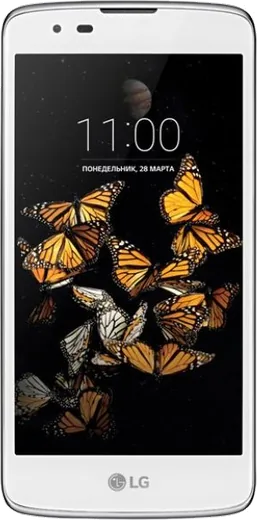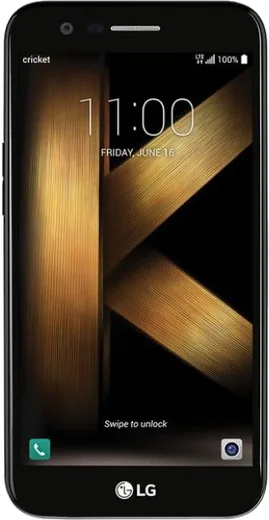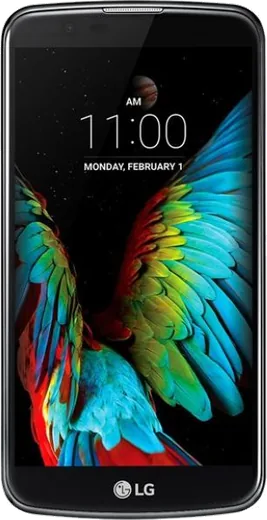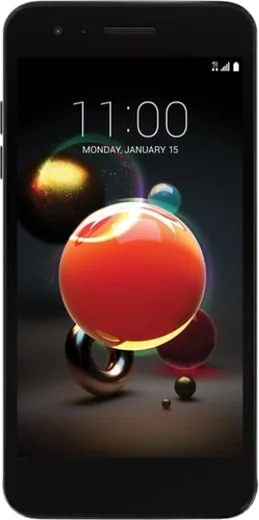
WhatsApp on LG K8
LG Android

WhatsApp for LG K8

Install the official WhatsApp on your LG K8 in a few simple steps.

WhatsApp Messenger 4.7 · 64.2M reviews Free · Android · ~40 MB · by WhatsApp LLC
Download WhatsApp

Ask a question / report a problem

You can ask any question about WhatsApp support on the LG K8 — leave it below and we'll help.

Ask a question

Can the LG K8 run WhatsApp?

Support ending soon
  • Operating systemAndroid
  • WhatsApp versionLatest supported

Latest known WhatsApp problems on LG K8

1

My LG K8 shows "Your device is corrupt" and won't boot — how do I fix it?

This message usually appears after a failed update, a bad root attempt, or a corrupted system partition, and the phone may loop on it or refuse to start. If you can still reach it, back up your data first. Power off, then hold Volume Down + Power to reach recovery and choose "Wipe data/factory reset." If it still won't boot, you'll likely need to reflash the original LG KDZ firmware using the LGUP tool on a Windows PC, since LG no longer pushes official rescue updates for the K8. See how others solved this on Reddit
2

Apps keep crashing or refuse to install on my LG K8 since LG stopped supporting it — what can I do?

The K8 is stuck on an old Android version (6.0/7.0), and many apps now require a newer OS, so they fail to install or update through the Play Store. Try installing an older compatible build from a source like APKMirror that still supports your Android version, and clear the Play Store cache under Settings > Apps > Google Play Store > Storage. For apps that have fully dropped support, a custom ROM like LineageOS is the only real way to get a newer Android base on this phone. See how others solved this on Reddit
3

How do I transfer all my contacts, photos and messages off my LG K8 to a new phone?

The simplest path is Google: open Settings > Accounts > Google and enable sync for Contacts, then back up photos with the Google Photos app and back up the device under Settings > Backup & reset > Back up my data. On your new phone, sign in with the same Google account during setup and synced data restores automatically. For SMS and call logs, install "SMS Backup & Restore" on the K8, save to Google Drive, then restore on the new device. See how others solved this on Reddit
4

Does the LG K8 support Wi-Fi calling for use on a cheap carrier plan?

Most LG K8 variants do not have native Wi-Fi calling, and even where the hardware supports it the feature only works if your specific carrier enables that model. Check the Phone app settings (or Settings > Networks > Call) for a Wi-Fi Calling toggle; if it isn't there, it isn't enabled for your phone. As a workaround, make calls over Wi-Fi using an app like Google Voice or WhatsApp instead. See how others solved this on Reddit
5

Can I install LineageOS or a custom ROM on my LG K8 (2017) to get a newer Android?

The LG K8 2017 (model X240) has an unofficial LineageOS community effort, but builds are not officially maintained, so you'll need to unlock the bootloader, flash TWRP recovery, and use a community-built ZIP. Confirm your exact model number under Settings > About phone before flashing anything, since the K8 shipped in many regional variants that are not cross-compatible. Back up everything first, as unlocking the bootloader wipes the device and a mismatched build can brick it. See how others solved this on Reddit

Ask a question / report a problem

You can ask any question about WhatsApp support on the LG K8 — leave it below and we'll help.

Ask a question

Watch: setting up WhatsApp

Prefer to watch? This short walkthrough shows the whole installation and number-verification flow.

How to install WhatsApp on LG K8 — video walkthrough

How to install WhatsApp on LG K8

1

Choose how to download

On your LG K8 you can get the official app two ways: from the Google Play Store — the easiest option, since it keeps WhatsApp updated automatically — or directly from the official website. You can download an APK file, by clicking a link “Download WhatsApp directly”.

2

Open WhatsApp

Launch WhatsApp from your home screen or app drawer and accept the Terms of Service to start setup.

3

Verify your phone number

Enter your phone number. If your LG K8 uses dual SIM, pick the line you want WhatsApp tied to, then enter the 6-digit code it sends by SMS — it usually fills in automatically.

4

Restore chats and finish setup

Restore your chat history from Google Drive (use the same Google account), add your name and photo, and tap Allow for notifications so messages and calls arrive reliably.

Stay safe: only ever install WhatsApp from the official Android source. The Download button above already points there — modified copies (GB/Plus/Aero WhatsApp) can get your number banned.

Comments (6)

No registration needed. No email required.
R
rosa_amyMar 20, 2026

Davvero il miglior sito, funzionato al primo colpo sul mio k8 🎉

W
whyyyyyJan 4, 2026

omg everything working now 🙏

I
ivan_petMay 29, 2025

Ok so running whatsapp on my LG K8 like new cheers

T
tina_linApr 7, 2025

omg the download was a bit slow but it worked thx

N
nick81Nov 24, 2024

wow super easy to follow 🔥

C
chris_kevJul 22, 2024

someone i tried everything pls help meee install whatsapp on k8

AppWhatsOfficialJul 26, 2024

Hey, no need to stress! Tap the green Download button at the top, follow the steps, and you will have WhatsApp in a minute. You will be set up on your phone in no time.