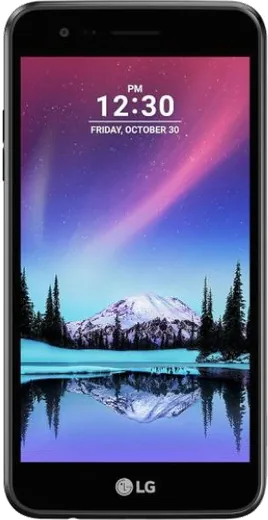
WhatsApp on LG K4 (2017)
LG Android

WhatsApp for LG K4 (2017)

Install the official WhatsApp on your LG K4 (2017) in a few simple steps.

WhatsApp Messenger 4.7 · 64.2M reviews Free · Android · ~40 MB · by WhatsApp LLC
Download WhatsApp

Ask a question / report a problem

You can ask any question about WhatsApp support on the LG K4 (2017) — leave it below and we'll help.

Ask a question

Can the LG K4 (2017) run WhatsApp?

Support ending soon
  • Operating systemAndroid
  • WhatsApp versionLatest supported

Latest known WhatsApp problems on LG K4 (2017)

1

WhatsApp keeps crashing or won't update on my LG K4 (2017) running old Android

The K4 (2017) ships with Android 6.0/7.0, and modern WhatsApp is dropping support for very old builds, so first update via the Play Store and confirm you're on the latest version it will install. If it still crashes, clear the cache under Settings > Apps > WhatsApp > Storage > Clear Cache (not Clear Data, which deletes nothing from chats but resets settings), then reboot. If WhatsApp shows an unsupported-version message, back up your chats and move to a newer phone, since older OS versions are eventually cut off. See how others solved this on Reddit
2

Is the LG K4 (2017) still usable for just WhatsApp and Telegram, or should I replace it?

For light messaging the K4 (2017) can still run WhatsApp and Telegram, but its 1GB RAM and Android 6/7 base make it slow and increasingly unsupported by app updates. To squeeze more life out of it, uninstall unused apps, disable bloatware via Settings > Apps, and keep only WhatsApp/Telegram plus a browser. If apps start refusing to update due to OS age, plan to migrate, because security and WhatsApp support for that Android version is ending. See how others solved this on Reddit
3

How do I transfer my WhatsApp chats from my old LG K4 (2017) to a new phone?

On the K4 open WhatsApp > Settings > Chats > Chat backup and tap Back Up to save to Google Drive using the same Google account you'll use on the new phone. On the new Android device, install WhatsApp, verify the same number, and when prompted choose Restore from Google Drive. If the K4's storage is full and the backup stalls, move photos to an SD card first so the backup can complete. See how others solved this on Reddit
4

WhatsApp runs out of storage and slows down on my LG K4 (2017)

The K4 (2017) only has about 8GB internal storage, which WhatsApp media fills quickly, so open WhatsApp > Settings > Storage and data > Manage storage to find and delete large videos and forwarded media. Insert a microSD card and set Camera and downloads to save there to free internal space. Also turn off auto-download under WhatsApp Settings > Storage and data so photos and videos don't pile up automatically. See how others solved this on Reddit
5

Can I use WhatsApp on the LG K4 (2017) as a minimal, distraction-free phone?

Yes, the K4 (2017) works well as a stripped-down phone for WhatsApp calls and texts. Disable or uninstall non-essential apps in Settings > Apps, turn off most notifications under Settings > Sound & notification, and keep WhatsApp's notifications on only for calls and direct chats. Mute noisy group chats inside WhatsApp by long-pressing the chat and choosing Mute to keep the device quiet and battery-friendly. See how others solved this on Reddit
6

WhatsApp voice notes and calls have poor audio or won't connect on the LG K4 (2017)

Call quality on the K4 (2017) depends heavily on its modest hardware and connection, so confirm WhatsApp has microphone and phone permissions under Settings > Apps > WhatsApp > Permissions. For dropped calls, switch between Wi-Fi and mobile data since the K4's older radios handle weak signals poorly, and close background apps to free RAM before a call. If voice notes won't record, granting the microphone permission and restarting the phone usually resolves it. See how others solved this on Reddit

Ask a question / report a problem

You can ask any question about WhatsApp support on the LG K4 (2017) — leave it below and we'll help.

Ask a question

Watch: setting up WhatsApp

Prefer to watch? This short walkthrough shows the whole installation and number-verification flow.

How to install WhatsApp on LG K4 (2017) — video walkthrough

How to install WhatsApp on LG K4 (2017)

1

Choose how to download

On your LG K4 (2017) you can get the official app two ways: from the Google Play Store — the easiest option, since it keeps WhatsApp updated automatically — or directly from the official website. You can download an APK file, by clicking a link “Download WhatsApp directly”.

2

Open WhatsApp

Launch WhatsApp from your home screen or app drawer and accept the Terms of Service to start setup.

3

Verify your phone number

Enter your phone number. If your LG K4 (2017) uses dual SIM, pick the line you want WhatsApp tied to, then enter the 6-digit code it sends by SMS — it usually fills in automatically.

4

Restore chats and finish setup

Restore your chat history from Google Drive (use the same Google account), add your name and photo, and tap Allow for notifications so messages and calls arrive reliably.

Stay safe: only ever install WhatsApp from the official Android source. The Download button above already points there — modified copies (GB/Plus/Aero WhatsApp) can get your number banned.

Comments (3)

No registration needed. No email required.
N
noobmasterOct 31, 2025

Ugh help meee i pressed everything and nothing 😭 😩

AppWhatsOfficialNov 4, 2025

Don't worry, you can do this! Use the Download button, install the app, and enter your number to verify.

H
helpmeeeApr 24, 2025

finalmente finalmente whatsapp installato sul mio K4 😍

N
nick_officialDec 23, 2024

finally installed whatsapp on my k4 with no issues 🎉