Apple iOS

WhatsApp for iPhone X

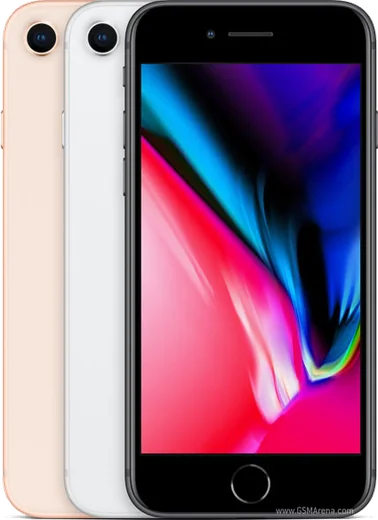
Apple A11 Bionic, 5.8-inch OLED, Face ID

WhatsApp Messenger 4.7 · 64.2M reviews Free · iOS · ~40 MB · by WhatsApp LLC
Download WhatsApp

Ask a question / report a problem

You can ask any question about WhatsApp support on the iPhone X — leave it below and we'll help.

Ask a question

Can the iPhone X run WhatsApp?

Fully supported
  • Operating systemiOS
  • ProcessorApple A11 Bionic
  • WhatsApp versionLatest supported

Latest known WhatsApp problems on iPhone X

1

Why don't I get WhatsApp notifications on my iPhone X unless I open the app?

This usually means iOS is restricting WhatsApp's background activity, so messages only sync when you launch it. Go to Settings > WhatsApp and turn on Background App Refresh, then in Settings > Notifications > WhatsApp make sure Allow Notifications, Lock Screen, Banners and Sounds are all enabled. Also confirm a Focus or Do Not Disturb isn't silencing it under Settings > Focus. See how others solved this on Reddit
2

WhatsApp notifications suddenly stopped working on my iPhone X and I can't fix them — what should I do?

When alerts vanish out of nowhere, the fastest reset is to toggle WhatsApp's notification permission off and back on in Settings > Notifications > WhatsApp, then force-quit and reopen the app. If that doesn't help, check inside WhatsApp under Settings > Notifications that messages aren't muted, and verify Low Power Mode (Settings > Battery) is off since it can throttle background activity. See how others solved this on Reddit
3

Why does WhatsApp only miss SOME notifications on my iPhone X instead of all of them?

Intermittent missed alerts are typically caused by aggressive battery or background limits cutting WhatsApp's connection while idle. Make sure Background App Refresh is on for WhatsApp in Settings > WhatsApp, turn off Low Power Mode in Settings > Battery, and confirm the chat or group isn't muted inside WhatsApp's notification settings. If it persists, deleting and reinstalling WhatsApp from the App Store (after backing up your chats) often clears the stuck notification state. See how others solved this on Reddit
4

Notifications stopped working completely on my iPhone X across apps including WhatsApp — how do I get them back?

A full notification blackout is usually a system-level glitch rather than a WhatsApp bug, so start by restarting the iPhone X (press and hold the Side button and either Volume button, then slide to power off). Then check Settings > Focus to make sure a Focus mode isn't stuck on, and confirm notifications are still allowed under Settings > Notifications > WhatsApp. If they remain dead, updating iOS in Settings > General > Software Update often restores the push service. See how others solved this on Reddit
5

How can I make WhatsApp notifications reliable on my iPhone X?

For consistent alerts, open WhatsApp > Settings > Notifications and enable Show Notifications for both messages and groups, then in iOS Settings > Notifications > WhatsApp set the alert style to Banners with sounds and badges on. Keeping Background App Refresh enabled and avoiding Low Power Mode are the two iOS settings that most affect delivery. See how others solved this on Reddit
6

Why are WhatsApp push notifications not working at all on my iPhone X?

If pushes never arrive even with the app closed, WhatsApp's notification permission was likely revoked or never fully granted. Go to Settings > Notifications > WhatsApp and turn Allow Notifications on, then enable Lock Screen, Notification Center and Banners. If the toggle is already on, deleting and reinstalling WhatsApp from the App Store forces iOS to re-register the device for Apple's push service. See how others solved this on Reddit

Ask a question / report a problem

You can ask any question about WhatsApp support on the iPhone X — leave it below and we'll help.

Ask a question

Watch: setting up WhatsApp

Prefer to watch? This short walkthrough shows the whole installation and number-verification flow.

How to install WhatsApp on iPhone X — video walkthrough

How to install WhatsApp on iPhone X

1

Open the App Store

Unlock your iPhone X and tap the blue App Store icon on the Home Screen. WhatsApp is not preinstalled on any iPhone, so you install it from here.

2

Search for WhatsApp Messenger

Tap the Search tab at the bottom right, type WhatsApp Messenger, and confirm the publisher shows as WhatsApp Inc. so you don't download a copycat app.

3

Download and install

Tap Get, then authenticate with Face ID or Touch ID (or your Apple Account password). The app downloads to your Home Screen in a few seconds.

4

Verify your phone number

Open WhatsApp, accept the terms, and enter your phone number. If your iPhone X uses dual SIM, pick the line you want WhatsApp tied to, then enter the 6-digit code it sends by SMS — it usually fills in automatically.

5

Restore chats and finish setup

Sign in to iCloud with the same Apple Account to restore an existing chat backup, add your name and photo, and tap Allow for notifications so messages and calls arrive reliably.

Stay safe: only ever install WhatsApp from the official iOS source. The Download button above already points there — modified copies (GB/Plus/Aero WhatsApp) can get your number banned.

Comments (8)

No registration needed. No email required.
A
ash_realJun 21, 2026

Honestly works like a charm on the iPhone X :)

M
ms_deniFeb 20, 2026

omg im so confused someone help meeee 😭

AppWhatsOfficialFeb 24, 2026

No panic needed. The Download button takes you to the official app, then just install and verify your number. Reply here if you get stuck.

L
lina_proJan 19, 2026

yo worked even on my old phone

M
marc5Oct 24, 2025

wow the iPhone X guide was spot on 😍

W
whyyyyyJul 3, 2025

ey pasos clarísimos para el iPhone X 🙏

S
sam99Jan 31, 2025

update perfect steps for the x lol

AppWhatsOfficialFeb 1, 2025

Good to hear!

N
newphoneNov 21, 2024

quick q the app crashes every time i open it

AppWhatsOfficialNov 22, 2024

Happy to help, crashes are often an old version. Remove it, update your OS, and reinstall the newest build from the official source. Feel free to ask if you get stuck.

M
mr_rajJul 10, 2024

honestly thank u, whatsapp installed on my x