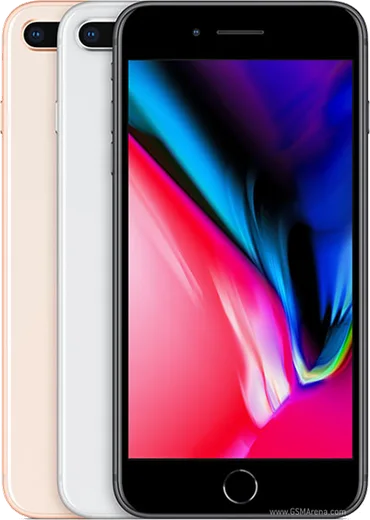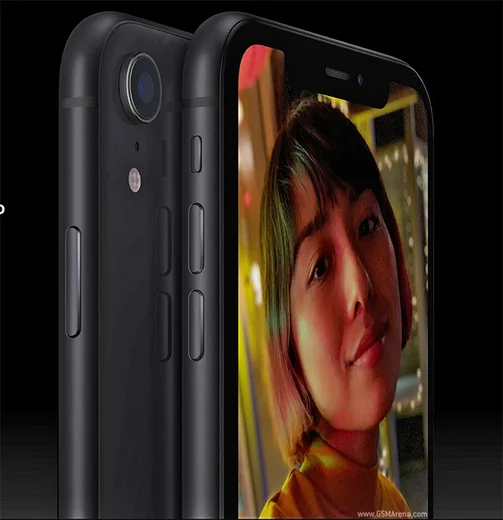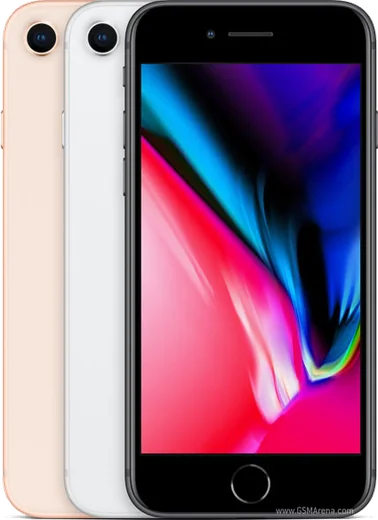
WhatsApp on iPhone 8 Plus
Apple iOS

WhatsApp for iPhone 8 Plus

Apple A11 Bionic, 5.5-inch display, dual cameras

WhatsApp Messenger 4.7 · 64.2M reviews Free · iOS · ~40 MB · by WhatsApp LLC
Download WhatsApp

Ask a question / report a problem

You can ask any question about WhatsApp support on the iPhone 8 Plus — leave it below and we'll help.

Ask a question

Can the iPhone 8 Plus run WhatsApp?

Fully supported
  • Operating systemiOS
  • ProcessorApple A11 Bionic
  • WhatsApp versionLatest supported

Latest known WhatsApp problems on iPhone 8 Plus

1

Will WhatsApp stop working on my iPhone 8 Plus?

Your iPhone 8 Plus is fine for now. WhatsApp is dropping support for iPhones stuck on iOS 15.0 or older, but the 8 Plus can update all the way to iOS 16.7.x, which stays above that cutoff. Make sure you've installed the latest available iOS under Settings > General > Software Update so you don't fall below the minimum. See how others solved this on Reddit
2

What is the minimum iOS version WhatsApp needs and does my iPhone 8 Plus meet it?

WhatsApp's announced floor is iOS 15.1, and your iPhone 8 Plus supports iOS 16.7, so you meet the requirement with room to spare. Open the App Store, tap your profile icon at the top right, and check whether WhatsApp shows an Update button so you stay on the latest supported build. As long as you keep both iOS and the app reasonably current, you'll keep receiving updates. See how others solved this on Reddit
3

My iPhone 8 Plus downloaded iOS 16.7 but won't install it - how do I fix this?

If the update downloaded but won't apply, first free up storage under Settings > General > iPhone Storage, since the installer needs several GB of headroom. Then delete the stuck download (tap the iOS update in that storage list and choose Delete Update) and re-download it. Reboot the phone, make sure it's on Wi-Fi and charging, and retry from Settings > General > Software Update. If it still fails, plug into a Mac or PC and update via Finder or iTunes, which often pushes through installs the over-the-air method chokes on. See how others solved this on Reddit
4

How long can I safely keep using my iPhone 8 Plus with WhatsApp?

On iOS 16.7, your iPhone 8 Plus should keep running WhatsApp into 2026, since the announced cutoffs target iOS 15 and below. The bigger limit is that this model can't go past iOS 16.7.x and Apple is winding down security patches for it, so install the final 16.7.x release and watch for WhatsApp's in-app warnings about an approaching minimum version. When WhatsApp eventually raises the floor past iOS 16, that's your real signal it's time to consider a newer phone. See how others solved this on Reddit
5

WhatsApp keeps crashing or won't connect on my iPhone 8 Plus - what should I try?

Start with the basics: force-close WhatsApp by swiping it away in the App Switcher, toggle Airplane mode off and on, and reboot the iPhone. Then update WhatsApp from the App Store and confirm you're on the latest iOS 16.7.x via Settings > General > Software Update, since an outdated app or OS is the usual cause of connection failures on older iPhones. If it persists, offload and reinstall the app under Settings > General > iPhone Storage > WhatsApp; your chats restore from your iCloud or local backup when you sign back in. See how others solved this on Reddit
6

WhatsApp says it no longer supports my version on iPhone 8 Plus - can I bypass it?

There's no safe sideload trick on iPhone, and forcing an outdated WhatsApp build won't connect, so the real fix is updating properly. First make sure your iPhone 8 Plus is on iOS 16.7 via Settings > General > Software Update, then install the current WhatsApp from the App Store via your profile icon. If you can't get the very latest app because the device is capped at iOS 16, the App Store may prompt to 'Download an older version of this app that's compatible' with this device - accept it, as that's Apple's supported way to keep a working build. See how others solved this on Reddit

Ask a question / report a problem

You can ask any question about WhatsApp support on the iPhone 8 Plus — leave it below and we'll help.

Ask a question

Watch: setting up WhatsApp

Prefer to watch? This short walkthrough shows the whole installation and number-verification flow.

How to install WhatsApp on iPhone 8 Plus — video walkthrough

How to install WhatsApp on iPhone 8 Plus

1

Open the App Store

Unlock your iPhone 8 Plus and tap the blue App Store icon on the Home Screen. WhatsApp is not preinstalled on any iPhone, so you install it from here.

2

Search for WhatsApp Messenger

Tap the Search tab at the bottom right, type WhatsApp Messenger, and confirm the publisher shows as WhatsApp Inc. so you don't download a copycat app.

3

Download and install

Tap Get, then authenticate with Face ID or Touch ID (or your Apple Account password). The app downloads to your Home Screen in a few seconds.

4

Verify your phone number

Open WhatsApp, accept the terms, and enter your phone number. If your iPhone 8 Plus uses dual SIM, pick the line you want WhatsApp tied to, then enter the 6-digit code it sends by SMS — it usually fills in automatically.

5

Restore chats and finish setup

Sign in to iCloud with the same Apple Account to restore an existing chat backup, add your name and photo, and tap Allow for notifications so messages and calls arrive reliably.

Stay safe: only ever install WhatsApp from the official iOS source. The Download button above already points there — modified copies (GB/Plus/Aero WhatsApp) can get your number banned.

Comments (13)

No registration needed. No email required.
B
bea.jJun 4, 2026

hey does it work on older android versions anyone

AppWhatsOfficialJun 6, 2026

Thanks for asking, it depends. WhatsApp drops support for very old systems over time. If the store still offers you the app, your phone is supported. Reach out anytime.

R
rob_louFeb 24, 2026

guys help meee i pressed everything and nothing 😭 😭

AppWhatsOfficialFeb 27, 2026

We are here to help. Hit Download, follow the steps on this page, and if the code is slow just request it again. You got this!

H
helpmeJan 21, 2026

por fin excelente guía, gracias 😍

J
jess_realSep 17, 2025

finally installed whatsapp on my 8 plus with no issues 💯

Y
yasinJul 9, 2025

تمام، واتساب يشتغل

O
omar.iJun 14, 2025

super guide merci

R
raj12Jun 7, 2025

yo the iphone 8plus steps actually work unlike other sites

P
pete41May 10, 2025

finally a guide that makes sense

A
apploverApr 24, 2025

finally got whatsapp running on my 8plus

J
just_leoDec 15, 2024

hi is whatsapp free or do i have to pay

AppWhatsOfficialDec 21, 2024

Good question, it is completely free. There is no fee for the app, only your usual data or wifi is used. Hope that helps!

L
luca_theNov 27, 2024

honestly easy install on my 8 plus

K
kate.iAug 4, 2024

Honestly smooth install on the iphone 8 plus

L
luca.zAug 1, 2024

Anyone? how do i use whatsapp on a second phone ?

AppWhatsOfficialAug 4, 2024

Hey there, you can link extra devices from Settings, that lets the same number work on another phone. Enjoy WhatsApp on your your phone!