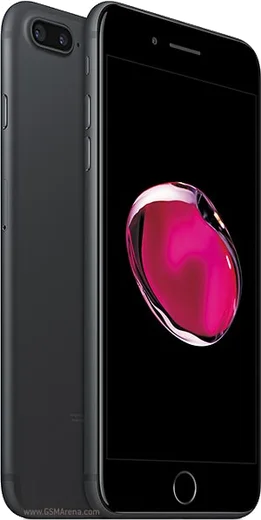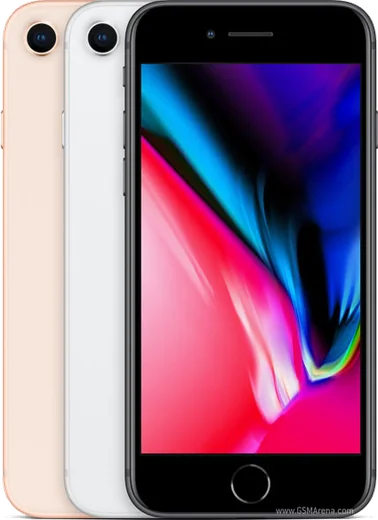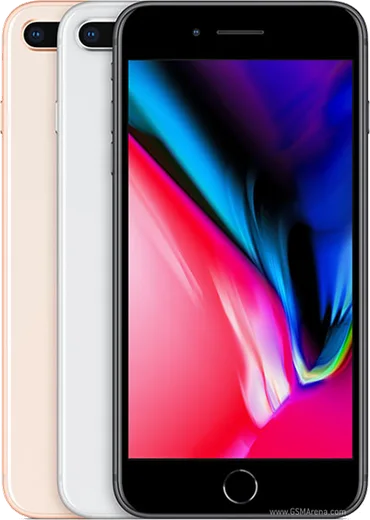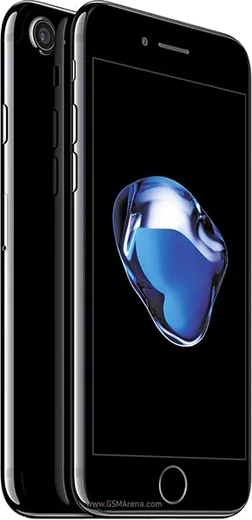
WhatsApp on iPhone 7 Plus
Apple iOS

WhatsApp for iPhone 7 Plus

Apple A10, 5.5-inch display with dual cameras

WhatsApp Messenger 4.7 · 64.2M reviews Free · iOS · ~40 MB · by WhatsApp LLC
Download WhatsApp

Ask a question / report a problem

You can ask any question about WhatsApp support on the iPhone 7 Plus — leave it below and we'll help.

Ask a question

Can the iPhone 7 Plus run WhatsApp?

Fully supported
  • Operating systemiOS
  • ProcessorApple A10
  • WhatsApp versionLatest supported

Latest known WhatsApp problems on iPhone 7 Plus

1

Why is WhatsApp going to stop working on my iPhone 7 Plus?

WhatsApp is ending support for iOS 15 and older, and the iPhone 7 Plus tops out at iOS 15.8.x, so it falls below WhatsApp's minimum requirement. While the app stays installed it keeps running for now, but once support is dropped you can no longer send or receive messages, and you won't be able to reinstall it. Back up your chats first: open WhatsApp, go to Settings > Chats > Chat Backup, and run a backup to iCloud so you can restore them on a newer phone later. See how others solved this on Reddit
2

WhatsApp suddenly stopped working on my iPhone 7 Plus on iOS 15.8.3 — how do I fix it?

First try the basics: force-close WhatsApp (swipe up from the bottom and flick the card away), toggle Airplane Mode on and off to refresh the connection, and check the App Store for any WhatsApp update. If it still won't connect, the cause is usually the iOS 15 support cutoff rather than a fixable bug, so the lasting solution is moving to a phone running a newer iOS. Before changing anything, make a chat backup via WhatsApp > Settings > Chats > Chat Backup so nothing is lost. See how others solved this on Reddit
3

I deleted WhatsApp from my iPhone 7 and now I can't reinstall it — what can I do?

The App Store now serves only the newest WhatsApp, which the iPhone 7's iOS version can no longer run, so the install fails or shows as incompatible. Try opening the App Store, tapping your profile icon, then your account name to view purchased apps, and search for WhatsApp there — when you reinstall an app you previously owned, iOS sometimes offers to download the last version compatible with your device. If that option doesn't appear, WhatsApp can't be reinstalled on that phone, and you'll need to set it up on a supported device and restore from your iCloud chat backup. See how others solved this on Reddit
4

How do I move my WhatsApp chats from my iPhone 7 to a newer iPhone like the 13?

On the iPhone 7, open WhatsApp > Settings > Chats > Chat Backup and run a fresh backup to iCloud using the Apple ID you'll sign into on the new phone. On the new iPhone, install WhatsApp from the App Store, verify the same phone number, and when prompted during setup choose to restore your chat history from the iCloud backup. Both phones must use the same Apple ID and have iCloud Drive enabled, or the backup won't be found. See how others solved this on Reddit
5

Is there any way to keep using WhatsApp on my iPhone 7 Plus on iOS 15.8.5?

There's no official way once WhatsApp drops iOS 15: the App Store won't offer a compatible version, and the app refuses to launch below its minimum iOS. Jailbreak-based sideloading of an older IPA is the only workaround people attempt, but it's unreliable, tends to break against WhatsApp's server-side checks, and can get your account banned, so it's not recommended. The practical answer is to back up your chats and switch to a phone that runs a supported iOS version. See how others solved this on Reddit
6

How much longer will apps like WhatsApp support my iPhone 7?

The iPhone 7 and 7 Plus are stuck on iOS 15 with no further updates, and major apps typically drop support a year or two after Apple stops updating an OS — which is exactly why WhatsApp is now phasing out iOS 15 devices. Expect more apps to follow, so treat the iPhone 7 Plus as near end-of-life for new app versions, even though already-installed apps keep working for a while. Keep regular iCloud backups so you're ready to migrate whenever an app finally cuts it off. See how others solved this on Reddit

Ask a question / report a problem

You can ask any question about WhatsApp support on the iPhone 7 Plus — leave it below and we'll help.

Ask a question

Watch: setting up WhatsApp

Prefer to watch? This short walkthrough shows the whole installation and number-verification flow.

How to install WhatsApp on iPhone 7 Plus — video walkthrough

How to install WhatsApp on iPhone 7 Plus

1

Open the App Store

Unlock your iPhone 7 Plus and tap the blue App Store icon on the Home Screen. WhatsApp is not preinstalled on any iPhone, so you install it from here.

2

Search for WhatsApp Messenger

Tap the Search tab at the bottom right, type WhatsApp Messenger, and confirm the publisher shows as WhatsApp Inc. so you don't download a copycat app.

3

Download and install

Tap Get, then authenticate with Face ID or Touch ID (or your Apple Account password). The app downloads to your Home Screen in a few seconds.

4

Verify your phone number

Open WhatsApp, accept the terms, and enter your phone number. If your iPhone 7 Plus uses dual SIM, pick the line you want WhatsApp tied to, then enter the 6-digit code it sends by SMS — it usually fills in automatically.

5

Restore chats and finish setup

Sign in to iCloud with the same Apple Account to restore an existing chat backup, add your name and photo, and tap Allow for notifications so messages and calls arrive reliably.

Stay safe: only ever install WhatsApp from the official iOS source. The Download button above already points there — modified copies (GB/Plus/Aero WhatsApp) can get your number banned.

Comments (13)

No registration needed. No email required.
I
im_samJun 5, 2026

ugh SOS i cant figure out how to install whatsapp heeelp 😭

AppWhatsOfficialJun 6, 2026

Take a breath, we got you. Press Download above, then Install, then verify your number. That is all it takes. You got this!

M
marc_danApr 1, 2026

Update did it on my 7 plus in like 2 minutes ✌️

S
saif_22Mar 21, 2026

تم التثبيت بدون مشاكل 🙏

M
ms_jessFeb 21, 2026

guys best guide for the iPhone 7 Plus by far thx

L
lucy.vDec 30, 2025

Guys does it work on older android versions

AppWhatsOfficialJan 1, 2026

Happy to help, if the store lets you install it, you are supported. Very old systems may eventually lose support though. Hope that helps!

Y
yuki.jDec 28, 2025

ngl my new iphone 7plus is all set up now thx

M
ms_noahSep 10, 2025

man whatsapp finally on my 7plus

K
kai.sJun 21, 2025

Quick q why cant i see my contacts in the app

AppWhatsOfficialJun 24, 2025

Hey there, contacts come from your phone address book. Save them with the country code and refresh the app to see them. Let us know if you need anything else.

K
kev24May 2, 2025

tbh 10 out of 10

P
phonefanJan 27, 2025

Beste seite, sofort geklappt

K
kate.pNov 12, 2024

Ok so my iphone 7 Plus was being difficult but this sorted it

R
randomuserSep 21, 2024

well great stuff, much appreciated

L
lou99Aug 17, 2024

hat super funktioniert, danke