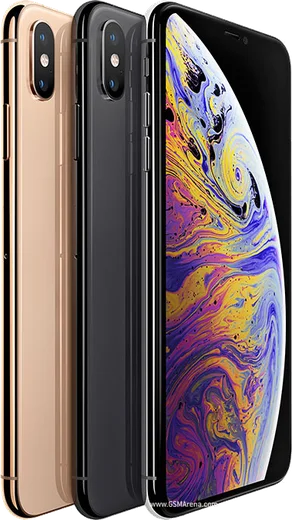
WhatsApp on iPhone XR
Apple iOS

WhatsApp for iPhone XR

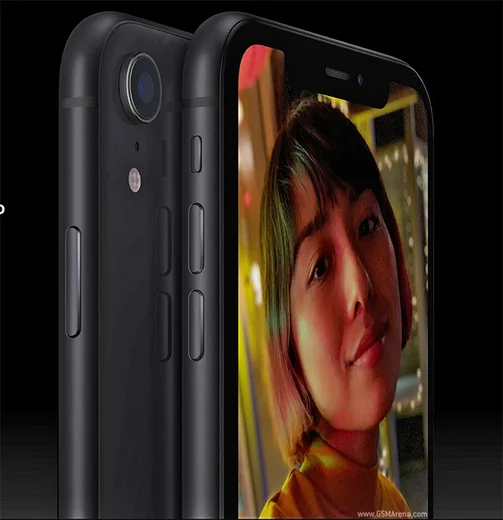
Apple A12 Bionic, 6.1-inch Liquid Retina LCD

WhatsApp Messenger 4.7 · 64.2M reviews Free · iOS · ~40 MB · by WhatsApp LLC
Download WhatsApp

Ask a question / report a problem

You can ask any question about WhatsApp support on the iPhone XR — leave it below and we'll help.

Ask a question

Can the iPhone XR run WhatsApp?

Fully supported
  • Operating systemiOS
  • ProcessorApple A12 Bionic
  • WhatsApp versionLatest supported

Latest known WhatsApp problems on iPhone XR

1

Will WhatsApp stop working on my iPhone XR?

No, your iPhone XR is safe. WhatsApp's 2025 cutoff only drops devices stuck on iOS 15.0 or older, and the iPhone XR can update all the way to iOS 18. Go to Settings > General > Software Update and install the latest iOS so WhatsApp keeps receiving updates. See how others solved this on Reddit
2

Which iPhones is WhatsApp dropping, and is the XR one of them?

The iPhone XR is not affected. WhatsApp ended support for older models like the iPhone 5s, 6 and 6 Plus that max out at iOS 12, whereas the XR runs current iOS versions. Keep iOS current under Settings > General > Software Update and the app will stay supported. See how others solved this on Reddit
3

WhatsApp won't open on my iPhone XR, it just crashes on launch. How do I fix it?

First force-close it: swipe up from the bottom of the screen and pause to open the app switcher, then flick the WhatsApp card away and reopen it. If it still crashes, delete and reinstall it from the App Store, sign in with the same number, and choose Restore when prompted to pull your chats back from your iCloud backup. Make sure iOS is up to date via Settings > General > Software Update. See how others solved this on Reddit
4

My iPhone XR doesn't ring for WhatsApp calls. Why aren't third-party app calls coming through?

Open Settings > Apps > WhatsApp (on older iOS it's Settings > WhatsApp) and enable Notifications, then inside WhatsApp go to Settings > Notifications and confirm call notifications are on. Also check that Focus/Do Not Disturb isn't silencing it and that Background App Refresh is enabled for WhatsApp, since the XR needs it active to receive incoming calls reliably. See how others solved this on Reddit
5

WhatsApp is really slow to open on my iPhone XR. How can I speed it up?

A bloated local chat database is usually the cause, so trim it in WhatsApp > Settings > Storage and Data > Manage Storage and delete large forwarded media and old files. Restart the iPhone XR, make sure you're on the latest app version from the App Store, and free up space in Settings > General > iPhone Storage if the device is nearly full. See how others solved this on Reddit
6

If my iPhone XR is stuck on an old iOS like 14, can I still use WhatsApp?

An already-installed WhatsApp build may keep running for a while, but newer versions, fresh sign-ins, and App Store reinstalls increasingly require a newer iOS, so the real fix is to update the device. The iPhone XR supports up to iOS 18, so go to Settings > General > Software Update and install it rather than relying on an outdated version. See how others solved this on Reddit

Ask a question / report a problem

You can ask any question about WhatsApp support on the iPhone XR — leave it below and we'll help.

Ask a question

Watch: setting up WhatsApp

Prefer to watch? This short walkthrough shows the whole installation and number-verification flow.

How to install WhatsApp on iPhone XR — video walkthrough

How to install WhatsApp on iPhone XR

1

Open the App Store

Unlock your iPhone XR and tap the blue App Store icon on the Home Screen. WhatsApp is not preinstalled on any iPhone, so you install it from here.

2

Search for WhatsApp Messenger

Tap the Search tab at the bottom right, type WhatsApp Messenger, and confirm the publisher shows as WhatsApp Inc. so you don't download a copycat app.

3

Download and install

Tap Get, then authenticate with Face ID or Touch ID (or your Apple Account password). The app downloads to your Home Screen in a few seconds.

4

Verify your phone number

Open WhatsApp, accept the terms, and enter your phone number. If your iPhone XR uses dual SIM, pick the line you want WhatsApp tied to, then enter the 6-digit code it sends by SMS — it usually fills in automatically.

5

Restore chats and finish setup

Sign in to iCloud with the same Apple Account to restore an existing chat backup, add your name and photo, and tap Allow for notifications so messages and calls arrive reliably.

Stay safe: only ever install WhatsApp from the official iOS source. The Download button above already points there — modified copies (GB/Plus/Aero WhatsApp) can get your number banned.

Comments (10)

No registration needed. No email required.
A
ash_proMay 19, 2026

Anyone? does whatsapp support the iphone xr thanks

AppWhatsOfficialMay 25, 2026

No worries, absolutely, the your phone is supported. Follow the steps above and you will be chatting in minutes. Reach out anytime.

T
tan21May 5, 2026

Uff súper sencillo, ya está listo 😍

X
xX_maxxMar 3, 2026

man worked perfect on my xr thx

O
omar_officialNov 26, 2025

Yo all good on my iphone xr now

V
val_nicSep 23, 2025

Ngl no annoying ads which is nice

I
ivan_joeJun 23, 2025

ok so works like a charm on the iphone xr lol

T
tina_lucApr 2, 2025

ehi ha funzionato benissimo, grazie grazie

P
pete_tomOct 13, 2024

Ngl perfect steps for the iPhone XR cheers

N
noobmasterOct 6, 2024

Hey SOS i cant figure out how to install whatsapp heeelp pls

AppWhatsOfficialOct 10, 2024

Relax, it is simpler than it looks. Press Download, install, then verify with the SMS code. You got this!

M
mobilegeekJul 23, 2024

Well cheers for the clear instructions thanks again