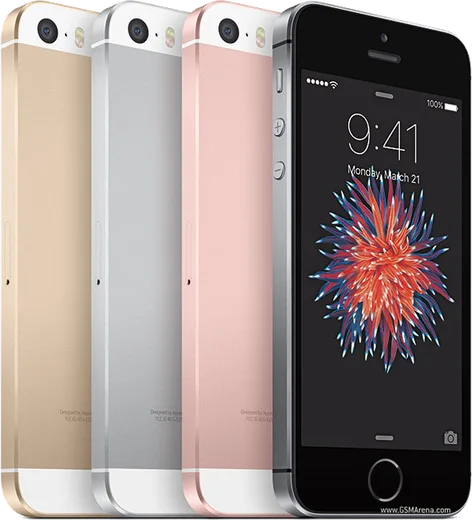
WhatsApp on iPhone SE (2nd gen)
Apple iOS

WhatsApp for iPhone SE (2nd gen)

Apple A13 Bionic, 4.7-inch display, Touch ID

WhatsApp Messenger 4.7 · 64.2M reviews Free · iOS · ~40 MB · by WhatsApp LLC
Download WhatsApp

Ask a question / report a problem

You can ask any question about WhatsApp support on the iPhone SE (2nd gen) — leave it below and we'll help.

Ask a question

Can the iPhone SE (2nd gen) run WhatsApp?

Fully supported
  • Operating systemiOS
  • ProcessorApple A13 Bionic
  • WhatsApp versionLatest supported

Latest known WhatsApp problems on iPhone SE (2nd gen)

1

Will WhatsApp stop working on my iPhone SE (2nd gen)?

The iPhone SE (2nd gen) is safe. WhatsApp's 2025 cutoff only affected iPhones stuck on iOS 15 or older, but the SE (2020) supports iOS 16, 17 and 18, so it stays fully supported. Keep the OS current under Settings > General > Software Update and update WhatsApp from the App Store. See how others solved this on Reddit
2

Which iPhones is WhatsApp dropping, and is the SE 2020 on the list?

The discontinuation lists target devices that can't go past iOS 15, mainly the iPhone 6S, 6S Plus and the original iPhone SE (1st gen). The iPhone SE (2nd gen) from 2020 is not affected because it runs iOS 16 and later. Open Settings > General > About to confirm your iOS version is 16 or higher. See how others solved this on Reddit
3

How do I keep WhatsApp supported long-term on my iPhone SE (2020)?

WhatsApp requires a minimum iOS version, so the key is keeping your phone updated as long as Apple ships updates for it. Go to Settings > General > Software Update and install the latest iOS, and turn on automatic app updates under Settings > App Store > App Updates. The SE (2nd gen) should keep getting WhatsApp updates for years thanks to its iOS 16+ support. See how others solved this on Reddit
4

Is the iPhone SE (2020) still good enough for WhatsApp and light use in 2025?

Yes. The A13 Bionic chip handles WhatsApp messaging, voice and video calls comfortably even for non-heavy users. The main limits are battery life and the smaller screen, so check Settings > Battery > Battery Health & Charging and consider a battery replacement if maximum capacity has dropped near 80% or it shows 'Service'. For light WhatsApp and browsing, it remains a solid choice. See how others solved this on Reddit
5

Can I hide my 'online' and 'last seen' status in WhatsApp on the iPhone SE?

Yes. In WhatsApp open Settings > Privacy > Last Seen & Online, set 'Last Seen' to Nobody (or My Contacts), then set 'Who can see when I'm online' to 'Same as Last Seen'. This hides both your last-seen timestamp and your live online indicator on your SE (2nd gen). See how others solved this on Reddit
6

Can I use my iPhone SE (2020) as a minimal secondary or 'dumbphone' with just WhatsApp?

Yes, the SE (2nd gen) works well as a stripped-down second phone for WhatsApp, calls and a music app. Back up your chats first via WhatsApp > Settings > Chats > Chat Backup to iCloud, then trim distractions: long-press apps to remove them to the App Library, keep a clean Home Screen, and use Settings > Screen Time > App Limits to leave only WhatsApp and essentials. See how others solved this on Reddit

Ask a question / report a problem

You can ask any question about WhatsApp support on the iPhone SE (2nd gen) — leave it below and we'll help.

Ask a question

Watch: setting up WhatsApp

Prefer to watch? This short walkthrough shows the whole installation and number-verification flow.

How to install WhatsApp on iPhone SE (2nd gen) — video walkthrough

How to install WhatsApp on iPhone SE (2nd gen)

1

Open the App Store

Unlock your iPhone SE (2nd gen) and tap the blue App Store icon on the Home Screen. WhatsApp is not preinstalled on any iPhone, so you install it from here.

2

Search for WhatsApp Messenger

Tap the Search tab at the bottom right, type WhatsApp Messenger, and confirm the publisher shows as WhatsApp Inc. so you don't download a copycat app.

3

Download and install

Tap Get, then authenticate with Face ID or Touch ID (or your Apple Account password). The app downloads to your Home Screen in a few seconds.

4

Verify your phone number

Open WhatsApp, accept the terms, and enter your phone number. If your iPhone SE (2nd gen) uses dual SIM, pick the line you want WhatsApp tied to, then enter the 6-digit code it sends by SMS — it usually fills in automatically.

5

Restore chats and finish setup

Sign in to iCloud with the same Apple Account to restore an existing chat backup, add your name and photo, and tap Allow for notifications so messages and calls arrive reliably.

Stay safe: only ever install WhatsApp from the official iOS source. The Download button above already points there — modified copies (GB/Plus/Aero WhatsApp) can get your number banned.

Comments (8)

No registration needed. No email required.
R
rob07May 17, 2026

All good on my iphone se now

AppWhatsOfficialMay 19, 2026

Love to hear it!

J
joe.yDec 24, 2025

SOS i cant figure out how to install whatsapp heeelp

AppWhatsOfficialDec 26, 2025

We are here to help. Hit Download, follow the steps on this page, and if the code is slow just request it again. You got this!

T
theo.aOct 23, 2025

Quick q do i need to uninstall my old whatsapp first

AppWhatsOfficialOct 28, 2025

You can keep the old one. Installing the newest build simply updates it and your chats stay put. Feel free to ask if you get stuck.

R
rosa_tomOct 5, 2025

well worked perfect on my se cheers

M
mike.eJun 30, 2025

ngl perfect, exactly what i needed thx

I
its_saraApr 10, 2025

auf dem se meiner mutter problemlos installiert 💯

R
rosa.lAug 13, 2024

hey why cant i see my contacts in the app anyone

AppWhatsOfficialAug 18, 2024

Hi! Add the contact in your phone with the full country code, then open WhatsApp and refresh. They should appear.

L
lucy95Jul 15, 2024

Yo i had to enable unknown sources but then it was fine