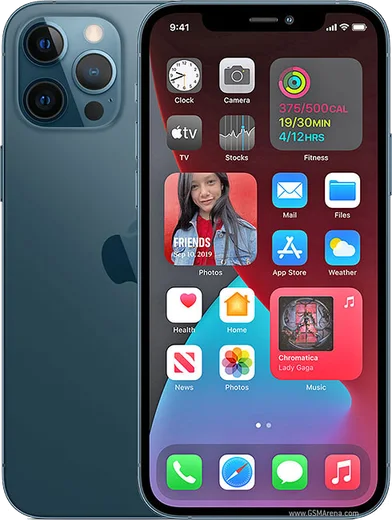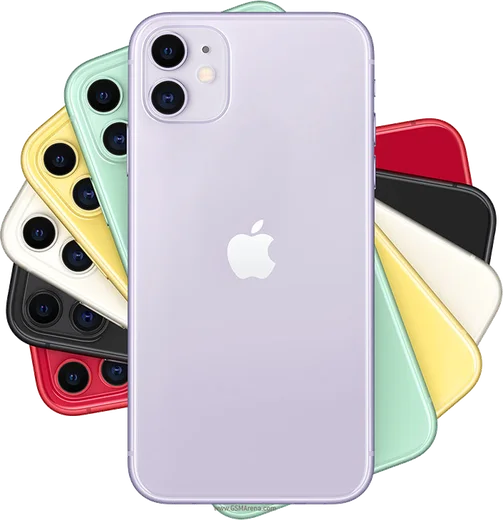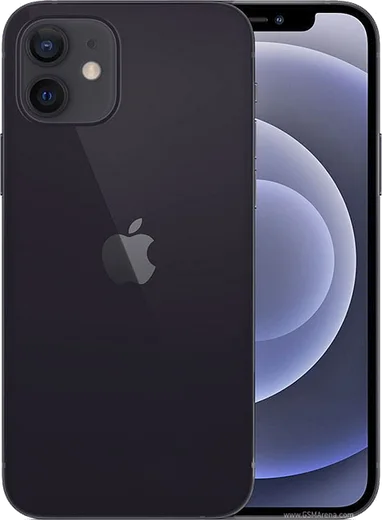
WhatsApp on iPhone 12 Pro Max
Apple iOS

WhatsApp for iPhone 12 Pro Max

Apple A14 Bionic, 6.7-inch OLED Super Retina XDR

WhatsApp Messenger 4.7 · 64.2M reviews Free · iOS · ~40 MB · by WhatsApp LLC
Download WhatsApp

Ask a question / report a problem

You can ask any question about WhatsApp support on the iPhone 12 Pro Max — leave it below and we'll help.

Ask a question

Can the iPhone 12 Pro Max run WhatsApp?

Fully supported
  • Operating systemiOS
  • ProcessorApple A14 Bionic
  • WhatsApp versionLatest supported

Latest known WhatsApp problems on iPhone 12 Pro Max

1

Why does WhatsApp crash every time I try to open it on my iPhone 12 Pro Max?

Repeated crashes on launch are usually caused by an outdated app or a corrupted cache, so first update WhatsApp from the App Store and then force-close it by swiping up in the App Switcher. If it still crashes, restart the iPhone, and as a last resort delete and reinstall WhatsApp after confirming your chats are backed up in Settings > Chats > Chat Backup so iCloud can restore them. See how others solved this on Reddit
2

Will WhatsApp stop working on my iPhone 12 Pro Max?

WhatsApp only drops support for very old iOS versions, and the iPhone 12 Pro Max can run iOS 18 and beyond, so it is well above the minimum requirement and is not affected. Just keep iOS current under Settings > General > Software Update and keep WhatsApp updated in the App Store, and the app will keep working normally on this device. See how others solved this on Reddit
3

Why do WhatsApp videos play sound but show no picture on my iPhone 12 Pro Max?

When media plays audio only with a black or frozen frame, it is typically a decoding glitch in the app rather than a damaged file, so force-quit WhatsApp from the App Switcher and reopen the video. If it persists, update WhatsApp from the App Store and reboot the phone, and try saving the clip to Photos with the share icon to confirm the video itself is intact. See how others solved this on Reddit
4

My WhatsApp screen shivers or flickers when I scroll on my iPhone 12 Pro Max, how do I fix it?

Scroll shimmering is usually a rendering issue tied to display motion settings or a buggy app build, so first update WhatsApp in the App Store and restart the phone. If it continues, turn on Reduce Motion under Settings > Accessibility > Motion, and check Settings > Accessibility > Display & Text Size for Reduce Transparency, both of which can calm the on-screen shaking. See how others solved this on Reddit
5

Why isn't my microphone working in WhatsApp calls on my iPhone 12 Pro Max?

If the other person can't hear you, the most common cause is that WhatsApp lacks microphone permission, so go to Settings > WhatsApp and make sure the Microphone toggle is on. Also confirm nothing is blocking the bottom mic, restart the phone, and test a recording in the Voice Memos app to rule out a hardware fault before reinstalling WhatsApp. See how others solved this on Reddit

Ask a question / report a problem

You can ask any question about WhatsApp support on the iPhone 12 Pro Max — leave it below and we'll help.

Ask a question

Watch: setting up WhatsApp

Prefer to watch? This short walkthrough shows the whole installation and number-verification flow.

How to install WhatsApp on iPhone 12 Pro Max — video walkthrough

How to install WhatsApp on iPhone 12 Pro Max

1

Open the App Store

Unlock your iPhone 12 Pro Max and tap the blue App Store icon on the Home Screen. WhatsApp is not preinstalled on any iPhone, so you install it from here.

2

Search for WhatsApp Messenger

Tap the Search tab at the bottom right, type WhatsApp Messenger, and confirm the publisher shows as WhatsApp Inc. so you don't download a copycat app.

3

Download and install

Tap Get, then authenticate with Face ID or Touch ID (or your Apple Account password). The app downloads to your Home Screen in a few seconds.

4

Verify your phone number

Open WhatsApp, accept the terms, and enter your phone number. If your iPhone 12 Pro Max uses dual SIM, pick the line you want WhatsApp tied to, then enter the 6-digit code it sends by SMS — it usually fills in automatically.

5

Restore chats and finish setup

Sign in to iCloud with the same Apple Account to restore an existing chat backup, add your name and photo, and tap Allow for notifications so messages and calls arrive reliably.

Stay safe: only ever install WhatsApp from the official iOS source. The Download button above already points there — modified copies (GB/Plus/Aero WhatsApp) can get your number banned.

Comments (11)

No registration needed. No email required.
Y
yuki1990Jun 15, 2026

well clear steps for the 12promax, cheers 👍

S
sooo_confusedMay 28, 2026

guys been at this for hours pls someone help me 🙏

AppWhatsOfficialMay 31, 2026

No panic needed. The Download button takes you to the official app, then just install and verify your number.

S
sara_lucMay 4, 2026

honestly my iPhone 12 Pro Max has whatsapp now thanks to this

L
lil_rajDec 24, 2025

man this fixed whatsapp on my 12 pro max 👍

P
phonefanDec 9, 2025

Honestly had whatsapp on my iPhone 12 Pro Max in no time

X
xX_zoeOct 24, 2025

Finalmente whatsapp installato

R
ray78Aug 31, 2025

finally got whatsapp running on my iphone 12promax

AppWhatsOfficialSep 1, 2025

Awesome, glad it worked!

M
marc_zoeMay 24, 2025

can i use the same number on two phones anyone

AppWhatsOfficialMay 27, 2025

WhatsApp supports linked devices now, so you can use your account on more than one phone. Open Linked Devices in Settings to add another. Happy chatting!

M
mr_amyMar 31, 2025

Finally installed in 2 min

R
rosa_greOct 26, 2024

endlich hat super funktioniert, danke

V
val26Sep 8, 2024

ngl saved me so much time