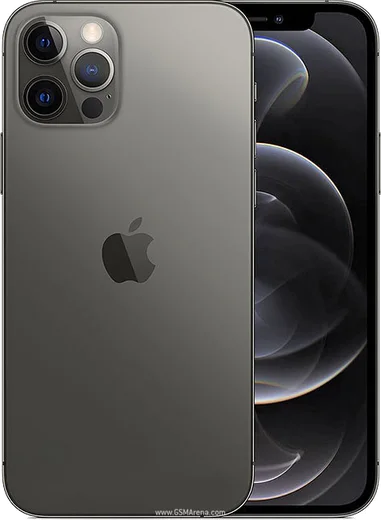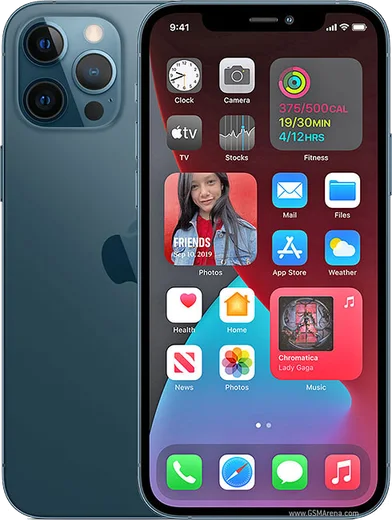
WhatsApp on iPhone 12 Pro
Apple iOS

WhatsApp for iPhone 12 Pro

Apple A14 Bionic, 6.1-inch OLED, LiDAR scanner

WhatsApp Messenger 4.7 · 64.2M reviews Free · iOS · ~40 MB · by WhatsApp LLC
Download WhatsApp

Ask a question / report a problem

You can ask any question about WhatsApp support on the iPhone 12 Pro — leave it below and we'll help.

Ask a question

Can the iPhone 12 Pro run WhatsApp?

Fully supported
  • Operating systemiOS
  • ProcessorApple A14 Bionic
  • WhatsApp versionLatest supported

Latest known WhatsApp problems on iPhone 12 Pro

1

Will WhatsApp stop working on my iPhone 12 Pro?

No, your iPhone 12 Pro is safe. WhatsApp's end-of-support cutoffs apply only to much older devices that cannot run the minimum required iOS version, and the iPhone 12 Pro runs current iOS releases well beyond that requirement. As long as you keep both iOS and the app updated through the App Store, WhatsApp will continue to work normally. See how others solved this on Reddit
2

WhatsApp crashes every time I try to open it on my iPhone 12 Pro

First update WhatsApp in the App Store and restart the phone, since most crash loops are fixed by the latest build. If it still crashes on launch, offload the app via Settings > General > iPhone Storage > WhatsApp > Offload App, then reinstall it from the App Store, which clears a corrupted local cache without deleting your chats as long as you have an iCloud backup. Also make sure iOS itself is current under Settings > General > Software Update. See how others solved this on Reddit
3

WhatsApp is frozen and unresponsive on my iPhone 12 Pro

Force-close the app: swipe up from the bottom of the screen and pause to open the App Switcher, then flick the WhatsApp card up to close it, and reopen it. If it stays frozen, restart the iPhone and confirm you are on the newest WhatsApp version from the App Store, since freezes were reported on some iOS 18.4.1 setups and resolved by app and system updates. A clean reinstall after confirming an iCloud chat backup is the reliable last step. See how others solved this on Reddit
4

WhatsApp is extremely slow every time I open it on my iPhone 12 Pro

Slow opening usually comes from a bloated local cache, so go to WhatsApp Settings > Storage and Data > Manage Storage and delete large forwarded media and old files. Keep a current backup under WhatsApp Settings > Chats > Chat Backup, and reinstall the app if lag persists after updating. Freeing iPhone storage in Settings > General > iPhone Storage also helps the app launch faster. See how others solved this on Reddit
5

The screen shivers or shakes when scrolling chats in WhatsApp on my iPhone 12 Pro

This display shimmer is a rendering glitch tied to specific WhatsApp builds rather than a hardware fault, so update the app in the App Store first. If it continues, turn on Settings > Accessibility > Motion > Reduce Motion, and try removing any custom chat wallpaper under WhatsApp Settings > Chats > Default chat theme / Wallpaper, which can trigger the effect. Restarting the phone after updating usually clears the remaining flicker. See how others solved this on Reddit
6

Can I use two WhatsApp accounts on my iPhone 12 Pro?

Yes, WhatsApp's built-in multi-account feature works on the iPhone 12 Pro as long as the app is fully updated from the App Store. Open the Settings tab in WhatsApp, tap the chevron next to your profile name at the top, choose Add account, and register the second phone number. You can then switch between both accounts from that same menu without installing a separate app. See how others solved this on Reddit

Ask a question / report a problem

You can ask any question about WhatsApp support on the iPhone 12 Pro — leave it below and we'll help.

Ask a question

Watch: setting up WhatsApp

Prefer to watch? This short walkthrough shows the whole installation and number-verification flow.

How to install WhatsApp on iPhone 12 Pro — video walkthrough

How to install WhatsApp on iPhone 12 Pro

1

Open the App Store

Unlock your iPhone 12 Pro and tap the blue App Store icon on the Home Screen. WhatsApp is not preinstalled on any iPhone, so you install it from here.

2

Search for WhatsApp Messenger

Tap the Search tab at the bottom right, type WhatsApp Messenger, and confirm the publisher shows as WhatsApp Inc. so you don't download a copycat app.

3

Download and install

Tap Get, then authenticate with Face ID or Touch ID (or your Apple Account password). The app downloads to your Home Screen in a few seconds.

4

Verify your phone number

Open WhatsApp, accept the terms, and enter your phone number. If your iPhone 12 Pro uses dual SIM, pick the line you want WhatsApp tied to, then enter the 6-digit code it sends by SMS — it usually fills in automatically.

5

Restore chats and finish setup

Sign in to iCloud with the same Apple Account to restore an existing chat backup, add your name and photo, and tap Allow for notifications so messages and calls arrive reliably.

Stay safe: only ever install WhatsApp from the official iOS source. The Download button above already points there — modified copies (GB/Plus/Aero WhatsApp) can get your number banned.

Comments (11)

No registration needed. No email required.
U
ugh_helpDec 8, 2025

Super easy to follow 🔥

T
tan24Dec 3, 2025

honestly set up whatsapp on my dads 12 pro no problem ✌️

X
xX_jayOct 26, 2025

Guys works like a charm on the iphone 12pro lol

T
theo_kSep 25, 2025

Anyone pls i cant download it heeeelp me :(

AppWhatsOfficialSep 29, 2025

Relax, it is simpler than it looks. Press Download, install, then verify with the SMS code. You got this! You will be set up on your phone in no time.

S
stuckkkMay 30, 2025

wow alles läuft, vielen dank 😍

S
sol_rajFeb 15, 2025

yo bookmarking this site for sure

J
just_kevJan 13, 2025

Installed whatsapp on my 12 pro with no issues

M
marc_kJan 6, 2025

set up whatsapp on my dads iPhone 12 Pro no problem

T
tan_officialNov 25, 2024

Guys the code never arrives, what do i do thanks

AppWhatsOfficialNov 30, 2024

If the SMS will not arrive, you can choose the call option to hear the code, just make sure your number is entered correctly. Happy chatting!

N
nick.eNov 10, 2024

My new iPhone 12 Pro is all set up now

E
ella.zAug 24, 2024

finalmente semplicissimo, tutto pronto