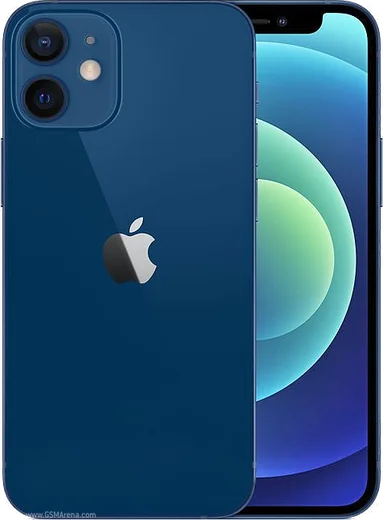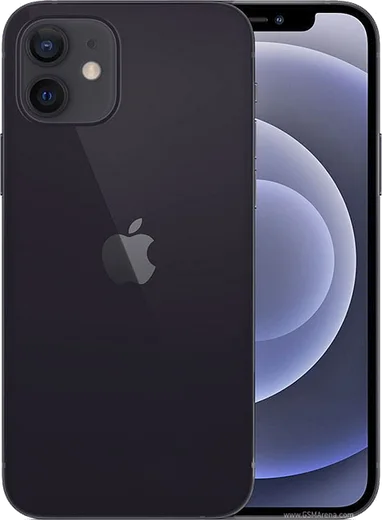
WhatsApp on iPhone 12 mini
Apple iOS

WhatsApp for iPhone 12 mini

Apple A14 Bionic, 5.4-inch OLED, 5G

WhatsApp Messenger 4.7 · 64.2M reviews Free · iOS · ~40 MB · by WhatsApp LLC
Download WhatsApp

Ask a question / report a problem

You can ask any question about WhatsApp support on the iPhone 12 mini — leave it below and we'll help.

Ask a question

Can the iPhone 12 mini run WhatsApp?

Fully supported
  • Operating systemiOS
  • ProcessorApple A14 Bionic
  • WhatsApp versionLatest supported

Latest known WhatsApp problems on iPhone 12 mini

1

Will WhatsApp stop working on my iPhone 12 mini?

No, your iPhone 12 mini is safe. WhatsApp dropped support for iOS 15 and older in 2025, but the 12 mini runs iOS 16, 17 and 18, so it stays fully supported. Just keep iOS current under Settings > General > Software Update, and you'll keep getting WhatsApp updates from the App Store. See how others solved this on Reddit
2

How much longer will my iPhone 12 mini keep getting iOS updates?

As of 2026 the iPhone 12 mini still receives current iOS releases (it runs iOS 18), so it remains a fully supported device. Apple typically provides major iOS updates for around five to six years after launch, and security updates often continue a while after that. Since app support like WhatsApp is tied to your iOS version, keeping the phone updated under Settings > General > Software Update is the best way to stay covered. See how others solved this on Reddit
3

Why does my iPhone 12 mini get warm just from texting on WhatsApp?

The 12 mini's small body has little room to dissipate heat, so background tasks like photo backups or a busy app can warm it up even during light use. Force-close WhatsApp (swipe up from the bottom and flick it away), then trim background activity in Settings > General > Background App Refresh, and turn off media auto-download under WhatsApp > Settings > Storage and Data. If it stays hot, remove any thick case while charging and update both iOS and WhatsApp. See how others solved this on Reddit
4

WhatsApp keeps freezing on my iPhone 12 mini, how do I fix it?

Freezes after an iOS update are usually fixed by force-quitting WhatsApp (swipe up from the bottom and flick it away) and reopening it. If it persists, restart the phone, update WhatsApp in the App Store, and confirm iOS is current under Settings > General > Software Update. As a last resort, delete and reinstall WhatsApp, restoring your chats from the iCloud backup during setup. See how others solved this on Reddit
5

My iPhone 12 mini won't connect to WhatsApp, what should I do?

Connectivity problems are usually network-side rather than the phone itself. Toggle Airplane Mode on and off, then test on both Wi-Fi and cellular; if only one fails, reset network settings via Settings > General > Transfer or Reset iPhone > Reset > Reset Network Settings. Also open Settings > WhatsApp to confirm Cellular Data is enabled for the app, and set the clock automatically under Settings > General > Date & Time. See how others solved this on Reddit
6

I'm upgrading from my iPhone 12 mini to a new iPhone, how do I avoid losing my WhatsApp chats?

Before switching, make a fresh backup on the 12 mini via WhatsApp > Settings > Chats > Chat Backup > Back Up Now, signed into the same iCloud account you'll use on the new phone. On the new iPhone, install WhatsApp, verify the same phone number, and choose Restore Chat History when prompted. The restore pulls from iCloud, so let the backup finish completely before you wipe or trade in the mini. See how others solved this on Reddit

Ask a question / report a problem

You can ask any question about WhatsApp support on the iPhone 12 mini — leave it below and we'll help.

Ask a question

Watch: setting up WhatsApp

Prefer to watch? This short walkthrough shows the whole installation and number-verification flow.

How to install WhatsApp on iPhone 12 mini — video walkthrough

How to install WhatsApp on iPhone 12 mini

1

Open the App Store

Unlock your iPhone 12 mini and tap the blue App Store icon on the Home Screen. WhatsApp is not preinstalled on any iPhone, so you install it from here.

2

Search for WhatsApp Messenger

Tap the Search tab at the bottom right, type WhatsApp Messenger, and confirm the publisher shows as WhatsApp Inc. so you don't download a copycat app.

3

Download and install

Tap Get, then authenticate with Face ID or Touch ID (or your Apple Account password). The app downloads to your Home Screen in a few seconds.

4

Verify your phone number

Open WhatsApp, accept the terms, and enter your phone number. If your iPhone 12 mini uses dual SIM, pick the line you want WhatsApp tied to, then enter the 6-digit code it sends by SMS — it usually fills in automatically.

5

Restore chats and finish setup

Sign in to iCloud with the same Apple Account to restore an existing chat backup, add your name and photo, and tap Allow for notifications so messages and calls arrive reliably.

Stay safe: only ever install WhatsApp from the official iOS source. The Download button above already points there — modified copies (GB/Plus/Aero WhatsApp) can get your number banned.

Comments (7)

No registration needed. No email required.
H
helpmeJun 10, 2026

Omg my whole family is waiting pls help me install it

AppWhatsOfficialJun 12, 2026

Don't worry, you can do this! Use the Download button, install the app, and enter your number to verify. You got this!

G
greg.mMay 6, 2026

Installed whatsapp on my 12 mini with no issues 😍

AppWhatsOfficialMay 10, 2026

Happy it helped you!

J
justmeDec 6, 2025

guys how do i hide my last seen ?

AppWhatsOfficialDec 7, 2025

Happy to help, yes, go to Settings then Privacy and set Last Seen and Online to Nobody or My Contacts. Your activity stays private.

A
alex8Aug 19, 2025

so installed whatsapp on my iphone 12 mini with no issues 💯

G
gabe77Jul 17, 2025

Guys even my grandma could do this thx

P
plz help meeJun 23, 2025

Enfin super guide, ça a marché sur mon iPhone 12 mini 🎉

N
newphoneMar 4, 2025

Well works like a charm on the iPhone 12 mini :)