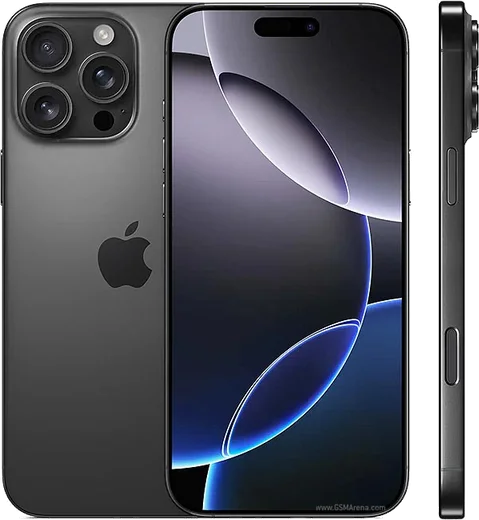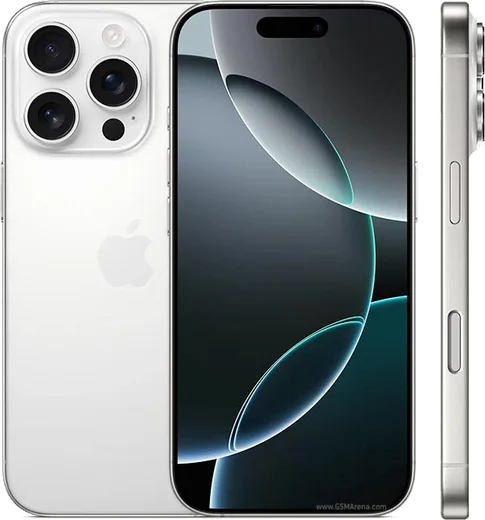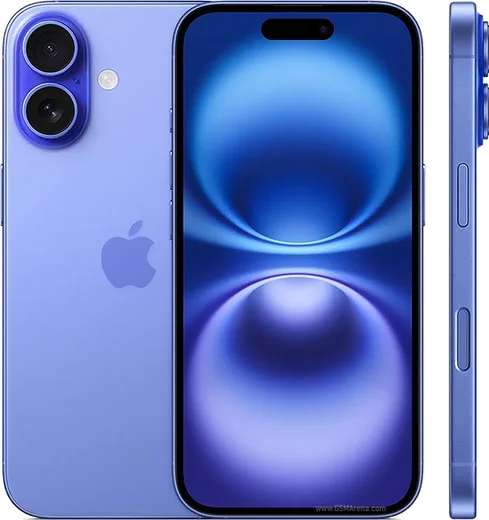
WhatsApp on iPhone 16 Pro Max
Apple iOS

WhatsApp for iPhone 16 Pro Max

Apple A18 Pro, 6.9-inch OLED, 5x tetraprism zoom

WhatsApp Messenger 4.7 · 64.2M reviews Free · iOS · ~40 MB · by WhatsApp LLC
Download WhatsApp

Ask a question / report a problem

You can ask any question about WhatsApp support on the iPhone 16 Pro Max — leave it below and we'll help.

Ask a question

Can the iPhone 16 Pro Max run WhatsApp?

Fully supported
  • Operating systemiOS
  • ProcessorApple A18 Pro
  • WhatsApp versionLatest supported

Latest known WhatsApp problems on iPhone 16 Pro Max

1

WhatsApp keeps crashing or won't open on my iPhone 16 Pro Max after an iOS update

Force-close WhatsApp by swiping it away in the App Switcher, then open the App Store, tap your profile picture, and update WhatsApp to the latest build that's compatible with your current iOS version. If it still crashes, restart the phone and confirm iOS is fully updated under Settings > General > Software Update, since these break-after-upgrade issues are almost always fixed by a paired app-and-OS update. See how others solved this on Reddit
2

WhatsApp is laggy, buggy, and hangs or freezes on my iPhone 16 Pro Max

Reduce WhatsApp's storage load by going to WhatsApp > Settings > Storage and Data > Manage Storage and deleting large forwarded videos and old media. Then offload and reinstall the app via Settings > General > iPhone Storage > WhatsApp > Offload App (this keeps your chats and documents), and make sure Background App Refresh is enabled under Settings > General > Background App Refresh, which resolves most of the freezing and scroll lag. See how others solved this on Reddit
3

My mic doesn't work in WhatsApp voice messages and calls on the iPhone 16 Pro Max

Check that the microphone permission is granted under Settings > WhatsApp > Microphone, and toggle it off and on if it's already enabled. If callers still can't hear you, remove any noise-suppression accessory and test in a Voice Memos recording to rule out hardware; if Voice Memos works but WhatsApp doesn't, reinstall WhatsApp so it re-requests mic access cleanly. See how others solved this on Reddit
4

The in-app camera glitches or shows distorted previews when I take photos in WhatsApp on iPhone 16 Pro Max

As a workaround, use the system Camera app to shoot first, then attach the photo from your library instead of using WhatsApp's built-in camera. Make sure WhatsApp is updated and Camera access is allowed under Settings > WhatsApp > Camera; a WhatsApp reinstall also clears the corrupted camera preview for most users. See how others solved this on Reddit
5

Photos and videos I send on WhatsApp look low-resolution and blurry on my iPhone 16 Pro Max

Open WhatsApp > Settings > Storage and Data > Media Upload Quality and set it to HD quality so the app stops aggressively compressing your media. For the sharpest result, send important photos and videos as a Document (the attach/paperclip icon > Document) so WhatsApp transmits the original file without re-encoding it. See how others solved this on Reddit
6

The WhatsApp send/message sound suddenly became very loud on my iPhone 16 Pro Max

WhatsApp's in-app send and message sounds follow your ringer volume, so lower the side volume buttons while no media is playing, or turn off the chime entirely via WhatsApp > Settings > Notifications by disabling In-App Notifications sounds. If the spike happened after an update, force-quit and reopen WhatsApp, and check Settings > Sounds & Haptics to confirm the Ringer and Alerts slider isn't pinned at maximum. See how others solved this on Reddit

Ask a question / report a problem

You can ask any question about WhatsApp support on the iPhone 16 Pro Max — leave it below and we'll help.

Ask a question

Watch: setting up WhatsApp

Prefer to watch? This short walkthrough shows the whole installation and number-verification flow.

How to install WhatsApp on iPhone 16 Pro Max — video walkthrough

How to install WhatsApp on iPhone 16 Pro Max

1

Open the App Store

Unlock your iPhone 16 Pro Max and tap the blue App Store icon on the Home Screen. WhatsApp is not preinstalled on any iPhone, so you install it from here.

2

Search for WhatsApp Messenger

Tap the Search tab at the bottom right, type WhatsApp Messenger, and confirm the publisher shows as WhatsApp Inc. so you don't download a copycat app.

3

Download and install

Tap Get, then authenticate with Face ID or Touch ID (or your Apple Account password). The app downloads to your Home Screen in a few seconds.

4

Verify your phone number

Open WhatsApp, accept the terms, and enter your phone number. If your iPhone 16 Pro Max uses dual SIM, pick the line you want WhatsApp tied to, then enter the 6-digit code it sends by SMS — it usually fills in automatically.

5

Restore chats and finish setup

Sign in to iCloud with the same Apple Account to restore an existing chat backup, add your name and photo, and tap Allow for notifications so messages and calls arrive reliably.

Stay safe: only ever install WhatsApp from the official iOS source. The Download button above already points there — modified copies (GB/Plus/Aero WhatsApp) can get your number banned.

Comments (15)

No registration needed. No email required.
K
kev.kMay 21, 2026

Did it on my iphone 16promax in like 2 minutes thanks again

G
gabe15May 17, 2026

Omg bookmarking this site for sure 😍

G
greg.tMay 10, 2026

wasnt expecting it to be this easy cheers

L
lina21Feb 25, 2026

thank u, whatsapp installed on my iphone 16 pro max

AppWhatsOfficialFeb 26, 2026

Perfect, enjoy chatting!

A
alex_amyJan 29, 2026

A marché parfaitement, merci 💯

I
its_kateDec 17, 2025

guys my whole family is waiting pls help me install it

AppWhatsOfficialDec 20, 2025

Don't worry, you can do this! Use the Download button, install the app, and enter your number to verify. It is easier than it looks, promise.

O
omar.uOct 14, 2025

franchement installé sans souci

J
jess_kAug 26, 2025

my whatsapp had stopped working but this fixed it ❤️

P
pablo.cMay 18, 2025

Guys had whatsapp on my 16promax in no time

G
gabe6Feb 2, 2025

finally the video helped me understand

P
phoneaddictJan 26, 2025

yo did this on my iPhone 16 Pro Max and it just worked lol

F
finn_xDec 23, 2024

sorry but why does it crash on opening pls

AppWhatsOfficialDec 26, 2024

Hi! Crashes are often an old version. Remove it, update your OS, and reinstall the newest build from the official source. Happy chatting!

S
sara_kNov 4, 2024

تمام، واتساب يشتغل شكراً

L
luca_xXAug 30, 2024

Tbh verified my number on the iphone 16promax with no trouble

G
gabe_mikAug 4, 2024

finally saved me so much time