Honor Android

WhatsApp for Honor X8b

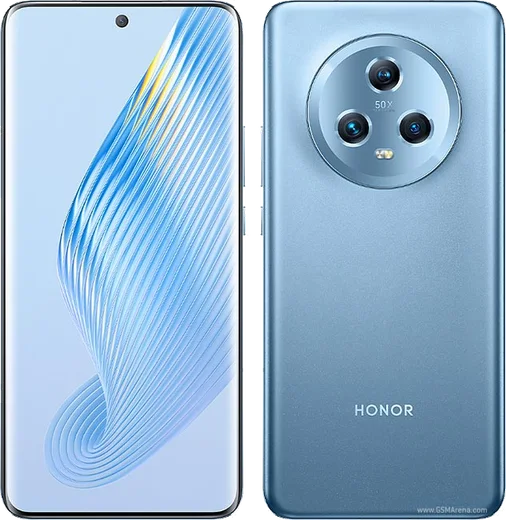
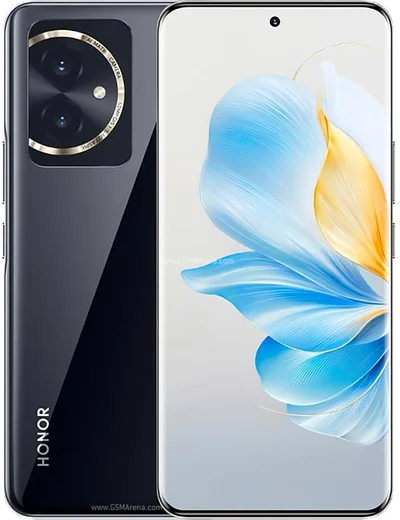
Snapdragon 680, 6.7-inch AMOLED, 108MP triple camera

WhatsApp Messenger 4.7 · 64.2M reviews Free · Android · ~40 MB · by WhatsApp LLC
Download WhatsApp

Ask a question / report a problem

You can ask any question about WhatsApp support on the Honor X8b — leave it below and we'll help.

Ask a question

Can the Honor X8b run WhatsApp?

Fully supported
  • Operating systemAndroid
  • ProcessorSnapdragon 680
  • WhatsApp versionLatest supported

Latest known WhatsApp problems on Honor X8b

1

Does the Honor X8b have the Google Play Store for installing WhatsApp?

Yes. Unlike Huawei devices, the Honor X8b is Google-certified and ships with Google Mobile Services and the Play Store preinstalled, so you download WhatsApp normally with no AppGallery or sideloading needed.
2

Will WhatsApp run smoothly on the X8b's Snapdragon 680?

Yes. The Snapdragon 680 is a modest but capable chip, and WhatsApp is lightweight. Messaging, photo sharing and voice/video calls run fine; the 90Hz AMOLED makes scrolling chats feel smooth. Heavy multitasking is where the 680 shows its budget roots, but WhatsApp alone is no strain.
3

Why are my WhatsApp notifications delayed on the Honor X8b?

This is almost always MagicOS battery management closing WhatsApp in the background. Open Settings > Battery > Launch (App launch), set WhatsApp to Manage manually and enable auto-launch, secondary launch and run in background. Also turn off any aggressive power-saving mode.
4

Can I use two WhatsApp accounts on the dual-SIM Honor X8b?

The X8b is dual-SIM, but standard WhatsApp ties to one number. Instead of cloning apps, use WhatsApp's built-in account-switching feature (added in recent versions) to register a second number on the same install, with each account on a different SIM.
5

Is the Honor X8b too old to keep getting WhatsApp updates?

No. With Android 13 out of the box and an Android 14 (MagicOS 8.0) update, it sits far above WhatsApp's Android 6.0 minimum. It will keep receiving WhatsApp updates for the foreseeable future.
6

How much of the X8b's storage does WhatsApp use?

The app itself is around 80MB, but media in chats grows over time. The X8b comes with 128GB to 512GB of storage, so space is rarely an issue; use WhatsApp's Settings > Storage and data > Manage storage to clear large files if needed.

Ask a question / report a problem

You can ask any question about WhatsApp support on the Honor X8b — leave it below and we'll help.

Ask a question

Watch: setting up WhatsApp

Prefer to watch? This short walkthrough shows the whole installation and number-verification flow.

How to install WhatsApp on Honor X8b — video walkthrough

How to install WhatsApp on Honor X8b

1

Choose how to download

On your Honor X8b you can get the official app two ways: from the Google Play Store — the easiest option, since it keeps WhatsApp updated automatically — or directly from the official website. You can download an APK file, by clicking a link “Download WhatsApp directly”.

2

Open WhatsApp

Launch WhatsApp from your home screen or app drawer and accept the Terms of Service to start setup.

3

Verify your phone number

Enter your phone number. If your Honor X8b uses dual SIM, pick the line you want WhatsApp tied to, then enter the 6-digit code it sends by SMS — it usually fills in automatically.

4

Restore chats and finish setup

Restore your chat history from Google Drive (use the same Google account), add your name and photo, and tap Allow for notifications so messages and calls arrive reliably.

Stay safe: only ever install WhatsApp from the official Android source. The Download button above already points there — modified copies (GB/Plus/Aero WhatsApp) can get your number banned.

Comments (10)

No registration needed. No email required.
M
mike71Jun 9, 2026

Ok so thank u so much 😍

N
nick2000May 23, 2026

enfin a marché parfaitement sur mon X8b 👍

O
omar37May 16, 2026

tbh running whatsapp on my Honor X8b like new 🔥

K
kate_pabApr 3, 2026

omg my whole family is waiting pls help me install it

AppWhatsOfficialApr 4, 2026

Hey, no need to stress! Tap the green Download button at the top, follow the steps, and you will have WhatsApp in a minute. It is easier than it looks, promise.

V
val86Mar 20, 2026

Echt tolle anleitung danke

A
amy_aleDec 29, 2025

honestly clear steps for the Honor X8b, cheers

T
theuserDec 10, 2025

Hi is this gb whatsapp thanks

AppWhatsOfficialDec 11, 2025

It is the official WhatsApp from the real app store. We do not recommend modded versions like GB or Plus, they can get your number banned. Feel free to ask if you get stuck.

G
greg6Aug 5, 2025

Thank u, whatsapp installed on my x8b

D
droiduserMar 10, 2025

Update whatsapp running great on my x8b

P
priya_robMar 5, 2025

wow i tried 3 other guides before this one