WhatsApp on Honor 200
Honor Android

WhatsApp for Honor 200

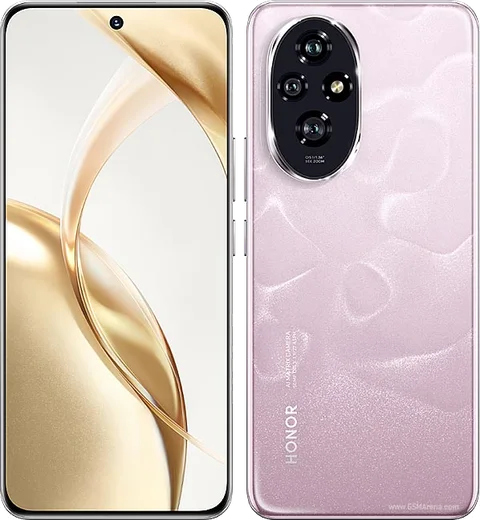
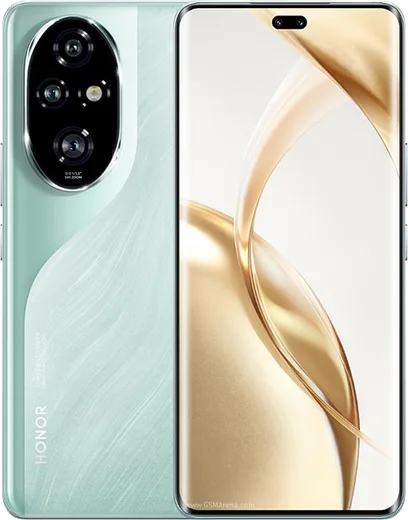
Snapdragon 7 Gen 3, 6.7-inch quad-curved OLED, 50MP main

WhatsApp Messenger 4.7 · 64.2M reviews Free · Android · ~40 MB · by WhatsApp LLC
Download WhatsApp

Ask a question / report a problem

You can ask any question about WhatsApp support on the Honor 200 — leave it below and we'll help.

Ask a question

Can the Honor 200 run WhatsApp?

Fully supported
  • Operating systemAndroid
  • ProcessorSnapdragon 7 Gen 3
  • WhatsApp versionLatest supported

Latest known WhatsApp problems on Honor 200

1

Why are my WhatsApp notifications delayed or not showing on the Honor 200?

MagicOS aggressively closes background apps to save battery, which is the main cause of missing or late WhatsApp alerts. Go to Settings > Apps > App launch (App launch management), find WhatsApp, turn off automatic management, then enable Auto-launch, Secondary launch and Run in background. Also open Settings > Battery, and make sure WhatsApp is not restricted by any power-saving optimization. See how others solved this on Reddit
2

How do I stop the WhatsApp notification icon from getting stuck or missing in the status bar on the Honor 200?

The persistent or vanishing WhatsApp badge is tied to MagicOS notification handling. Go to Settings > Notifications & status bar, open WhatsApp, then make sure Allow notifications, Banners, Lock screen and App icon badges are all switched on. If the count icon stays wrong, clear WhatsApp's cache via Settings > Apps > Apps > WhatsApp > Storage > Clear cache, then reboot the phone. See how others solved this on Reddit
3

Why don't WhatsApp calls ring on my Honor 200 until after I open the app?

This happens when MagicOS suspends WhatsApp in the background so the incoming-call signal arrives late. Lock WhatsApp in the recents screen by opening recents and tapping the lock icon on its card, then go to Settings > Apps > App launch and set WhatsApp to Manage manually with Auto-launch, Secondary launch and Run in background all on. Finally, in WhatsApp > Settings > Notifications, confirm the call ringtone and vibration are enabled. See how others solved this on Reddit
4

How do I transfer my WhatsApp chats to a new Honor 200?

WhatsApp chat history moves through your account backup, not Honor's clone tool. On your old phone open WhatsApp > Settings > Chats > Chat backup and back up to Google Drive using the same Google account, then install WhatsApp from the Play Store (or AppGallery) on the Honor 200 and verify the same phone number. During setup tap Restore when prompted to pull the backup down. Honor Clone Phone can copy the local WhatsApp folder and other data, but the in-app Google Drive backup is the reliable way to move chats. See how others solved this on Reddit
5

Why can't I send videos on WhatsApp from my Honor 200?

Failed video sends are usually a storage-permission or cache issue rather than a network fault. Go to Settings > Apps > Apps > WhatsApp > Permissions and make sure Files and media (Storage) is set to Allow, then clear the cache under Storage. Confirm WhatsApp is updated to the latest version from the Play Store or AppGallery. If a single large clip still fails, trim it or send it as a Document, since very large files can hit WhatsApp's upload size cap. See how others solved this on Reddit
6

Why does WhatsApp keep popping up or not opening properly on my Honor 200 Pro?

Pop-up and freezing glitches after a MagicOS update are often fixed by clearing the app's temporary data. Go to Settings > Apps > Apps > WhatsApp > Storage and tap Clear cache (not Clear data, which deletes chats), then update WhatsApp in the Play Store or AppGallery to the latest version. If it persists, reboot the Honor 200 and re-grant Display over other apps under Settings > Apps > Apps > WhatsApp. See how others solved this on Reddit

Ask a question / report a problem

You can ask any question about WhatsApp support on the Honor 200 — leave it below and we'll help.

Ask a question

Watch: setting up WhatsApp

Prefer to watch? This short walkthrough shows the whole installation and number-verification flow.

How to install WhatsApp on Honor 200 — video walkthrough

How to install WhatsApp on Honor 200

1

Choose how to download

On your Honor 200 you can get the official app two ways: from the Google Play Store — the easiest option, since it keeps WhatsApp updated automatically — or directly from the official website. You can download an APK file, by clicking a link “Download WhatsApp directly”.

2

Open WhatsApp

Launch WhatsApp from your home screen or app drawer and accept the Terms of Service to start setup.

3

Verify your phone number

Enter your phone number. If your Honor 200 uses dual SIM, pick the line you want WhatsApp tied to, then enter the 6-digit code it sends by SMS — it usually fills in automatically.

4

Restore chats and finish setup

Restore your chat history from Google Drive (use the same Google account), add your name and photo, and tap Allow for notifications so messages and calls arrive reliably.

Stay safe: only ever install WhatsApp from the official Android source. The Download button above already points there — modified copies (GB/Plus/Aero WhatsApp) can get your number banned.

Comments (13)

No registration needed. No email required.
Y
yuki.rJun 7, 2026

ngl saved me so much time cheers

J
joe99Mar 27, 2026

Someone anyone pls i cant download it heeeelp me 🙏

AppWhatsOfficialMar 28, 2026

We are here to help. Hit Download, follow the steps on this page, and if the code is slow just request it again.

S
sol_xXMar 2, 2026

Honestly got it working on my honor 200 first try thx

M
mr_louOct 7, 2025

the download is very slow is that normal ?

AppWhatsOfficialOct 13, 2025

A slow download is usually the network. A stable wifi connection will speed it up a lot.

S
sol_officialSep 7, 2025

finalmente il miglior sito, funzionato al primo colpo sul mio Honor 200 💯

N
not_marcAug 4, 2025

Anyone? is this legit and safe thanks

AppWhatsOfficialAug 10, 2025

Good question, totally safe. We only link to the genuine WhatsApp, so there is no risk of malware as long as you use the button above. Glad to help.

S
sara.wJul 6, 2025

ngl i was scared it was a virus but its the real app

M
moFeb 12, 2025

أخيراً تمام، واتساب يشتغل 👍

O
omar.hJan 26, 2025

whatsapp is working on my Honor 200 now

H
helpmeeeDec 1, 2024

this fixed whatsapp on my 200

T
tom_aleOct 28, 2024

guys can i recover my chats

AppWhatsOfficialOct 30, 2024

Good question, your chats can come back from a backup. Sign in with the same number and tap Restore when prompted. Reach out anytime.

M
mike2000Sep 30, 2024

guys verification keeps failing for me

AppWhatsOfficialOct 4, 2024

No worries, make sure the number and country code are correct, then ask for a new code. A quick restart of the phone often helps too. Hope that helps!

M
mobilegeekAug 14, 2024

grazie, il mio 200 ora ha whatsapp