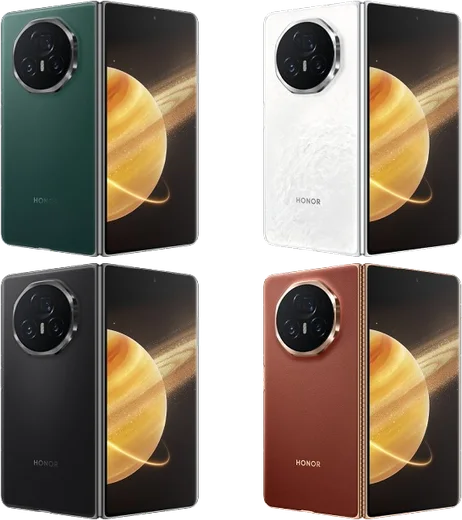
WhatsApp on Honor Magic V3
Honor Android

WhatsApp for Honor Magic V3

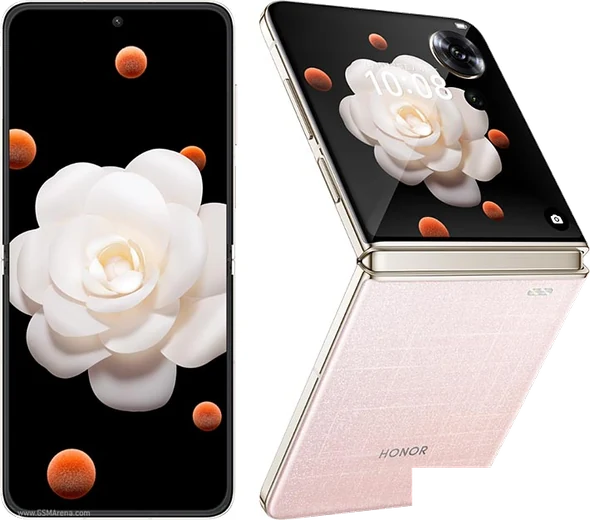
Snapdragon 8 Gen 3, 7.92-inch foldable, ultra-thin 9.2mm

WhatsApp Messenger 4.7 · 64.2M reviews Free · Android · ~40 MB · by WhatsApp LLC
Download WhatsApp

Ask a question / report a problem

You can ask any question about WhatsApp support on the Honor Magic V3 — leave it below and we'll help.

Ask a question

Can the Honor Magic V3 run WhatsApp?

Fully supported
  • Operating systemAndroid
  • ProcessorSnapdragon 8 Gen 3
  • WhatsApp versionLatest supported

Latest known WhatsApp problems on Honor Magic V3

1

Why am I not getting WhatsApp notifications on my Honor Magic V3?

MagicOS aggressively freezes background apps to save battery, which stops WhatsApp from pushing notifications. Open Settings > Apps > Apps > WhatsApp > Battery usage and set it to "Manage manually," then enable all three switches: Auto-launch, Secondary launch, and Run in background. Also check Settings > Battery and make sure WhatsApp is not in any "sleeping apps" or power-saving list. This keeps it alive in the background so notifications arrive in real time. See how others solved this on Reddit
2

WhatsApp notifications work at first but stop coming through after a while on my Magic V3 — how do I fix it?

This delayed silencing happens because MagicOS suspends WhatsApp once the screen has been off for a while. Go to Settings > Apps > Apps > WhatsApp > Battery usage, choose "Manage manually," and enable Auto-launch, Secondary launch, and Run in background. Then open the recent-apps screen, swipe down on the WhatsApp card and tap the lock icon so the system won't clear it. This combination stops MagicOS from freezing the app over time. See how others solved this on Reddit
3

WhatsApp call notifications don't show on screen on my Honor Magic V3 — why?

Incoming-call banners need notification access plus permission to display over other apps, which MagicOS often blocks. Go to Settings > Apps > Apps > WhatsApp > Notifications and make sure call notifications are enabled, then in the same app screen open Permissions and turn on "Display over other apps." Set the app's battery usage to "Manage manually" so it can run in the background, otherwise the call banner never gets a chance to appear. See how others solved this on Reddit
4

How do I transfer WhatsApp chats from my old iPhone to the Honor Magic V3?

Use WhatsApp's built-in "Move to Android" feature. Update WhatsApp on both phones first, then on the Magic V3 install and open WhatsApp, verify your number, and when it offers to move data from iPhone, scan the QR code that WhatsApp shows on the iPhone (the two phones connect directly, and you may be asked to plug them together with a cable when prompted). An iCloud backup cannot be restored to Android, so this in-app move is the only supported way — Honor's Clone Phone app does not migrate WhatsApp chats from an iPhone. See how others solved this on Reddit
5

The Honor Magic V3 setup is confusing and the global software feels rough — any tips?

Many global units ship with limited Google services, so if the Play Store is missing, install it through Honor's AppGallery or sideload it, then sign in and let Google Play services update. Right after setup, go to Settings > Apps > Apps, open each messenger (WhatsApp, Telegram, etc.), set Battery usage to "Manage manually" and enable Auto-launch, Secondary launch, and Run in background. Doing this first prevents the most common post-setup complaints about missing notifications and broken syncing. See how others solved this on Reddit
6

Notifications for some apps still don't pop up on my Magic V3 even after enabling them — what else can I check?

Open Settings > Notifications, select the app, and confirm it's allowed and set to show banners and lock-screen alerts rather than a silent badge. Then go to Settings > Apps > Apps > [app] > Battery usage, set it to "Manage manually," and make sure the app isn't in Settings > Battery's sleeping-apps list, since MagicOS hibernation is the usual cause. Restarting the phone after these changes helps the system re-register the app for push delivery. See how others solved this on Reddit

Ask a question / report a problem

You can ask any question about WhatsApp support on the Honor Magic V3 — leave it below and we'll help.

Ask a question

Watch: setting up WhatsApp

Prefer to watch? This short walkthrough shows the whole installation and number-verification flow.

How to install WhatsApp on Honor Magic V3 — video walkthrough

How to install WhatsApp on Honor Magic V3

1

Choose how to download

On your Honor Magic V3 you can get the official app two ways: from the Google Play Store — the easiest option, since it keeps WhatsApp updated automatically — or directly from the official website. You can download an APK file, by clicking a link “Download WhatsApp directly”.

2

Open WhatsApp

Launch WhatsApp from your home screen or app drawer and accept the Terms of Service to start setup.

3

Verify your phone number

Enter your phone number. If your Honor Magic V3 uses dual SIM, pick the line you want WhatsApp tied to, then enter the 6-digit code it sends by SMS — it usually fills in automatically.

4

Restore chats and finish setup

Restore your chat history from Google Drive (use the same Google account), add your name and photo, and tap Allow for notifications so messages and calls arrive reliably.

Stay safe: only ever install WhatsApp from the official Android source. The Download button above already points there — modified copies (GB/Plus/Aero WhatsApp) can get your number banned.

Comments (8)

No registration needed. No email required.
P
plz help meeJan 13, 2026

so perfect steps for the magic v3 ❤️

H
halppSep 5, 2025

my contacts are not showing up in whatsapp

AppWhatsOfficialSep 11, 2025

Of course, contacts come from your phone address book. Save them with the country code and refresh the app to see them. Let us know if you need anything else.

B
budgetkingJul 15, 2025

Ugh pleaseee my honor magic v3 wont install whatsapp i give up pls

AppWhatsOfficialJul 16, 2025

Relax, it is simpler than it looks. Press Download, install, then verify with the SMS code. You got this! You will be set up on your phone in no time.

M
ms_miaJul 6, 2025

man it worked first try

J
joe_finMay 2, 2025

it worked first try cheers

N
nightowlApr 19, 2025

enfin tout fonctionne sur mon Magic V3, merci beaucoup

J
just_ivanMar 17, 2025

well my honor magic v3 has whatsapp now thanks to this

J
jay_theDec 5, 2024

omg whatsapp works fine on my magic v3 thx