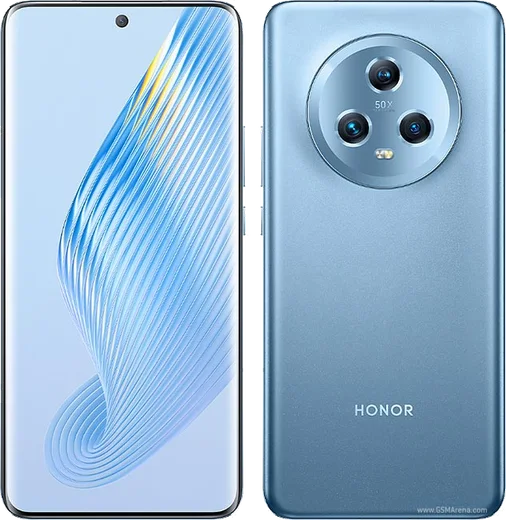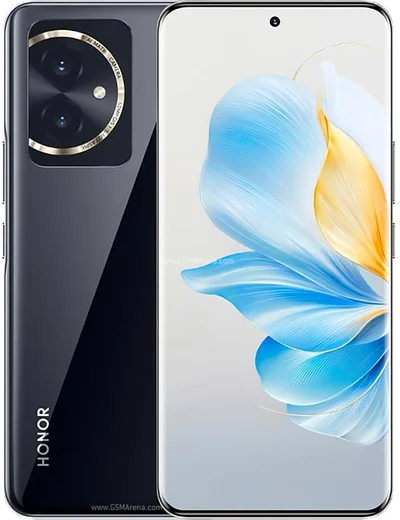
WhatsApp on Honor 90 Lite
Honor Android

WhatsApp for Honor 90 Lite

Dimensity 6020, 6.7-inch LCD, 100MP triple camera

WhatsApp Messenger 4.7 · 64.2M reviews Free · Android · ~40 MB · by WhatsApp LLC
Download WhatsApp

Ask a question / report a problem

You can ask any question about WhatsApp support on the Honor 90 Lite — leave it below and we'll help.

Ask a question

Can the Honor 90 Lite run WhatsApp?

Fully supported
  • Operating systemAndroid
  • ProcessorDimensity 6020
  • WhatsApp versionLatest supported

Latest known WhatsApp problems on Honor 90 Lite

1

Why don't WhatsApp calls show on the lock screen of my Honor 90 Lite?

Magic OS aggressively freezes background apps, which stops the incoming-call screen from waking your display. Go to Settings > Apps > Apps, tap WhatsApp > App launch, turn off "Manage automatically," then enable Auto-launch, Secondary launch and Run in background. Next, open Settings > Notifications > WhatsApp and turn on Lock screen notifications, and check Settings > Apps > Apps > WhatsApp > More settings (or Permissions) to confirm "Display over other apps" is allowed so the full-screen call UI can appear. See how others solved this on Reddit
2

My Honor 90 Lite isn't ringing for incoming WhatsApp calls. How do I fix it?

This is almost always Magic OS battery management killing WhatsApp while the screen is off. Go to Settings > Apps > Apps > WhatsApp > App launch, turn off "Manage automatically" and enable all three options (Auto-launch, Secondary launch, Run in background). Then in Settings > Battery, set WhatsApp to not be optimised/restricted. Inside WhatsApp, open Settings > Notifications and confirm Call notifications are on with a ringtone and vibration selected. See how others solved this on Reddit
3

WhatsApp notifications on my Honor 90 Lite are delayed or arrive only when I open the app. Any fix?

Honor's power saving stops the app syncing in the background, so messages only land when you reopen WhatsApp. In Settings > Apps > Apps > WhatsApp > App launch, switch to manual management with all three toggles on, then in Settings > Battery remove any optimisation/restriction for WhatsApp and turn off Power saving mode while you test. Lock WhatsApp in the Recent apps screen so it isn't cleared, update it from the Play Store, and ensure Settings > Notifications > WhatsApp has all categories enabled. See how others solved this on Reddit
4

Honor 90 Lite 5G notifications are terrible for WhatsApp even after changing settings. What else can I try?

After enabling auto-launch and removing battery optimisation, the usual remaining culprit is the "Manage automatically" setting under App launch silently re-freezing WhatsApp. Set WhatsApp to manual launch control with all three options on, lock it in the Recent apps screen, and make sure adaptive/aggressive battery features are off in Settings > Battery. Also remove any third-party cleaner apps that auto-kill background processes, and keep WhatsApp updated. See how others solved this on Reddit
5

I can't send videos on WhatsApp from my Honor 90 Lite. How do I get it working?

This is usually a missing storage permission, a corrupted cache, or a file exceeding WhatsApp's size limit. Go to Settings > Apps > Apps > WhatsApp > Permissions and grant Files/Storage (and Camera) access, then clear the cache via Settings > Apps > Apps > WhatsApp > Storage > Clear cache. If only large clips fail, trim the video or send it as a document, and confirm you are on the latest WhatsApp build from the Play Store. See how others solved this on Reddit

Ask a question / report a problem

You can ask any question about WhatsApp support on the Honor 90 Lite — leave it below and we'll help.

Ask a question

Watch: setting up WhatsApp

Prefer to watch? This short walkthrough shows the whole installation and number-verification flow.

How to install WhatsApp on Honor 90 Lite — video walkthrough

How to install WhatsApp on Honor 90 Lite

1

Choose how to download

On your Honor 90 Lite you can get the official app two ways: from the Google Play Store — the easiest option, since it keeps WhatsApp updated automatically — or directly from the official website. You can download an APK file, by clicking a link “Download WhatsApp directly”.

2

Open WhatsApp

Launch WhatsApp from your home screen or app drawer and accept the Terms of Service to start setup.

3

Verify your phone number

Enter your phone number. If your Honor 90 Lite uses dual SIM, pick the line you want WhatsApp tied to, then enter the 6-digit code it sends by SMS — it usually fills in automatically.

4

Restore chats and finish setup

Restore your chat history from Google Drive (use the same Google account), add your name and photo, and tap Allow for notifications so messages and calls arrive reliably.

Stay safe: only ever install WhatsApp from the official Android source. The Download button above already points there — modified copies (GB/Plus/Aero WhatsApp) can get your number banned.

Comments (8)

No registration needed. No email required.
N
nooooMay 18, 2026

so i tried 3 other guides before this one 🔥

T
the_real_zoeApr 26, 2026

ok so im not techy and i still managed

D
deni_rajApr 19, 2026

ok so had whatsapp on my 90lite in no time :)

C
confuuusedJun 23, 2025

pleaseee my 90lite wont install whatsapp i give up 😩

AppWhatsOfficialJun 25, 2025

Breathe! Follow the steps above one by one, tap Download first, and you will be chatting in no time. You will be set up on your phone in no time.

Q
quickfixJun 11, 2025

Ngl my new 90 lite is all set up now 🎉

G
guest_userMar 31, 2025

Man the Honor 90 Lite guide was spot on thanks again

T
tan.rNov 18, 2024

Omg im not techy and i still managed

L
lucy94Aug 24, 2024

Finalmente grazie, il mio Honor 90 Lite ora ha whatsapp