WhatsApp on Honor 70
Honor Android

WhatsApp for Honor 70

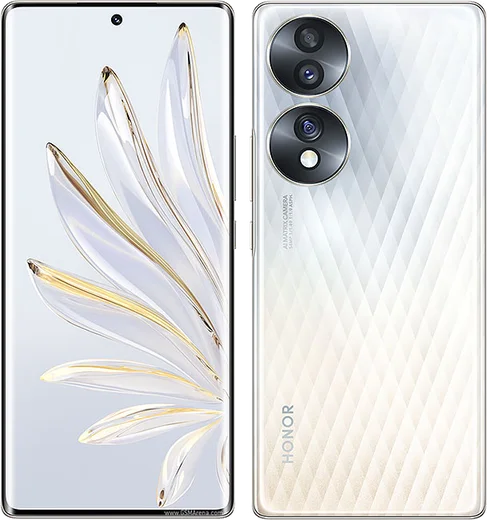
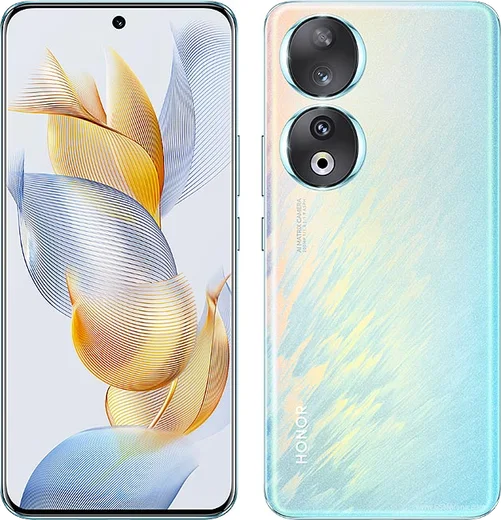
Snapdragon 778G+, 6.67-inch curved OLED, 54MP IMX800

WhatsApp Messenger 4.7 · 64.2M reviews Free · Android · ~40 MB · by WhatsApp LLC
Download WhatsApp

Ask a question / report a problem

You can ask any question about WhatsApp support on the Honor 70 — leave it below and we'll help.

Ask a question

Can the Honor 70 run WhatsApp?

Fully supported
  • Operating systemAndroid
  • ProcessorSnapdragon 778G+
  • WhatsApp versionLatest supported

Latest known WhatsApp problems on Honor 70

1

Why are my WhatsApp notifications delayed or not showing on my Honor 70?

Honor's aggressive battery management (MagicOS PowerGenie) freezes WhatsApp in the background, which delays or hides notifications. Open Settings > Apps > WhatsApp > Battery (App launch) and switch WhatsApp from Manage automatically to Manage manually, then enable all three toggles: Auto-launch, Secondary launch and Run in background. Next, in Settings > Apps > WhatsApp > Notifications, make sure notifications and all message categories are allowed. A reboot after these changes helps them take effect. See how others solved this on Reddit
2

Why does WhatsApp keep getting closed in the background on my Honor 70 until I reopen it?

MagicOS clears the app from memory to save power, so messages only arrive when you open it. The key fix is to lock the app in memory: open the recent-apps (multitasking) view, swipe down on the WhatsApp card or tap the lock icon so the system won't clear it. Combine this with App launch set to Manage manually (Settings > Apps > WhatsApp > Battery) so the app is allowed to keep running and restart itself. See how others solved this on Reddit
3

I don't get WhatsApp call notifications when the screen is locked on my Honor 70

Incoming-call ringing fails when the system blocks WhatsApp from running or drawing over the lock screen. In Settings > Apps > WhatsApp > Permissions, enable 'Display over other apps' (Display pop-up windows while running in background), and set Battery to Manage manually with Auto-launch and Run in background on. Inside WhatsApp, open Settings > Notifications and confirm a ringtone is set under Calls, then reboot once after applying these changes. See how others solved this on Reddit
4

How do I run two WhatsApp accounts on one Honor 70?

Use Honor's built-in App Twin feature. Go to Settings > Apps > App Twin and toggle on WhatsApp; this creates a second, cloned WhatsApp icon you can register with a different phone number. App Twin clones a single app, so if you also want WhatsApp Business at the same time you can install that separately for the second number. See how others solved this on Reddit
5

Why can't I send videos on WhatsApp from my Honor 70?

This usually happens when WhatsApp lacks storage or media permissions, or a media cache file is corrupted. Go to Settings > Apps > WhatsApp > Permissions and allow Photos and videos (and Files), then go to Storage > Clear cache (do not clear data, as that logs you out). If videos still fail, make sure WhatsApp is updated from the Play Store and that you have a stable connection, since large clips can fail to upload on a weak network. See how others solved this on Reddit
6

I can't swipe up from the home screen on my Honor 70 to open recent apps

The swipe-up gesture stops working when gesture navigation glitches or a third-party launcher takes over the home screen. Go to Settings > System & updates > System navigation, switch to Three-key navigation, then back to Gestures to reset it. If you installed a non-default launcher, open Settings > Apps > Default apps > Launcher (or the launcher's App info > Open by default > Clear defaults) to restore the Honor home screen, then restart the phone. See how others solved this on Reddit

Ask a question / report a problem

You can ask any question about WhatsApp support on the Honor 70 — leave it below and we'll help.

Ask a question

Watch: setting up WhatsApp

Prefer to watch? This short walkthrough shows the whole installation and number-verification flow.

How to install WhatsApp on Honor 70 — video walkthrough

How to install WhatsApp on Honor 70

1

Choose how to download

On your Honor 70 you can get the official app two ways: from the Google Play Store — the easiest option, since it keeps WhatsApp updated automatically — or directly from the official website. You can download an APK file, by clicking a link “Download WhatsApp directly”.

2

Open WhatsApp

Launch WhatsApp from your home screen or app drawer and accept the Terms of Service to start setup.

3

Verify your phone number

Enter your phone number. If your Honor 70 uses dual SIM, pick the line you want WhatsApp tied to, then enter the 6-digit code it sends by SMS — it usually fills in automatically.

4

Restore chats and finish setup

Restore your chat history from Google Drive (use the same Google account), add your name and photo, and tap Allow for notifications so messages and calls arrive reliably.

Stay safe: only ever install WhatsApp from the official Android source. The Download button above already points there — modified copies (GB/Plus/Aero WhatsApp) can get your number banned.

Comments (10)

No registration needed. No email required.
K
kai.sApr 15, 2026

auf dem honor 70 meiner mutter problemlos installiert

P
priya.aMar 1, 2026

someone plz heeeelp me how to download on my honor 70 🙏

AppWhatsOfficialMar 5, 2026

Hey, no need to stress! Tap the green Download button at the top, follow the steps, and you will have WhatsApp in a minute.

T
tan_ashMay 30, 2025

My honor 70 has whatsapp now thanks to this 👌

G
guest_userApr 8, 2025

Ngl 10 out of 10 lol

L
lou8Mar 9, 2025

Does this cost money

AppWhatsOfficialMar 11, 2025

Good question, whatsApp is 100% free to download and use. You only use your normal mobile data or wifi for messages and calls.

M
mmmaaaxxxFeb 8, 2025

Cheers for the clear instructions 🙏

B
ben_theSep 22, 2024

hi is whatsapp free or do i have to pay thanks

AppWhatsOfficialSep 27, 2024

Of course, whatsApp is 100% free to download and use. You only use your normal mobile data or wifi for messages and calls. Let us know if you need anything else.

F
finn_amyAug 5, 2024

Quick q how to add a profile photo pls

AppWhatsOfficialAug 10, 2024

Of course, open WhatsApp, go to Settings, tap your name at the top, then tap the camera icon to set a new photo. Let us know if you need anything else.

Z
zoe.lJul 31, 2024

enfin installé et opérationnel sur mon Honor 70

C
coolcatJul 25, 2024

ngl whatsapp finally on my Honor 70