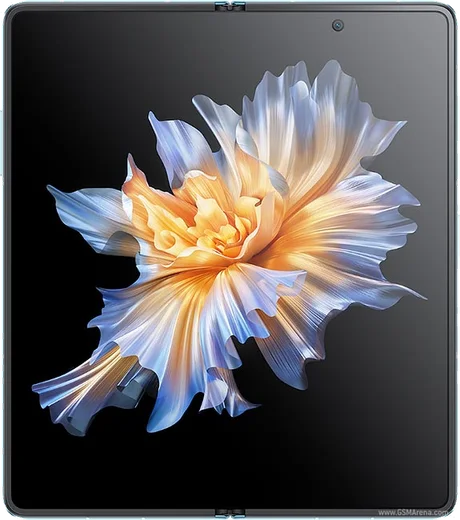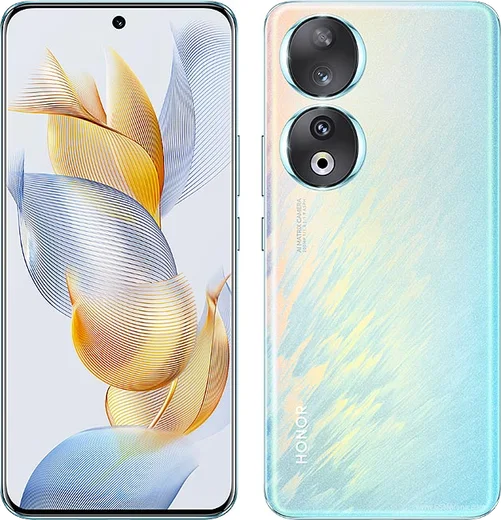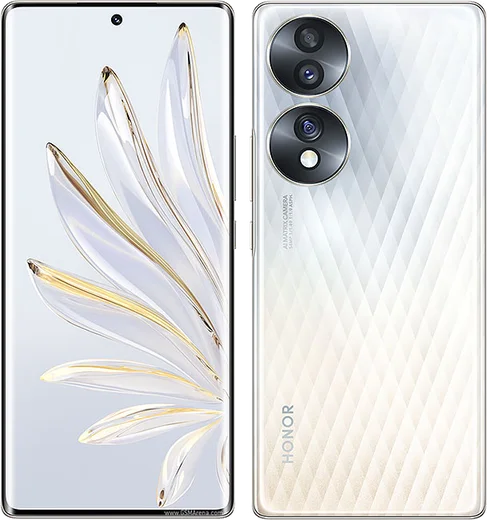
WhatsApp on Honor Magic Vs
Honor Android

WhatsApp for Honor Magic Vs

Snapdragon 8+ Gen 1, 7.9-inch foldable, gapless hinge

WhatsApp Messenger 4.7 · 64.2M reviews Free · Android · ~40 MB · by WhatsApp LLC
Download WhatsApp

Ask a question / report a problem

You can ask any question about WhatsApp support on the Honor Magic Vs — leave it below and we'll help.

Ask a question

Can the Honor Magic Vs run WhatsApp?

Fully supported
  • Operating systemAndroid
  • ProcessorSnapdragon 8+ Gen 1
  • WhatsApp versionLatest supported

Latest known WhatsApp problems on Honor Magic Vs

1

Why does WhatsApp stop showing notifications after a while on my Honor Magic Vs?

Honor's aggressive battery optimization in MagicOS closes WhatsApp in the background, which silently kills notification delivery over time. Go to Settings > Apps > Apps > WhatsApp > Battery usage (or App launch) and set WhatsApp to "No restrictions", then open Settings > Apps > Launch, switch WhatsApp to "Manage manually" and enable auto-launch, secondary launch and run in background. Also confirm notifications are allowed for WhatsApp under Settings > Notifications and that any battery saver mode is off. See how others solved this on Reddit
2

WhatsApp incoming call notifications don't show on the screen of my Honor Magic Vs, how do I fix it?

This usually happens when WhatsApp can't display over other apps or pop up from the background on MagicOS. Open Settings > Apps > Apps > WhatsApp > Permissions and enable "Display over other apps" and "Display pop-up windows while running in the background", then set the same app's battery usage to "No restrictions" so it isn't killed in standby. Inside WhatsApp, go to Settings > Notifications and keep "Use high-priority notifications" turned on so the full-screen call alert appears. See how others solved this on Reddit
3

The camera won't start or looks choppy when I open it inside WhatsApp on my Honor Magic Vs

A black, frozen or laggy in-app camera is usually a permissions or cache problem rather than hardware. Open Settings > Apps > Apps > WhatsApp > Permissions and make sure Camera and Microphone are set to "Allow", then clear the app cache via Settings > Apps > Apps > WhatsApp > Storage > Clear cache and reboot. If it stays choppy, use the system camera instead (take the photo or video in the Camera app, then attach it from the gallery in WhatsApp) and make sure WhatsApp is updated from the Google Play Store. See how others solved this on Reddit
4

Why do WhatsApp voice messages sound bad or muffled on my Honor Magic Vs?

Distorted voice recordings are usually caused by a covered microphone or noise-suppression processing interfering with the recording. Check that nothing (case, finger, or screen-protector film) is blocking the mic holes, then grant the mic full access under Settings > Apps > Apps > WhatsApp > Permissions > Microphone. If it persists, clear WhatsApp's cache and update the app from the Play Store, since several recording-quality bugs have been fixed in newer WhatsApp builds. See how others solved this on Reddit
5

I can't send videos on WhatsApp from my Honor Magic Vs, what's wrong?

Failed video sends are most often caused by an unstable connection or a corrupted upload cache rather than the file itself, since modern WhatsApp supports videos up to 2GB. First confirm you have a stable Wi-Fi or mobile-data connection, then clear cache under Settings > Apps > Apps > WhatsApp > Storage > Clear cache and make sure Storage/Media permission is granted under Permissions. If a specific clip still fails, send it as a Document to bypass re-encoding, or trim it and retry. See how others solved this on Reddit
6

How do I transfer my WhatsApp chats to a new Honor Magic Vs?

Because the Magic Vs runs Android, the cleanest method is a Google Drive backup: on your old phone open WhatsApp > Settings > Chats > Chat backup, link a Google account and back up, then sign in with the same account and phone number on the Magic Vs and restore when prompted during WhatsApp setup. If your old phone was an iPhone, use WhatsApp's official "Move to Android" tool by connecting both devices with a cable and scanning the on-screen QR code, since iCloud backups can't be restored directly on Android. See how others solved this on Reddit

Ask a question / report a problem

You can ask any question about WhatsApp support on the Honor Magic Vs — leave it below and we'll help.

Ask a question

Watch: setting up WhatsApp

Prefer to watch? This short walkthrough shows the whole installation and number-verification flow.

How to install WhatsApp on Honor Magic Vs — video walkthrough

How to install WhatsApp on Honor Magic Vs

1

Choose how to download

On your Honor Magic Vs you can get the official app two ways: from the Google Play Store — the easiest option, since it keeps WhatsApp updated automatically — or directly from the official website. You can download an APK file, by clicking a link “Download WhatsApp directly”.

2

Open WhatsApp

Launch WhatsApp from your home screen or app drawer and accept the Terms of Service to start setup.

3

Verify your phone number

Enter your phone number. If your Honor Magic Vs uses dual SIM, pick the line you want WhatsApp tied to, then enter the 6-digit code it sends by SMS — it usually fills in automatically.

4

Restore chats and finish setup

Restore your chat history from Google Drive (use the same Google account), add your name and photo, and tap Allow for notifications so messages and calls arrive reliably.

Stay safe: only ever install WhatsApp from the official Android source. The Download button above already points there — modified copies (GB/Plus/Aero WhatsApp) can get your number banned.

Comments (8)

No registration needed. No email required.
A
amy2000Feb 14, 2026

So didnt work at first but second time was fine lol

G
gabe.gJan 22, 2026

Well installed on my Magic Vs, super simple thx

AppWhatsOfficialJan 25, 2026

Good to hear!

M
mike75Dec 2, 2025

pls help do i need to pay for the app thanks

AppWhatsOfficialDec 7, 2025

No worries, no payment needed at all. WhatsApp is free, you just need an internet connection. Feel free to ask if you get stuck.

N
newphoneAug 10, 2025

I been trying since morning pleaseee how to install on magic vs :(

AppWhatsOfficialAug 14, 2025

Don't worry, you can do this! Use the Download button, install the app, and enter your number to verify. You will be set up on your phone in no time.

S
sooo_confusedApr 16, 2025

Wow the Magic Vs guide was spot on

T
tina00Dec 21, 2024

Endlich beste seite, hat sofort geklappt auf meinem vs 🙏

B
big_noahOct 31, 2024

All set up and chatting now 🙏

P
pete_officialOct 20, 2024

so this worked great on my magic vs