WhatsApp on Samsung Galaxy Note 10
Samsung Android

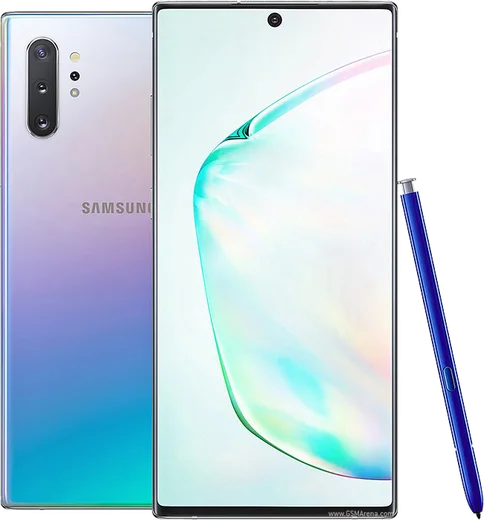
WhatsApp for Samsung Galaxy Note 10

Exynos 9825/SD855, 6.3-inch FHD+ AMOLED, S Pen

WhatsApp Messenger 4.7 · 64.2M reviews Free · Android · ~40 MB · by WhatsApp LLC
Download WhatsApp

Ask a question / report a problem

You can ask any question about WhatsApp support on the Samsung Galaxy Note 10 — leave it below and we'll help.

Ask a question

Can the Samsung Galaxy Note 10 run WhatsApp?

Fully supported
  • Operating systemAndroid
  • ProcessorExynos 9825/SD855
  • WhatsApp versionLatest supported

Latest known WhatsApp problems on Samsung Galaxy Note 10

1

Why can't I register or verify WhatsApp on my Galaxy Note 10+?

Verification failures are usually caused by SMS or push problems, so first confirm your SIM can receive a normal text and that mobile data is on. In Settings > Apps > WhatsApp > Mobile data and Wi-Fi, enable Allow background data usage and unrestricted data, then disable any battery saver or Data Saver while you verify; if the code still doesn't arrive, wait the full timer and choose Call me instead. If you've installed a custom ROM like LineageOS, registration can break unless the device has working Google Play Services or a microG setup, so re-flash GApps before retrying. See how others solved this on Reddit
2

Why is the earpiece and call volume so low on WhatsApp on my Note 10?

During a WhatsApp voice or video call the in-call audio uses the call stream, so press the volume up key while the call is active to raise that specific level (it won't change unless a call is connected). If calls are still quiet, go to Settings > Sounds and vibration > Sound quality and effects and turn off any Dolby Atmos, equalizer, or 'Adapt sound' profile that can muffle output. As a last step, clear WhatsApp's cache in Settings > Apps > WhatsApp > Storage and restart the phone. See how others solved this on Reddit
3

Why do my WhatsApp calls go straight to 'on hold' the moment they connect?

This almost always means another phone or audio app is grabbing the call stream, so close any other calling apps and disconnect Bluetooth devices, then test again. On the Note 10 also check Settings > Apps > WhatsApp > Permissions and confirm Phone and Microphone are allowed, and set battery usage to Unrestricted via Settings > Apps > WhatsApp > Battery. If it continues, update WhatsApp from the Play Store and restart the phone, since this on-hold glitch is frequently fixed in newer app builds. See how others solved this on Reddit
4

Why doesn't WhatsApp save photos and videos to my Note 10's gallery anymore?

Newer WhatsApp versions don't always auto-save to your Gallery by default, so you need to re-enable saving. Go to WhatsApp > Settings > Chats and turn on Media visibility, and for a specific chat open the chat, tap the contact name > Media visibility > On. Also confirm Settings > Apps > WhatsApp > Permissions > Files and media is allowed, otherwise downloaded media won't appear for the Gallery to index. See how others solved this on Reddit
5

Why does WhatsApp Web keep disconnecting or not syncing from my Galaxy phone?

Older WhatsApp Web required the phone to stay online, but with multi-device you can link the browser independently, so open WhatsApp > Settings > Linked devices > Link a device and re-scan the QR code. To stop background disconnects on the Note 10, set WhatsApp to Unrestricted under Settings > Apps > WhatsApp > Battery and turn off Adaptive battery in Settings > Battery and device care > Battery. Make sure the phone's app and your desktop browser are both fully updated, since version mismatches are a common cause of sync failures. See how others solved this on Reddit
6

Is WhatsApp the best messaging option for the Note 10, or should I use something else?

WhatsApp runs well on the Note 10 and is the most widely used option, but you can install it alongside Samsung Messages or Signal without conflict from the Play Store. For the smoothest experience set WhatsApp to Unrestricted battery use (Settings > Apps > WhatsApp > Battery) and make sure its notifications are enabled under Settings > Apps > WhatsApp > Notifications so messages arrive instantly. If you mainly want SMS/RCS rather than internet chat, Google Messages is a strong default, but for cross-platform group chats WhatsApp remains the better pick on this device. See how others solved this on Reddit

Ask a question / report a problem

You can ask any question about WhatsApp support on the Samsung Galaxy Note 10 — leave it below and we'll help.

Ask a question

Watch: setting up WhatsApp

Prefer to watch? This short walkthrough shows the whole installation and number-verification flow.

How to install WhatsApp on Samsung Galaxy Note 10 — video walkthrough

How to install WhatsApp on Samsung Galaxy Note 10

1

Choose how to download

On your Samsung Galaxy Note 10 you can get the official app two ways: from the Google Play Store — the easiest option, since it keeps WhatsApp updated automatically — or directly from the official website. You can download an APK file, by clicking a link “Download WhatsApp directly”.

2

Open WhatsApp

Launch WhatsApp from your home screen or app drawer and accept the Terms of Service to start setup.

3

Verify your phone number

Enter your phone number. If your Samsung Galaxy Note 10 uses dual SIM, pick the line you want WhatsApp tied to, then enter the 6-digit code it sends by SMS — it usually fills in automatically.

4

Restore chats and finish setup

Restore your chat history from Google Drive (use the same Google account), add your name and photo, and tap Allow for notifications so messages and calls arrive reliably.

Stay safe: only ever install WhatsApp from the official Android source. The Download button above already points there — modified copies (GB/Plus/Aero WhatsApp) can get your number banned.

Comments (6)

No registration needed. No email required.
W
whatsappfanMar 5, 2026

ok so my whatsapp had stopped working but this fixed it cheers

U
ugh_helpJul 31, 2025

endlich ohne probleme auf meinem Samsung Galaxy Note 10 installiert 🎉

I
its_danApr 11, 2025

yo running whatsapp on my note10 like new 👌

K
kev_finNov 21, 2024

hi do i need to pay for the app thanks

AppWhatsOfficialNov 27, 2024

Hi! WhatsApp is 100% free to download and use. You only use your normal mobile data or wifi for messages and calls. Happy chatting!

O
omar34Sep 14, 2024

update this fixed whatsapp on my samsung galaxy note 10 :)

AppWhatsOfficialSep 18, 2024

Perfect, enjoy chatting!

M
mike_benSep 8, 2024

hey plz heeeelp me how to download on my galaxy note 10

AppWhatsOfficialSep 10, 2024

Take a breath, we got you. Press Download above, then Install, then verify your number. That is all it takes.