Samsung Android

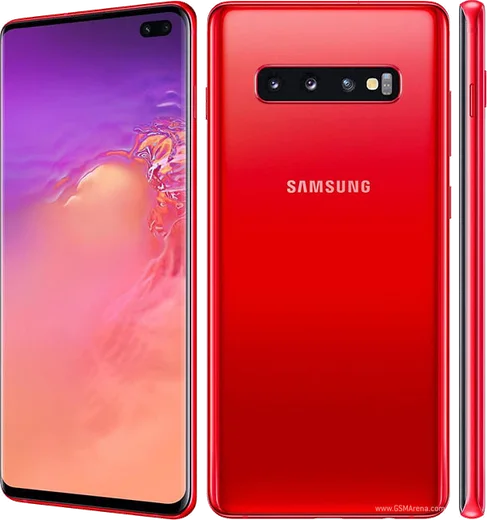
WhatsApp for Samsung Galaxy S10e

Snapdragon 855, 5.8-inch flat AMOLED

WhatsApp Messenger 4.7 · 64.2M reviews Free · Android · ~40 MB · by WhatsApp LLC
Download WhatsApp

Ask a question / report a problem

You can ask any question about WhatsApp support on the Samsung Galaxy S10e — leave it below and we'll help.

Ask a question

Can the Samsung Galaxy S10e run WhatsApp?

Fully supported
  • Operating systemAndroid
  • ProcessorSnapdragon 855
  • WhatsApp versionLatest supported

Latest known WhatsApp problems on Samsung Galaxy S10e

1

Why does WhatsApp Web keep disconnecting on my Galaxy S10e?

WhatsApp Web stays linked only while your S10e keeps WhatsApp running in the background, so battery optimization killing the app is the usual culprit. Go to Settings > Apps > WhatsApp > Battery and set it to Unrestricted, then in WhatsApp tap the three-dot menu > Linked devices and re-link to refresh the session. Also check Settings > Battery and device care > Battery > Background usage limits and make sure WhatsApp isn't listed under 'Sleeping' or 'Deep sleeping' apps. See how others solved this on Reddit
2

My WhatsApp calls go on hold immediately on the Galaxy S10e

This usually happens when WhatsApp's microphone access or background activity is being cut off by One UI, so the call drops or stalls right after connecting. Open Settings > Apps > WhatsApp > Permissions and confirm Microphone and Phone are allowed, then under Battery set it to Unrestricted so the call isn't suspended. If you're on a modded or older WhatsApp build, reinstall the official version from the Play Store, since broken call handling is common on unofficial APKs. See how others solved this on Reddit
3

I get no notification sound for WhatsApp messages on my S10e

Silent WhatsApp notifications on One UI are almost always a per-channel sound setting or Do Not Disturb being active. Go to Settings > Apps > WhatsApp > Notifications > Message notifications and make sure a Sound is selected and the importance isn't set to Silent, then check that Settings > Notifications > Do not disturb is off. Inside WhatsApp, also confirm the chat isn't muted and Settings > Notifications shows your message tone. See how others solved this on Reddit
4

Will WhatsApp stop working on my Galaxy S10e because it's an older phone?

WhatsApp periodically drops support for older Android versions, but the S10e can run up to Android 12 (One UI 4.1), which stays well above WhatsApp's minimum requirement, so you're fine for now. Keep the OS current via Settings > Software update > Download and install, and always update WhatsApp through the Play Store rather than sideloading. If support ever ends, WhatsApp shows an in-app warning weeks ahead so you have time to back up your chats. See how others solved this on Reddit
5

Where are my Dual Messenger WhatsApp files stored on the S10e?

Samsung's Dual Messenger creates a separate cloned WhatsApp whose media lives in a parallel folder, not the standard WhatsApp directory. Open My Files, tap the menu and enable 'Show hidden files', then look in Internal storage for a second WhatsApp folder (often under Android/media or a folder name with an added suffix). Because it's a clone, treat its chat backup separately from your main app and don't assume the two share the same backup. See how others solved this on Reddit
6

Should I use a modded WhatsApp on my Samsung Galaxy S10e?

Modded versions like GBWhatsApp or WhatsApp Plus aren't worth it: they violate WhatsApp's terms of service and frequently trigger temporary or permanent bans on your number. They also miss security patches and can break calls and other features, so stick with the official app from the Play Store. If you want two accounts, use Samsung's built-in Dual Messenger under Settings > Advanced features > Dual Messenger instead of a mod. See how others solved this on Reddit

Ask a question / report a problem

You can ask any question about WhatsApp support on the Samsung Galaxy S10e — leave it below and we'll help.

Ask a question

Watch: setting up WhatsApp

Prefer to watch? This short walkthrough shows the whole installation and number-verification flow.

How to install WhatsApp on Samsung Galaxy S10e — video walkthrough

How to install WhatsApp on Samsung Galaxy S10e

1

Choose how to download

On your Samsung Galaxy S10e you can get the official app two ways: from the Google Play Store — the easiest option, since it keeps WhatsApp updated automatically — or directly from the official website. You can download an APK file, by clicking a link “Download WhatsApp directly”.

2

Open WhatsApp

Launch WhatsApp from your home screen or app drawer and accept the Terms of Service to start setup.

3

Verify your phone number

Enter your phone number. If your Samsung Galaxy S10e uses dual SIM, pick the line you want WhatsApp tied to, then enter the 6-digit code it sends by SMS — it usually fills in automatically.

4

Restore chats and finish setup

Restore your chat history from Google Drive (use the same Google account), add your name and photo, and tap Allow for notifications so messages and calls arrive reliably.

Stay safe: only ever install WhatsApp from the official Android source. The Download button above already points there — modified copies (GB/Plus/Aero WhatsApp) can get your number banned.

Comments (8)

No registration needed. No email required.
L
lina_ninMay 16, 2026

Well installed whatsapp on my samsung galaxy s10e with no issues 👌

H
heeeelpFeb 15, 2026

Yo no problems installing on my Samsung Galaxy S10e thanks again

T
theo10Aug 3, 2025

man thank u so much 🎉

J
justmeMar 23, 2025

ohne probleme auf meinem Galaxy S10e installiert danke

B
big_priyaMar 15, 2025

So very clear steps 👌

B
big_saraFeb 25, 2025

Pleeeease i really need whatsapp on my Samsung Galaxy S10e today

AppWhatsOfficialFeb 28, 2025

You are almost there! Tap Download, allow the install, open WhatsApp and confirm your number. Reply here if you get stuck.

L
leo_realSep 18, 2024

pls help why cant i see my contacts in the app anyone

AppWhatsOfficialSep 21, 2024

Thanks for asking, contacts come from your phone address book. Save them with the country code and refresh the app to see them. Reach out anytime.

E
ella_denJul 15, 2024

guys quick and painless