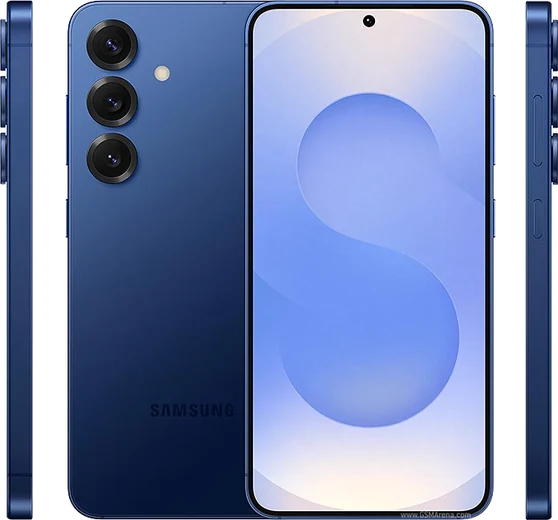
WhatsApp on Samsung Galaxy Z Fold 7
Samsung Android

WhatsApp for Samsung Galaxy Z Fold 7

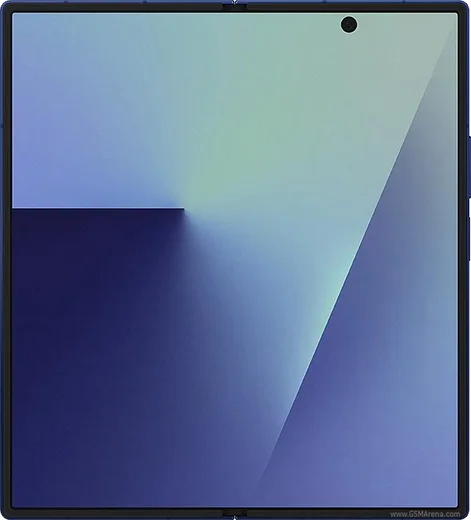
Snapdragon 8 Elite, 8-inch foldable, slimmer hinge

WhatsApp Messenger 4.7 · 64.2M reviews Free · Android · ~40 MB · by WhatsApp LLC
Download WhatsApp

Ask a question / report a problem

You can ask any question about WhatsApp support on the Samsung Galaxy Z Fold 7 — leave it below and we'll help.

Ask a question

Can the Samsung Galaxy Z Fold 7 run WhatsApp?

Fully supported
  • Operating systemAndroid
  • ProcessorSnapdragon 8 Elite
  • WhatsApp versionLatest supported

Latest known WhatsApp problems on Samsung Galaxy Z Fold 7

1

WhatsApp notifications stopped showing on my Galaxy Z Fold 7 - how do I fix it?

Open Settings > Apps > WhatsApp > Notifications and make sure notifications (and each category like Messages and Group notifications) are turned on. Then go to Settings > Battery > Background usage limits and remove WhatsApp from the "Sleeping apps" and "Deep sleeping apps" lists so it isn't suspended. Finally, in Settings > Apps > WhatsApp > Battery, set it to "Unrestricted." Aggressive power management on One UI is the most common cause of silent or vanished WhatsApp notifications. See how others solved this on Reddit
2

Images appear broken or won't load in WhatsApp on my Z Fold 7 - what's going on?

This is usually a cache or media-permission issue. Go to Settings > Apps > WhatsApp > Storage and tap "Clear cache" (not "Clear data," which would log you out and delete chats). Then open Settings > Apps > WhatsApp > Permissions and confirm the Photos and videos permission is set to "Allow all." If thumbnails still fail to render, update WhatsApp from the Play Store, since several display bugs have been fixed in newer builds. See how others solved this on Reddit
3

WhatsApp glitches or freezes when I unfold my Galaxy Z Fold 7 - any fix?

The app sometimes fails to redraw when it resizes between the cover and inner display. As a workaround, open Settings > Developer options and turn ON "Force activities to be resizable" and turn OFF "Don't keep activities," then force stop WhatsApp via Settings > Apps > WhatsApp > Force stop before reopening it. Keeping both One UI and WhatsApp fully updated resolves most of these fold-transition glitches. See how others solved this on Reddit
4

How do I make WhatsApp use the full inner screen on the Z Fold 7?

When you open WhatsApp on the inner screen, a small floating App continuity / aspect-ratio button appears at the edge of the screen (or pull down from the top) - tap it and choose "Full screen" instead of the default phone ratio. If that button doesn't show, go to Settings > Advanced features > Labs > "Aspect ratios of apps," select WhatsApp, and set it to full screen, then reopen the app. See how others solved this on Reddit
5

How do I transfer my WhatsApp chats from an iPhone to the Galaxy Z Fold 7?

Use Samsung Smart Switch with a USB-C-to-Lightning cable, ideally during the Fold 7's initial setup (or later via Settings > Accounts and backup > Bring data from old device). Install WhatsApp on the Fold 7 but do not log in yet, then start Smart Switch, choose WhatsApp when prompted, and follow the QR-scan and verification steps using the same phone number. This official Move-to-Android flow is the only reliable way to carry iPhone chat history across. See how others solved this on Reddit
6

I can't reinstall WhatsApp on my Fold 7 - the Play Store won't let me. What now?

First clear the Play Store's cache via Settings > Apps > Google Play Store > Storage > Clear cache. Then check Settings > Apps (tap the menu and "Show system apps") for any leftover WhatsApp entry and uninstall it fully. Confirm you have free storage and a stable connection, restart the phone, and try again. As a last resort, download the official APK from whatsapp.com/android and install it directly. See how others solved this on Reddit

Ask a question / report a problem

You can ask any question about WhatsApp support on the Samsung Galaxy Z Fold 7 — leave it below and we'll help.

Ask a question

Watch: setting up WhatsApp

Prefer to watch? This short walkthrough shows the whole installation and number-verification flow.

How to install WhatsApp on Samsung Galaxy Z Fold 7 — video walkthrough

How to install WhatsApp on Samsung Galaxy Z Fold 7

1

Choose how to download

On your Samsung Galaxy Z Fold 7 you can get the official app two ways: from the Google Play Store — the easiest option, since it keeps WhatsApp updated automatically — or directly from the official website. You can download an APK file, by clicking a link “Download WhatsApp directly”.

2

Open WhatsApp

Launch WhatsApp from your home screen or app drawer and accept the Terms of Service to start setup.

3

Verify your phone number

Enter your phone number. If your Samsung Galaxy Z Fold 7 uses dual SIM, pick the line you want WhatsApp tied to, then enter the 6-digit code it sends by SMS — it usually fills in automatically.

4

Restore chats and finish setup

Restore your chat history from Google Drive (use the same Google account), add your name and photo, and tap Allow for notifications so messages and calls arrive reliably.

Stay safe: only ever install WhatsApp from the official Android source. The Download button above already points there — modified copies (GB/Plus/Aero WhatsApp) can get your number banned.

Comments (17)

No registration needed. No email required.
V
val.rJun 17, 2026

Wow muy fácil, lo hice en 2 minutos en mi Galaxy Z Fold 7 🎉

N
nina48May 26, 2026

Guys im so confused someone help meeee :(

AppWhatsOfficialMay 27, 2026

Breathe! Follow the steps above one by one, tap Download first, and you will be chatting in no time.

E
ella.gMar 26, 2026

yo smooth install on the z fold 7 ❤️

X
xX_kaiMar 17, 2026

ok so bookmarking this site for sure ✌️

T
tom27Jan 25, 2026

best guide for the z fold 7 by far

P
plz help meeOct 26, 2025

Two thumbs up

C
chris_xXJul 5, 2025

wow good job whoever made this

W
whyyyyyJun 29, 2025

installé sans souci sur mon z fold 7

A
ahmedMay 18, 2025

أخيراً شكراً، صار عندي واتساب

Z
zoe_noaMay 3, 2025

man clear and to the point

P
pablo.fMar 9, 2025

download takes forever for me thanks

AppWhatsOfficialMar 15, 2025

Happy to help, it depends on your connection. Try switching to wifi if you can, and the download should finish in under a minute on most networks.

X
xX_andyFeb 21, 2025

Man took me 5 min total

I
im_rayFeb 19, 2025

endlich hat super funktioniert, danke

T
tom58Jan 7, 2025

Got it working on my z fold 7 first try

N
noobmasterDec 25, 2024

guys it worked first try

J
jay_officialNov 19, 2024

yo worked like a charm

N
nick96Oct 5, 2024

Very clear steps