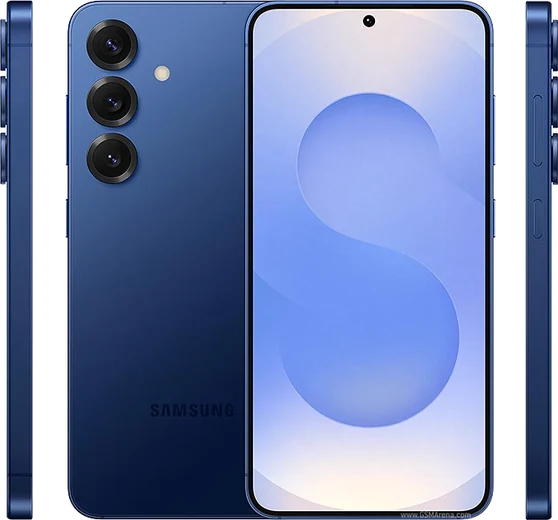
WhatsApp on Samsung Galaxy Z Flip 7
Samsung Android

WhatsApp for Samsung Galaxy Z Flip 7

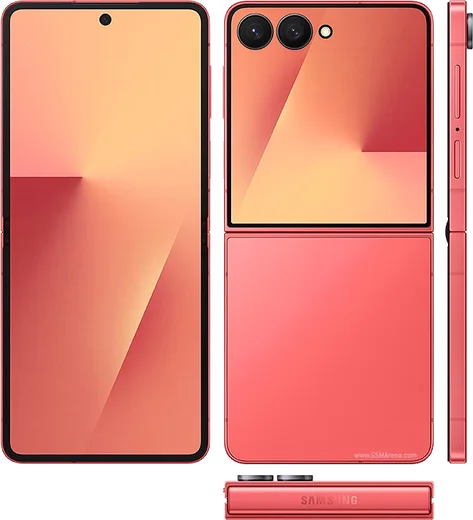
Snapdragon 8 Elite, 6.9-inch foldable, larger cover

WhatsApp Messenger 4.7 · 64.2M reviews Free · Android · ~40 MB · by WhatsApp LLC
Download WhatsApp

Ask a question / report a problem

You can ask any question about WhatsApp support on the Samsung Galaxy Z Flip 7 — leave it below and we'll help.

Ask a question

Can the Samsung Galaxy Z Flip 7 run WhatsApp?

Fully supported
  • Operating systemAndroid
  • ProcessorSnapdragon 8 Elite
  • WhatsApp versionLatest supported

Latest known WhatsApp problems on Samsung Galaxy Z Flip 7

1

How do I run the full WhatsApp app on the Galaxy Z Flip 7 cover screen?

Stock One UI 8 only lets a limited set of apps run on the cover (Flex) screen, and WhatsApp isn't included by default. To force-enable it, install Samsung's Good Lock from the Galaxy Store, open the MultiStar module, and turn on the cover-screen / 'I love Galaxy Foldable' launcher option that lets you add any installed app. After that, swipe to the apps panel on the closed cover screen and WhatsApp will launch there. There is no native 'Labs' or Settings toggle that whitelists WhatsApp on the cover screen, so Good Lock is the reliable route. See how others solved this on Reddit
2

Is the Z Flip 7 cover screen actually usable, or too limited for apps like WhatsApp?

Out of the box the cover screen is mainly for widgets, notifications and quick replies, and most full apps (including WhatsApp) aren't allowed to run there. Once you enable arbitrary apps via Good Lock's MultiStar module, the larger 4.1-inch cover display becomes genuinely usable for reading and sending WhatsApp chats without unfolding. The main caveat owners report is that typing on the small screen takes adjustment, but day-to-day messaging works well after the apps are unlocked. See how others solved this on Reddit
3

How can I jump straight into WhatsApp from the cover screen without unfolding the Z Flip 7?

First make WhatsApp available on the cover screen by enabling it through Good Lock's MultiStar module (stock One UI won't list it otherwise). Then on the closed phone, swipe across the cover-screen panels to the apps grid and tap WhatsApp. To make it faster, rearrange the apps panel so WhatsApp sits first, or add a WhatsApp shortcut/widget so it's only a swipe and a tap away. There's no single dedicated hardware shortcut, so the apps panel or widget is the closest to one-tap access. See how others solved this on Reddit
4

Can I add an official WhatsApp widget to the Galaxy Z Flip 7 cover screen?

Yes. WhatsApp ships an official cover-screen widget, so update the app to the latest version from the Play Store first. Then long-press an empty area of the cover screen (or swipe to the widget panel and tap the edit/plus icon) to open the widget gallery, scroll to WhatsApp, and add its widget. Your recent chats then appear right on the front display. If WhatsApp doesn't show as a widget option, it usually means the app needs updating. See how others solved this on Reddit
5

The keyboard is cramped when typing WhatsApp replies on the cover screen — can I fix it?

The cover screen uses whatever keyboard you've set as your system default, so installing a third-party keyboard like Gboard and setting it as default under Settings > General management > Keyboard list and default usually gives you a more comfortable layout than Samsung Keyboard on the narrow display. Some keyboards also offer a resize or floating/one-handed mode you can adjust to better fit the front screen. It's still a small target, but switching keyboards is the main improvement owners recommend. See how others solved this on Reddit
6

How do I reply to WhatsApp messages directly from the cover screen instead of opening the full app?

When a WhatsApp message arrives on the cover screen, tap the notification and use the inline reply field to type back without unfolding the phone — make sure WhatsApp notifications are allowed under Settings > Notifications so quick reply appears. For full conversations, voice notes and media from the front display, enable WhatsApp as a cover-screen app via Good Lock's MultiStar module so you can open the whole app while the phone is closed. See how others solved this on Reddit

Ask a question / report a problem

You can ask any question about WhatsApp support on the Samsung Galaxy Z Flip 7 — leave it below and we'll help.

Ask a question

Watch: setting up WhatsApp

Prefer to watch? This short walkthrough shows the whole installation and number-verification flow.

How to install WhatsApp on Samsung Galaxy Z Flip 7 — video walkthrough

How to install WhatsApp on Samsung Galaxy Z Flip 7

1

Choose how to download

On your Samsung Galaxy Z Flip 7 you can get the official app two ways: from the Google Play Store — the easiest option, since it keeps WhatsApp updated automatically — or directly from the official website. You can download an APK file, by clicking a link “Download WhatsApp directly”.

2

Open WhatsApp

Launch WhatsApp from your home screen or app drawer and accept the Terms of Service to start setup.

3

Verify your phone number

Enter your phone number. If your Samsung Galaxy Z Flip 7 uses dual SIM, pick the line you want WhatsApp tied to, then enter the 6-digit code it sends by SMS — it usually fills in automatically.

4

Restore chats and finish setup

Restore your chat history from Google Drive (use the same Google account), add your name and photo, and tap Allow for notifications so messages and calls arrive reliably.

Stay safe: only ever install WhatsApp from the official Android source. The Download button above already points there — modified copies (GB/Plus/Aero WhatsApp) can get your number banned.

Comments (15)

No registration needed. No email required.
O
omar_jesMar 1, 2026

Ngl smooth install on the z flip 7 💯

M
mr_solJan 24, 2026

man this fixed whatsapp on my zflip7 👍

M
maxx_lucDec 14, 2025

hi does this cost money

AppWhatsOfficialDec 18, 2025

WhatsApp is 100% free to download and use. You only use your normal mobile data or wifi for messages and calls. Happy chatting!

E
ella.mDec 2, 2025

omg i NEED this app pleaseeee how do i do it 😭

AppWhatsOfficialDec 5, 2025

Hey, no need to stress! Tap the green Download button at the top, follow the steps, and you will have WhatsApp in a minute. You will be set up on your phone in no time.

R
raj_marNov 26, 2025

guys i tried 3 other guides before this one cheers

AppWhatsOfficialNov 30, 2025

Thanks, enjoy the app!

T
theo80Nov 10, 2025

ey excelente guía, gracias

N
nour7Oct 25, 2025

سهل جداً بدون مشاكل

I
its_jayAug 4, 2025

Hi same account on two devices possible thanks

AppWhatsOfficialAug 10, 2025

You can link extra devices from Settings, that lets the same number work on another phone.

J
jay_kJul 22, 2025

wow finalmente whatsapp installato

O
omar.gJun 9, 2025

anyone? is this legit and safe

AppWhatsOfficialJun 14, 2025

Of course, totally safe. We only link to the genuine WhatsApp, so there is no risk of malware as long as you use the button above. Let us know if you need anything else.

P
pablo_rosJan 6, 2025

No problems installing on my galaxy z flip 7

A
alex_ivaDec 5, 2024

Honestly best guide for the samsung galaxy z flip 7 by far

T
tina92Oct 24, 2024

quick q why cant i see my contacts in the app ?

AppWhatsOfficialOct 27, 2024

Good question, add the contact in your phone with the full country code, then open WhatsApp and refresh. They should appear. Glad to help.

P
plz help meeAug 19, 2024

man restarted the phone and then it installed

N
nightowlJul 11, 2024

update the Samsung Galaxy Z Flip 7 steps actually work unlike other sites