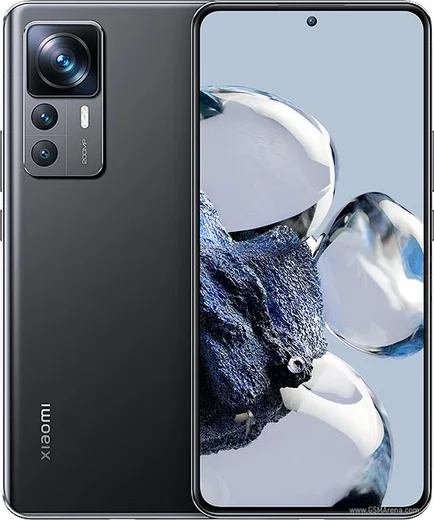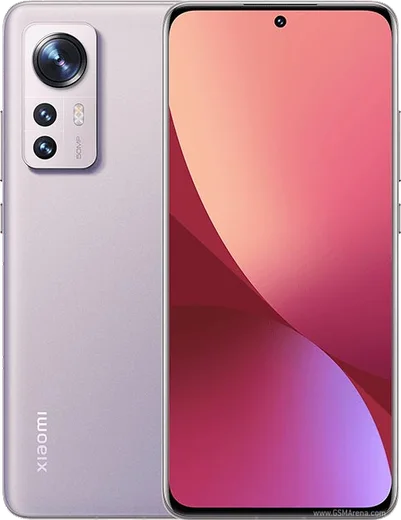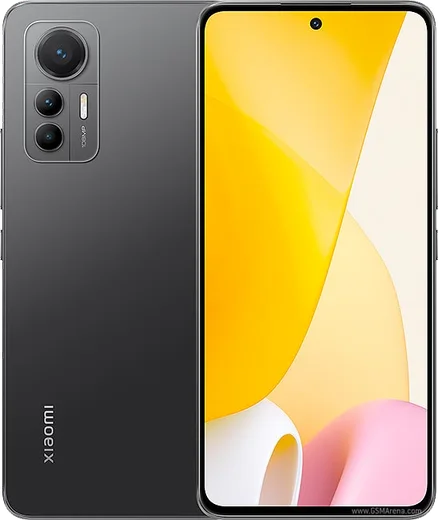
WhatsApp on Xiaomi 12T Pro
Xiaomi Android

WhatsApp for Xiaomi 12T Pro

Snapdragon 8+ Gen 1, 200MP camera, 6.67-inch 120Hz AMOLED

WhatsApp Messenger 4.7 · 64.2M reviews Free · Android · ~40 MB · by WhatsApp LLC
Download WhatsApp

Ask a question / report a problem

You can ask any question about WhatsApp support on the Xiaomi 12T Pro — leave it below and we'll help.

Ask a question

Can the Xiaomi 12T Pro run WhatsApp?

Fully supported
  • Operating systemAndroid
  • ProcessorSnapdragon 8+ Gen 1
  • WhatsApp versionLatest supported

Latest known WhatsApp problems on Xiaomi 12T Pro

1

Why am I not getting WhatsApp notifications on my Xiaomi 12T Pro?

HyperOS/MIUI battery management is the usual cause, so open Settings > Apps > Manage apps > WhatsApp > Battery saver and set it to No restrictions, then enable Autostart for WhatsApp on the same screen. Also go to Settings > Notifications > WhatsApp and make sure notifications (and the Messages channel) are allowed with sound, and disable any battery-saver schedule that silences background apps. See how others solved this on Reddit
2

WhatsApp call notifications don't pop up as full-screen on my Xiaomi 12T Pro, I only see them late

This is usually a missing pop-up/lock-screen permission under HyperOS, so go to Settings > Apps > Manage apps > WhatsApp > Other permissions and enable Display pop-up windows while running in the background plus Show on lock screen. Then under Settings > Notifications > WhatsApp turn on the Calls channel with Floating notifications, and set WhatsApp's battery to No restrictions so the call can wake the device in time. See how others solved this on Reddit
3

WhatsApp feels laggy and low-FPS when scrolling on my Xiaomi 12T Pro

First confirm Settings > Display > Refresh rate is set to the highest option rather than Default, since the screen can drop to a lower rate to save power. If it still stutters, open Settings > Apps > Manage apps > WhatsApp > Clear data and tap Clear cache (not Clear all data, which deletes chats), then update WhatsApp from the Play Store, as older builds had a known smoothness bug on MIUI/HyperOS. See how others solved this on Reddit
4

I can't download photos or videos in WhatsApp on my Xiaomi 12T Pro after a software update

An update can reset WhatsApp's storage access, so go to Settings > Apps > Manage apps > WhatsApp > Permissions and grant Files and media (choose Allow management of all files if prompted). Then check Settings > About phone > Storage has free space, toggle airplane mode off and on to refresh the connection, and if media still won't save, open the WhatsApp app menu and tap Clear data > Clear cache. See how others solved this on Reddit
5

WhatsApp keeps crashing or closing on my Xiaomi 12T Pro

Start by updating WhatsApp in the Play Store and rebooting, since most crash loops come from an outdated build clashing with HyperOS. If it persists, go to Settings > Apps > Manage apps > WhatsApp > Clear data and tap Clear cache (not Clear all data, which deletes chats), and confirm Storage and Files permissions are granted; as a last resort, back up your chats to Google Drive and reinstall. See how others solved this on Reddit
6

After updating MIUI my Xiaomi 12T Pro can't send WhatsApp messages or media

Updates can revoke WhatsApp's permissions, so open Settings > Apps > Manage apps > WhatsApp > Permissions and re-grant Files and media, Camera, and Microphone. Then set the app to No restrictions under Battery saver and enable Autostart, and tap Clear data > Clear cache from the same WhatsApp app menu so queued messages can send. See how others solved this on Reddit

Ask a question / report a problem

You can ask any question about WhatsApp support on the Xiaomi 12T Pro — leave it below and we'll help.

Ask a question

Watch: setting up WhatsApp

Prefer to watch? This short walkthrough shows the whole installation and number-verification flow.

How to install WhatsApp on Xiaomi 12T Pro — video walkthrough

How to install WhatsApp on Xiaomi 12T Pro

1

Choose how to download

On your Xiaomi 12T Pro you can get the official app two ways: from the Google Play Store — the easiest option, since it keeps WhatsApp updated automatically — or directly from the official website. You can download an APK file, by clicking a link “Download WhatsApp directly”.

2

Open WhatsApp

Launch WhatsApp from your home screen or app drawer and accept the Terms of Service to start setup.

3

Verify your phone number

Enter your phone number. If your Xiaomi 12T Pro uses dual SIM, pick the line you want WhatsApp tied to, then enter the 6-digit code it sends by SMS — it usually fills in automatically.

4

Restore chats and finish setup

Restore your chat history from Google Drive (use the same Google account), add your name and photo, and tap Allow for notifications so messages and calls arrive reliably.

Stay safe: only ever install WhatsApp from the official Android source. The Download button above already points there — modified copies (GB/Plus/Aero WhatsApp) can get your number banned.

Comments (10)

No registration needed. No email required.
C
chris.zJan 8, 2026

omg help meee i pressed everything and nothing 😭

AppWhatsOfficialJan 9, 2026

No panic needed. The Download button takes you to the official app, then just install and verify your number.

D
dan.wNov 7, 2025

il miglior sito, al primo colpo

T
theo.zNov 1, 2025

So whatsapp finally on my 12tpro :)

H
halppAug 17, 2025

Franchement le meilleur site, marché du premier coup

M
marc.eApr 22, 2025

it crashes right after the splash screen

AppWhatsOfficialApr 27, 2025

No worries, try clearing the cache and updating your phone software, then install the latest version again. That usually stops the crashing.

M
maxx99Mar 11, 2025

The Xiaomi 12T Pro steps actually work unlike other sites 👌

T
tan.dMar 1, 2025

Is this gb whatsapp pls

AppWhatsOfficialMar 3, 2025

It is the official WhatsApp from the real app store. We do not recommend modded versions like GB or Plus, they can get your number banned. Happy chatting!

B
ben_theFeb 14, 2025

ngl the 12tpro guide was spot on 💯

M
mr_ellaOct 27, 2024

Tbh downloaded and installed on my 12T Pro

L
luca07Oct 7, 2024

did this on my 12t pro and it just worked