WhatsApp on Vivo V27 Pro
Vivo Android

WhatsApp for Vivo V27 Pro

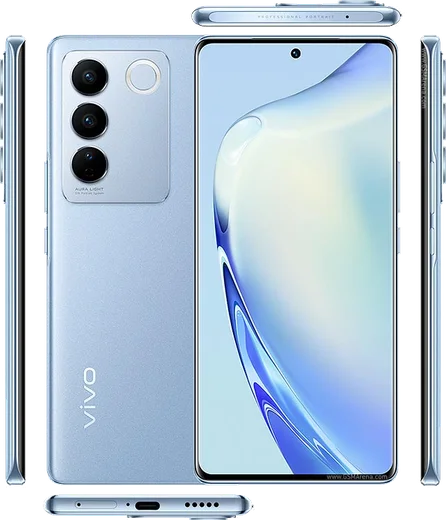
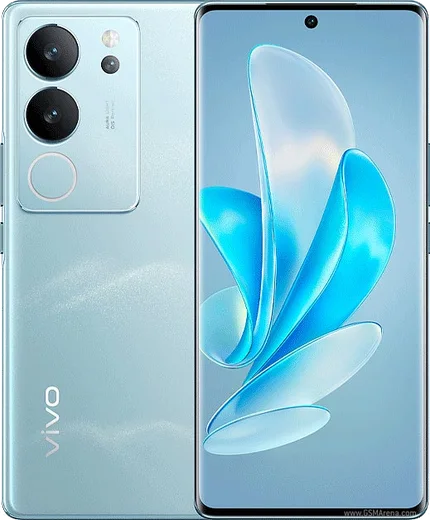
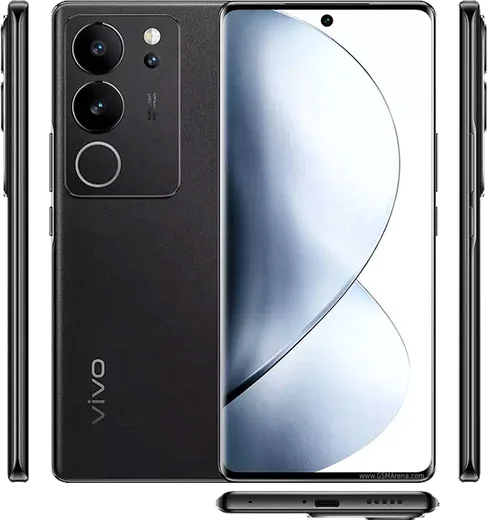
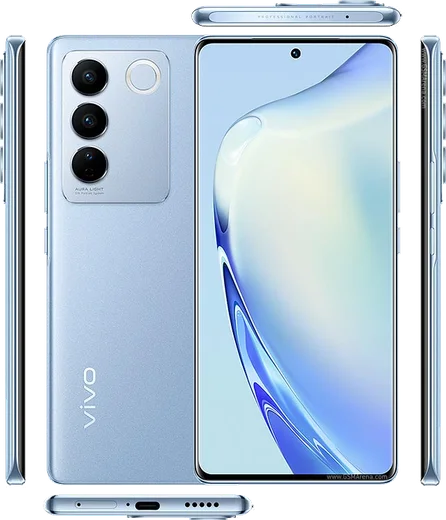
Dimensity 8200, 6.78-inch curved AMOLED, color-changing back

WhatsApp Messenger 4.7 · 64.2M reviews Free · Android · ~40 MB · by WhatsApp LLC
Download WhatsApp

Ask a question / report a problem

You can ask any question about WhatsApp support on the Vivo V27 Pro — leave it below and we'll help.

Ask a question

Can the Vivo V27 Pro run WhatsApp?

Fully supported
  • Operating systemAndroid
  • ProcessorDimensity 8200
  • WhatsApp versionLatest supported

Latest known WhatsApp problems on Vivo V27 Pro

1

Why are my WhatsApp notifications delayed or not showing on my Vivo V27 Pro?

Vivo's aggressive battery management is the usual culprit, since it suspends WhatsApp in the background. Go to Settings > Battery > High background power consumption and allow WhatsApp, then open Settings > Apps > Manage apps > WhatsApp > Battery and set it to Allow background activity / Don't restrict. Also make sure notifications are enabled under Settings > Apps > Manage apps > WhatsApp > Notifications, and that WhatsApp's own in-app notification settings are on. See how others solved this on Reddit
2

WhatsApp keeps disconnecting and won't stay online in the background on my Vivo V27 Pro

This happens when Funtouch OS clears WhatsApp from memory to save power. Open the recent apps screen, swipe down on the WhatsApp card (or tap the lock icon) to lock it so the system can't kill it, then go to Settings > Battery > High background power consumption and allow WhatsApp. Finally, in Settings > Apps > Manage apps > WhatsApp, enable Autostart so it can reconnect after the screen locks. See how others solved this on Reddit
3

My second WhatsApp (App Clone) gets no notifications on my Vivo V27 Pro

Cloned apps have their own separate permission set, so the original app's settings don't carry over. Go to Settings > App Clone, open the cloned WhatsApp there, and make sure notifications and autostart are enabled for the clone specifically. Then exclude it from battery restrictions under Settings > Battery > High background power consumption, and confirm notifications are switched on inside the clone's own WhatsApp settings. See how others solved this on Reddit
4

Images won't load or appear blank in WhatsApp on my Vivo V27 Pro

This is usually a storage permission or cache issue rather than a network fault. Go to Settings > Apps > Manage apps > WhatsApp > Permissions and confirm Photos and videos / Files is allowed, then in WhatsApp tap the three dots > Settings > Storage and data > Media auto-download and enable it for mobile data and Wi-Fi. If thumbnails are still grey, clear the WhatsApp cache via Settings > Apps > Manage apps > WhatsApp > Storage > Clear cache and reopen the chat. See how others solved this on Reddit
5

WhatsApp video calls fail or freeze on my Vivo V27 Pro

Video calls break when camera or microphone permissions are blocked or the app is killed in the background. Go to Settings > Apps > Manage apps > WhatsApp > Permissions and grant Camera and Microphone, then disable battery restrictions under Settings > Battery > High background power consumption for WhatsApp. Make sure WhatsApp is updated to the latest version from the Play Store, and turn off any Data Saver in Funtouch OS that may be throttling the call. See how others solved this on Reddit
6

WhatsApp chat search returns no results on my Vivo V27 Pro

This is most often a known WhatsApp app bug rather than a phone setting. First update WhatsApp from the Play Store, since older builds shipped with a broken search. Then force-close it via Settings > Apps > Manage apps > WhatsApp > Force stop and reopen the app so it reloads its message database. If search still fails on the latest version, it's a WhatsApp-side issue to report, not a Vivo setting you can change. See how others solved this on Reddit

Ask a question / report a problem

You can ask any question about WhatsApp support on the Vivo V27 Pro — leave it below and we'll help.

Ask a question

Watch: setting up WhatsApp

Prefer to watch? This short walkthrough shows the whole installation and number-verification flow.

How to install WhatsApp on Vivo V27 Pro — video walkthrough

How to install WhatsApp on Vivo V27 Pro

1

Choose how to download

On your Vivo V27 Pro you can get the official app two ways: from the Google Play Store — the easiest option, since it keeps WhatsApp updated automatically — or directly from the official website. You can download an APK file, by clicking a link “Download WhatsApp directly”.

2

Open WhatsApp

Launch WhatsApp from your home screen or app drawer and accept the Terms of Service to start setup.

3

Verify your phone number

Enter your phone number. If your Vivo V27 Pro uses dual SIM, pick the line you want WhatsApp tied to, then enter the 6-digit code it sends by SMS — it usually fills in automatically.

4

Restore chats and finish setup

Restore your chat history from Google Drive (use the same Google account), add your name and photo, and tap Allow for notifications so messages and calls arrive reliably.

Stay safe: only ever install WhatsApp from the official Android source. The Download button above already points there — modified copies (GB/Plus/Aero WhatsApp) can get your number banned.

Comments (11)

No registration needed. No email required.
H
helpmeDec 24, 2025

man clear steps for the Vivo V27 Pro, cheers 🔥

AppWhatsOfficialDec 25, 2025

Thanks, enjoy the app!

P
phoneaddictDec 8, 2025

Ok so i was scared it was a virus but its the real app thx

S
sam.gAug 2, 2025

Finally got it working on my V27 Pro first try thanks again

L
lou_louMar 29, 2025

pls help can i install without google play ?

AppWhatsOfficialApr 3, 2025

Good question, sure. Turn on unknown sources for your browser and grab the official APK, the guide explains how.

K
kev_kFeb 13, 2025

couldnt install whatsapp on my v27pro until i found this 🎉

V
val.lFeb 11, 2025

Wow simple and fast 👌

A
amy.vJan 20, 2025

is this gb whatsapp pls

AppWhatsOfficialJan 23, 2025

No worries, it is the official WhatsApp from the real app store. We do not recommend modded versions like GB or Plus, they can get your number banned. Hope that helps!

P
priya35Oct 24, 2024

someone whyyy is this so hard pls help me get whatsapp :(

AppWhatsOfficialOct 28, 2024

Relax, it is simpler than it looks. Press Download, install, then verify with the SMS code. You got this!

J
jay_ytSep 6, 2024

wow enfin whatsapp installé

A
andy60Aug 19, 2024

todo bien en mi Vivo V27 Pro, mil gracias gracias

F
finn.dJul 27, 2024

ngl set up whatsapp on my dads Vivo V27 Pro no problem