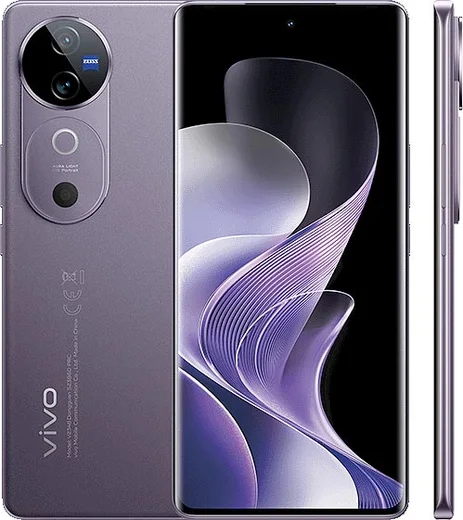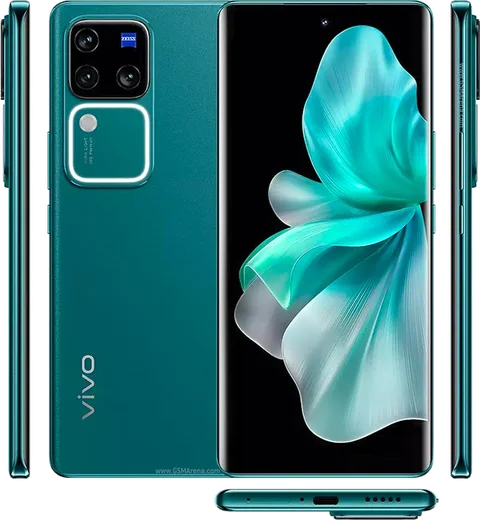
WhatsApp on Vivo V40
Vivo Android

WhatsApp for Vivo V40

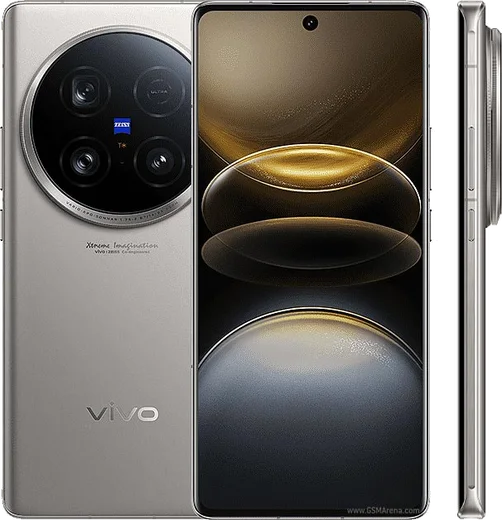
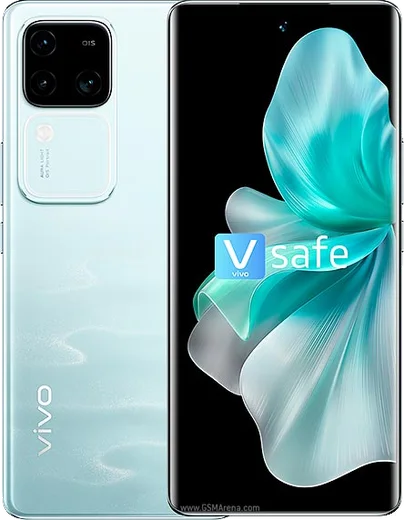
Snapdragon 7 Gen 3, 6.78-inch AMOLED, 5500mAh, 80W charging

WhatsApp Messenger 4.7 · 64.2M reviews Free · Android · ~40 MB · by WhatsApp LLC
Download WhatsApp

Ask a question / report a problem

You can ask any question about WhatsApp support on the Vivo V40 — leave it below and we'll help.

Ask a question

Can the Vivo V40 run WhatsApp?

Fully supported
  • Operating systemAndroid
  • ProcessorSnapdragon 7 Gen 3
  • WhatsApp versionLatest supported

Latest known WhatsApp problems on Vivo V40

1

Why are my WhatsApp notifications delayed or not showing on my Vivo V40?

Vivo's Funtouch OS aggressively kills background apps to save battery, so WhatsApp only delivers messages when you open it. Fix it with a few settings: go to Settings > Battery > High background power consumption (also called Background power consumption management) and allow WhatsApp; open Settings > Apps & permissions > Autostart and enable WhatsApp so it can wake itself; and in Settings > Apps & permissions > App manager > WhatsApp > Battery, set it to allow background activity and turn off any sleep/optimization. Finally, lock WhatsApp in the Recent apps screen (swipe the card down or tap the lock icon) so the system stops clearing it. Keeping 'Stay connected when sleeping' on under Settings > Battery > More settings prevents the connection dropping overnight. See how others solved this on Reddit
2

WhatsApp isn't sending me the SMS verification code on my Vivo V40 — how do I register?

First confirm the number is entered with the correct country code and that the SIM can receive a normal SMS from another phone. If the code still won't arrive, let the timer run out fully and choose 'Call me' for a voice OTP instead, and make sure WhatsApp has SMS and Phone permissions under Settings > Apps & permissions > Permission manager. A weak signal or a fresh/ported SIM can delay codes for hours, so toggling Airplane mode or trying on Wi-Fi often helps the code come through. See how others solved this on Reddit
3

My mic isn't working properly in WhatsApp voice notes and calls on my Vivo V40 — how do I fix it?

Open Settings > Apps & permissions > Permission manager > Microphone and confirm WhatsApp is set to 'Allow', since a denied or 'ask every time' setting cuts out audio. If the permission is fine, clear WhatsApp's cache via Settings > Apps & permissions > App manager > WhatsApp > Storage, and check that no other app (recorder, dialer) is holding the mic. Removing any screen protector film over the bottom mic hole and testing in the phone's Recorder app helps confirm whether it's a hardware issue. See how others solved this on Reddit
4

WhatsApp video calls freeze or won't connect on my Vivo V40 — what should I try?

Grant both Camera and Microphone to WhatsApp under Settings > Apps & permissions > Permission manager, and make sure mobile data and Wi-Fi are both allowed for WhatsApp under Settings > Apps & permissions > App manager > WhatsApp > Data usage. Disable battery optimization for WhatsApp so the OS doesn't throttle the call, and test on a different network, since a restrictive Wi-Fi or weak signal is the most common cause of dropped video calls. Updating WhatsApp from the Play Store rules out a buggy build. See how others solved this on Reddit
5

How do I transfer my WhatsApp chat history to my new Vivo V40?

If you're moving from another Android phone, back up on the old device first via WhatsApp > Settings > Chats > Chat backup to Google Drive using the same Google account, then sign in with that account on the V40 and restore when prompted during setup. Coming from an iPhone, use WhatsApp's official 'Move to Android' tool with a USB-C cable, since iCloud backups can't be read directly by Android. Always use the same phone number, and keep both phones charged and on Wi-Fi throughout the transfer. See how others solved this on Reddit

Ask a question / report a problem

You can ask any question about WhatsApp support on the Vivo V40 — leave it below and we'll help.

Ask a question

Watch: setting up WhatsApp

Prefer to watch? This short walkthrough shows the whole installation and number-verification flow.

How to install WhatsApp on Vivo V40 — video walkthrough

How to install WhatsApp on Vivo V40

1

Choose how to download

On your Vivo V40 you can get the official app two ways: from the Google Play Store — the easiest option, since it keeps WhatsApp updated automatically — or directly from the official website. You can download an APK file, by clicking a link “Download WhatsApp directly”.

2

Open WhatsApp

Launch WhatsApp from your home screen or app drawer and accept the Terms of Service to start setup.

3

Verify your phone number

Enter your phone number. If your Vivo V40 uses dual SIM, pick the line you want WhatsApp tied to, then enter the 6-digit code it sends by SMS — it usually fills in automatically.

4

Restore chats and finish setup

Restore your chat history from Google Drive (use the same Google account), add your name and photo, and tap Allow for notifications so messages and calls arrive reliably.

Stay safe: only ever install WhatsApp from the official Android source. The Download button above already points there — modified copies (GB/Plus/Aero WhatsApp) can get your number banned.

Comments (11)

No registration needed. No email required.
R
ray.sMay 26, 2026

Finally set up whatsapp on my dads V40 no problem thanks again

L
luca.lDec 16, 2025

Honestly downloaded and installed on my v40 thx

L
luca99Aug 26, 2025

wow trop facile, tout est prêt 💯

G
gabe.aAug 25, 2025

uff muy fácil, lo hice en 2 minutos

P
pablo23Aug 10, 2025

Guys smooth and simple, no issues 🎉

L
lou.gApr 10, 2025

Pls help stuck on a black screen after install

AppWhatsOfficialApr 13, 2025

Hey there, try restarting your phone first. If it still wont open, clear the cache or reinstall the latest version from the official source.

O
omar_nicMar 18, 2025

omg cant do this alone HELP how do i download 😩

AppWhatsOfficialMar 20, 2025

You are almost there! Tap Download, allow the install, open WhatsApp and confirm your number. You will be set up on your phone in no time.

J
jay_ytMar 11, 2025

Guys the vivo v40 guide was spot on :)

L
luca.eDec 17, 2024

worked perfect on my Vivo V40

AppWhatsOfficialDec 21, 2024

Thanks for sharing!

G
gabe_linSep 17, 2024

Bookmarking this site for sure lol

R
rosa41Sep 15, 2024

ok so my vivo v40 was being difficult but this sorted it