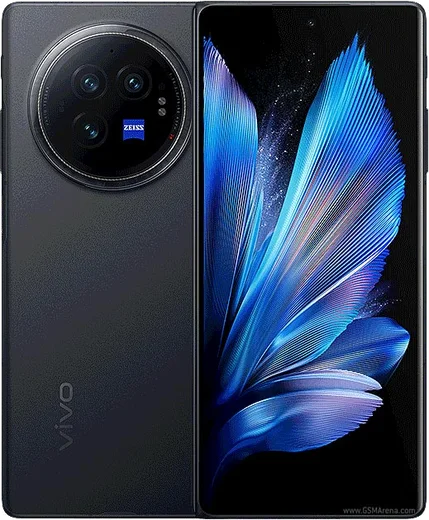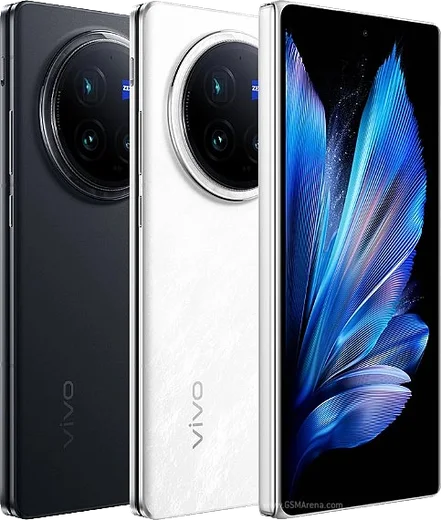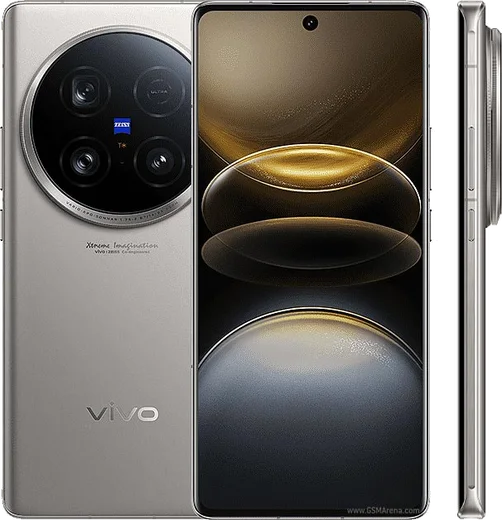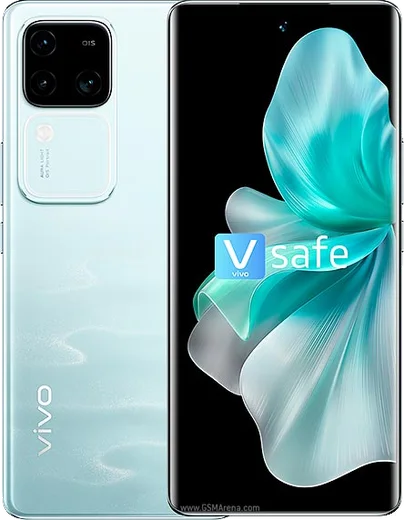
WhatsApp on Vivo X Fold3
Vivo Android

WhatsApp for Vivo X Fold3

Snapdragon 8 Gen 2, 8.03-inch foldable, slim 219g design

WhatsApp Messenger 4.7 · 64.2M reviews Free · Android · ~40 MB · by WhatsApp LLC
Download WhatsApp

Ask a question / report a problem

You can ask any question about WhatsApp support on the Vivo X Fold3 — leave it below and we'll help.

Ask a question

Can the Vivo X Fold3 run WhatsApp?

Fully supported
  • Operating systemAndroid
  • ProcessorSnapdragon 8 Gen 2
  • WhatsApp versionLatest supported

Latest known WhatsApp problems on Vivo X Fold3

1

Why are my WhatsApp notifications delayed or not showing on the Vivo X Fold3?

OriginOS/FuntouchOS aggressively closes background apps to save power, which stops WhatsApp from holding its push connection. Go to Settings > Battery > High background power consumption, find WhatsApp and set it to "Allow background activity." Then open the recents/multitasking view, swipe down on the WhatsApp card (or long-press it) and tap the lock icon so it isn't cleared. Finally check Settings > Apps & permissions > App manager > WhatsApp > Notifications and confirm "Allow notifications" and all categories are on. See how others solved this on Reddit
2

WhatsApp notifications stop completely when the screen is off on my Vivo X Fold3 Pro. How do I fix it?

This is the phone's battery optimization and memory auto-cleanup closing apps once the display sleeps. Go to Settings > Battery, open Background power consumption management, find WhatsApp and switch it to "Don't restrict." Then disable any battery saver / low-power mode that throttles background data overnight, and lock WhatsApp in the recents view (tap the lock icon on its card) so the auto-cleaner can't kill it when the screen turns off. See how others solved this on Reddit
3

Can WhatsApp back up to Google Drive on the Chinese OriginOS version of the Vivo X Fold3?

The China ROM ships without Google Mobile Services, so by default WhatsApp cannot see Google Drive for chat backups. You first need to install Google Play Services and the Play Store (via a GMS installer/activator for OriginOS), then add and sign in to a Google account under Settings > Accounts. After that, open WhatsApp > Settings > Chats > Chat backup and pick your Google account as the backup target. Without GMS installed, WhatsApp can only make local backups stored on the phone. See how others solved this on Reddit
4

I bought a CN Vivo X Fold3 Pro and Google sign-in fails for WhatsApp backups. What do I do?

Chinese-market units run OriginOS without Google services preinstalled, which breaks Google login and Drive backup. Install the Google Play Services + Play Store package for OriginOS, reboot, then add your Google account under Settings > Accounts > Add account. Once Google services are active, WhatsApp's Google Drive chat backup will work. Note that WhatsApp's phone-number SMS verification does not require Google services and works regardless. Keep WhatsApp allowed in Settings > Battery so it stays connected for push. See how others solved this on Reddit
5

What settings should I change on an imported CN Vivo X Fold3 Pro in Europe to make WhatsApp work reliably?

Imported China-ROM units need Google services sideloaded before WhatsApp's Drive backup behaves. Install the GMS/Play Services package, then set Settings > Battery > Background power consumption management for WhatsApp to "Don't restrict." Lock WhatsApp in the recents view so the memory auto-cleaner doesn't close it, and turn off aggressive battery saver. This keeps WhatsApp's connection alive for instant message and call notifications. You can also switch the system language under Settings > System > Languages & input if the ROM defaults to Chinese. See how others solved this on Reddit

Ask a question / report a problem

You can ask any question about WhatsApp support on the Vivo X Fold3 — leave it below and we'll help.

Ask a question

Watch: setting up WhatsApp

Prefer to watch? This short walkthrough shows the whole installation and number-verification flow.

How to install WhatsApp on Vivo X Fold3 — video walkthrough

How to install WhatsApp on Vivo X Fold3

1

Choose how to download

On your Vivo X Fold3 you can get the official app two ways: from the Google Play Store — the easiest option, since it keeps WhatsApp updated automatically — or directly from the official website. You can download an APK file, by clicking a link “Download WhatsApp directly”.

2

Open WhatsApp

Launch WhatsApp from your home screen or app drawer and accept the Terms of Service to start setup.

3

Verify your phone number

Enter your phone number. If your Vivo X Fold3 uses dual SIM, pick the line you want WhatsApp tied to, then enter the 6-digit code it sends by SMS — it usually fills in automatically.

4

Restore chats and finish setup

Restore your chat history from Google Drive (use the same Google account), add your name and photo, and tap Allow for notifications so messages and calls arrive reliably.

Stay safe: only ever install WhatsApp from the official Android source. The Download button above already points there — modified copies (GB/Plus/Aero WhatsApp) can get your number banned.

Comments (13)

No registration needed. No email required.
M
mike.oMay 1, 2026

Ok so did it on my x fold3 in like 2 minutes thanks again

L
lucy99Jan 19, 2026

davvero tutto funziona, mille grazie 😍

M
moDec 15, 2025

تمام، واتساب يشتغل

X
xX_robSep 13, 2025

Sorry but why does it crash on opening

AppWhatsOfficialSep 18, 2025

No worries, sorry to hear that. Please clear the app cache in Settings, make sure your system software is updated, then reinstall the latest version. Feel free to ask if you get stuck.

L
lucy_realJul 26, 2025

got it working on my x fold3 first try 💯

AppWhatsOfficialJul 29, 2025

Thanks, enjoy the app!

M
mr_rayJun 6, 2025

tbh worked like a charm 👌

T
tom_xApr 23, 2025

Omg help meee i pressed everything and nothing

AppWhatsOfficialApr 26, 2025

We are here to help. Hit Download, follow the steps on this page, and if the code is slow just request it again. It is easier than it looks, promise.

I
im_nickMar 17, 2025

Sorry but same account on two devices possible

AppWhatsOfficialMar 21, 2025

Happy to help, you can link extra devices from Settings, that lets the same number work on another phone. Feel free to ask if you get stuck.

A
alex99Jan 20, 2025

guys do i need to pay for the app thanks

AppWhatsOfficialJan 22, 2025

Sure, it is completely free. There is no fee for the app, only your usual data or wifi is used.

H
halppDec 3, 2024

anyone? is the X Fold3 compatible with whatsapp ?

AppWhatsOfficialDec 9, 2024

Happy to help, absolutely, the your phone is supported. Follow the steps above and you will be chatting in minutes.

H
heeeelpOct 30, 2024

wow all good on my vivo x fold3 now

T
tina21Aug 5, 2024

installé sans souci

N
nina.yAug 2, 2024

guys finally got whatsapp running on my X Fold3