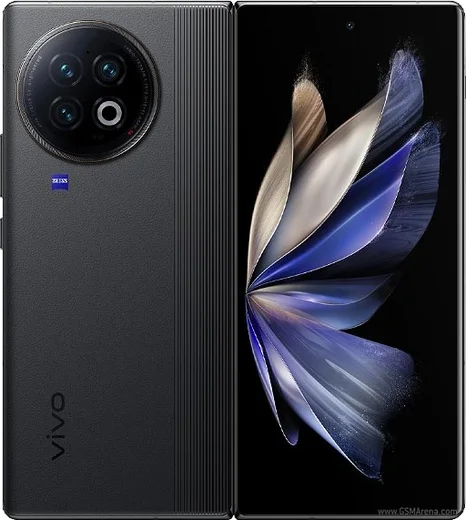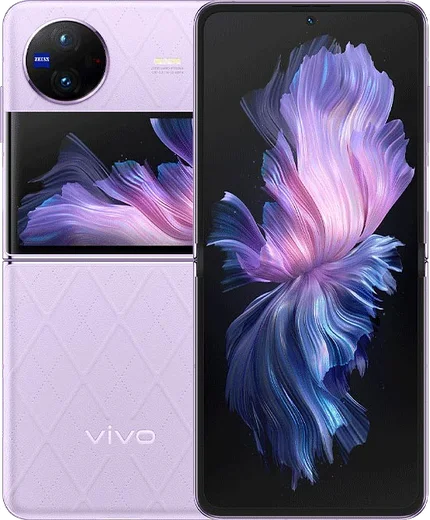
WhatsApp on Vivo X Fold2
Vivo Android

WhatsApp for Vivo X Fold2

Snapdragon 8 Gen 2, 8.03-inch foldable AMOLED, 4800mAh

WhatsApp Messenger 4.7 · 64.2M reviews Free · Android · ~40 MB · by WhatsApp LLC
Download WhatsApp

Ask a question / report a problem

You can ask any question about WhatsApp support on the Vivo X Fold2 — leave it below and we'll help.

Ask a question

Can the Vivo X Fold2 run WhatsApp?

Fully supported
  • Operating systemAndroid
  • ProcessorSnapdragon 8 Gen 2
  • WhatsApp versionLatest supported

Latest known WhatsApp problems on Vivo X Fold2

1

WhatsApp notifications don't show on my Vivo X Fold2 until I open the app

OriginOS aggressively kills background apps to save battery, which silences WhatsApp until you reopen it. Go to Settings > Battery > High background power consumption (or Background power consumption management), find WhatsApp and allow it to run in the background. Then open Settings > Apps & permissions > Autostart and enable autostart for WhatsApp. Finally, open the recent apps view and lock WhatsApp's card (tap the lock icon or swipe down on the card) so the system stops clearing it. See how others solved this on Reddit
2

How do I enable floating/banner WhatsApp notifications on the Vivo X Fold2?

Floating banners are controlled per app and per channel in OriginOS. Open Settings > Notifications & status bar > WhatsApp, make sure Allow notifications is on, then open the Messages channel and turn on Banner/Floating notifications and Lock screen notifications. Inside WhatsApp, go to Settings > Notifications and confirm High priority notifications is enabled so the pop-up appears over other apps. See how others solved this on Reddit
3

No sound on WhatsApp calls or notifications after a software update on the Vivo X Fold2

A system update can reset notification channel tones and Do Not Disturb exceptions. Go to Settings > Sound & vibration and make sure Media and Notification volumes are up and Do Not Disturb is off, then open WhatsApp > Settings > Notifications and re-select a tone for Messages, Groups and Calls. If it persists, clear WhatsApp's cache via Settings > Apps & permissions > App manager > WhatsApp > Storage > Clear cache, then reboot. See how others solved this on Reddit
4

Does WhatsApp use the large inner folding screen properly on the Vivo X Fold2?

On the inner display WhatsApp may letterbox or stay in phone layout instead of the two-pane tablet view. Go to Settings > Display & brightness > App display ratio (Screen ratio) and set WhatsApp to Full screen. Keep WhatsApp updated from the Play Store, since newer versions add the tablet layout that shows the chat list and conversation side by side when unfolded. See how others solved this on Reddit
5

Should I worry about WhatsApp and Google app support before buying a Vivo X Fold2?

WhatsApp runs fine, but China-market OriginOS builds ship without Google services preloaded, so you must install the Google Play Store and Google Play services first, then download WhatsApp from there to get reliable push notifications. After installing, grant WhatsApp autostart and unrestricted background battery in Settings, since the default power profile is the main cause of the missed-message complaints owners report. See how others solved this on Reddit

Ask a question / report a problem

You can ask any question about WhatsApp support on the Vivo X Fold2 — leave it below and we'll help.

Ask a question

Watch: setting up WhatsApp

Prefer to watch? This short walkthrough shows the whole installation and number-verification flow.

How to install WhatsApp on Vivo X Fold2 — video walkthrough

How to install WhatsApp on Vivo X Fold2

1

Choose how to download

On your Vivo X Fold2 you can get the official app two ways: from the Google Play Store — the easiest option, since it keeps WhatsApp updated automatically — or directly from the official website. You can download an APK file, by clicking a link “Download WhatsApp directly”.

2

Open WhatsApp

Launch WhatsApp from your home screen or app drawer and accept the Terms of Service to start setup.

3

Verify your phone number

Enter your phone number. If your Vivo X Fold2 uses dual SIM, pick the line you want WhatsApp tied to, then enter the 6-digit code it sends by SMS — it usually fills in automatically.

4

Restore chats and finish setup

Restore your chat history from Google Drive (use the same Google account), add your name and photo, and tap Allow for notifications so messages and calls arrive reliably.

Stay safe: only ever install WhatsApp from the official Android source. The Download button above already points there — modified copies (GB/Plus/Aero WhatsApp) can get your number banned.

Comments (13)

No registration needed. No email required.
N
nick98Apr 27, 2026

Ngl even my grandma could do this

N
nina92Feb 12, 2026

pls help can i hide when i was last online ?

AppWhatsOfficialFeb 17, 2026

Of course, yes, go to Settings then Privacy and set Last Seen and Online to Nobody or My Contacts. Your activity stays private. Let us know if you need anything else.

X
xX_ashDec 8, 2025

Omg my new vivo x fold2 is all set up now

A
aliNov 15, 2025

شكراً، Vivo X Fold2 عنده واتساب الحين 😍

K
kate.wNov 12, 2025

Quick q does this cost money thanks

AppWhatsOfficialNov 14, 2025

No payment needed at all. WhatsApp is free, you just need an internet connection.

M
ms_tinaJun 16, 2025

update did it without any help, very simple

M
ms_lucaJun 3, 2025

Installé sur le vivo x fold2 de ma mère sans probleme 👍

B
big_louMar 18, 2025

ugh pleaseee my xfold2 wont install whatsapp i give up 😩

AppWhatsOfficialMar 20, 2025

We are here to help. Hit Download, follow the steps on this page, and if the code is slow just request it again. You got this!

L
luca.fMar 16, 2025

Facilissimo, fatto in 2 minuti sul mio vivo x fold2

T
the_real_yukiMar 13, 2025

Hey no play store on my phone, will this work

AppWhatsOfficialMar 16, 2025

Sure, yes you can. Enable 'Install unknown apps' for your browser in Settings, then open the official APK. The steps above cover it. Enjoy WhatsApp on your your phone!

N
nina.cJan 29, 2025

Well good job whoever made this

G
guest_userJan 6, 2025

worked even on my old phone

L
lou_robAug 3, 2024

Guys smooth and simple, no issues