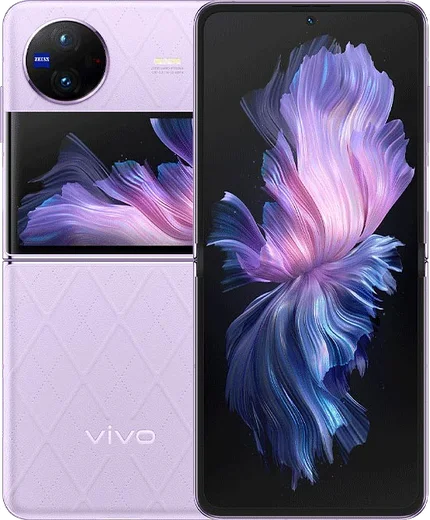
WhatsApp on Vivo X Flip
Vivo Android

WhatsApp for Vivo X Flip

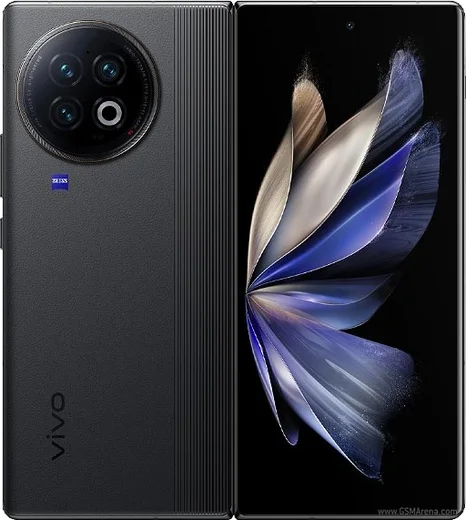
Snapdragon 8+ Gen 1, 6.74-inch clamshell foldable, 4400mAh

WhatsApp Messenger 4.7 · 64.2M reviews Free · Android · ~40 MB · by WhatsApp LLC
Download WhatsApp

Ask a question / report a problem

You can ask any question about WhatsApp support on the Vivo X Flip — leave it below and we'll help.

Ask a question

Can the Vivo X Flip run WhatsApp?

Fully supported
  • Operating systemAndroid
  • ProcessorSnapdragon 8+ Gen 1
  • WhatsApp versionLatest supported

Latest known WhatsApp problems on Vivo X Flip

1

Why isn't WhatsApp showing as two separate apps on my Vivo X Flip clone setup?

On OriginOS/FunTouch OS you run a second WhatsApp through App Clone rather than installing it twice. Go to Settings > Apps & permissions > App Clone (on some builds it's Settings > App Clone), toggle on WhatsApp, then open the cloned icon and register it with your second number via SMS. If App Clone isn't available, install WhatsApp Business from the Play Store for the second account. See how others solved this on Reddit
2

WhatsApp notifications are delayed or silent on my Vivo X Flip because of battery optimization

Vivo's OriginOS power management often freezes WhatsApp in the background, which kills push notifications. Go to Settings > Battery > Background power consumption management (or High background power consumption), find WhatsApp and set it to Allowed/Don't restrict, then in Settings > Apps > WhatsApp > Battery choose No restrictions. Also lock WhatsApp in the recents view by swiping down on its card and tapping the lock icon so the system won't clear it. See how others solved this on Reddit
3

How do I move my WhatsApp chats to a new Vivo X Flip when coming from a Samsung or other Android phone?

WhatsApp on Android backs up to Google Drive, so both phones must be signed into the same Google account. On the old phone open WhatsApp > Settings > Chats > Chat backup and run Back up now, then on the Vivo X Flip install WhatsApp from the Play Store, verify your number, and tap Restore when prompted. WhatsApp's local transfer also works Android-to-Android over the same Wi-Fi, but Google Drive is the most reliable route across brands. See how others solved this on Reddit
4

My China-version Vivo X Flip has no Play Store, so I can't install WhatsApp

Chinese OriginOS units ship without Google services, so WhatsApp won't be in the built-in store. Install the Google Play Store and Play Services using the Google Installer found in Vivo's China app market (often labelled Go Google), reboot, sign into your Google account, then download WhatsApp from Play. Keep the Google apps updated afterward, or push notifications can break. See how others solved this on Reddit
5

My imported Vivo X Flip has WhatsApp verification or notification problems in the UK/EU

Imported units sometimes run a China OriginOS build with incomplete Google integration, which can break WhatsApp's SMS verification and push notifications. First install all firmware updates in Settings > System update, and make sure Google Play Services is installed and updated (see the China-version steps if needed). Then reinstall WhatsApp from the Play Store and re-verify your number to clear lingering push issues; if SMS won't arrive, request the call-me code instead. See how others solved this on Reddit

Ask a question / report a problem

You can ask any question about WhatsApp support on the Vivo X Flip — leave it below and we'll help.

Ask a question

Watch: setting up WhatsApp

Prefer to watch? This short walkthrough shows the whole installation and number-verification flow.

How to install WhatsApp on Vivo X Flip — video walkthrough

How to install WhatsApp on Vivo X Flip

1

Choose how to download

On your Vivo X Flip you can get the official app two ways: from the Google Play Store — the easiest option, since it keeps WhatsApp updated automatically — or directly from the official website. You can download an APK file, by clicking a link “Download WhatsApp directly”.

2

Open WhatsApp

Launch WhatsApp from your home screen or app drawer and accept the Terms of Service to start setup.

3

Verify your phone number

Enter your phone number. If your Vivo X Flip uses dual SIM, pick the line you want WhatsApp tied to, then enter the 6-digit code it sends by SMS — it usually fills in automatically.

4

Restore chats and finish setup

Restore your chat history from Google Drive (use the same Google account), add your name and photo, and tap Allow for notifications so messages and calls arrive reliably.

Stay safe: only ever install WhatsApp from the official Android source. The Download button above already points there — modified copies (GB/Plus/Aero WhatsApp) can get your number banned.

Comments (14)

No registration needed. No email required.
I
im_kateJun 19, 2026

wow ohne probleme installiert 💯

S
stuckkkMay 29, 2026

ok so worked perfect on my Vivo X Flip cheers

D
dan48Mar 31, 2026

wow my X Flip was being difficult but this sorted it 👌

N
noobmasterJan 13, 2026

clear steps for the vivo x flip, cheers 👌

W
whyyyyyNov 6, 2025

ok so i had to enable unknown sources but then it was fine

S
sam.rOct 27, 2025

anyone? can i install without google play anyone

AppWhatsOfficialNov 1, 2025

Hey there, sure. Turn on unknown sources for your browser and grab the official APK, the guide explains how. Let us know if you need anything else.

I
im_ninaSep 1, 2025

Guys does whatsapp support the X Flip anyone

AppWhatsOfficialSep 5, 2025

Sure, the your phone works great with WhatsApp. Keep your system software current and you are good to go.

K
khaled25May 4, 2025

أخيراً أفضل شرح

I
its_jessMar 18, 2025

guys been at this for hours pls someone help me

AppWhatsOfficialMar 22, 2025

Hey, no need to stress! Tap the green Download button at the top, follow the steps, and you will have WhatsApp in a minute. You got this!

B
ben.tMar 2, 2025

Two thumbs up

R
raj_officialFeb 22, 2025

Wow tolle anleitung danke

A
alex85Jan 30, 2025

tbh my whatsapp had stopped working but this fixed it

M
mia_ytJan 19, 2025

Tbh the X Flip steps actually work unlike other sites

R
raj59Sep 10, 2024

I dont want people to see im online thanks

AppWhatsOfficialSep 15, 2024

Hi! Open Settings, then Privacy, and adjust Last Seen and Online there to keep your activity hidden. Let us know if you need anything else.