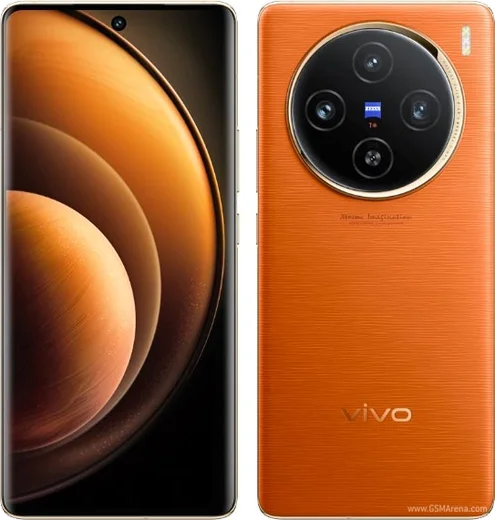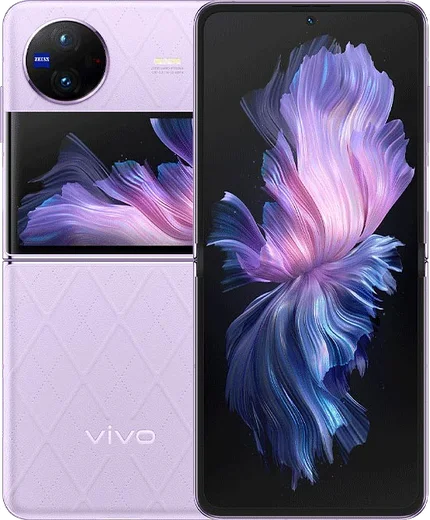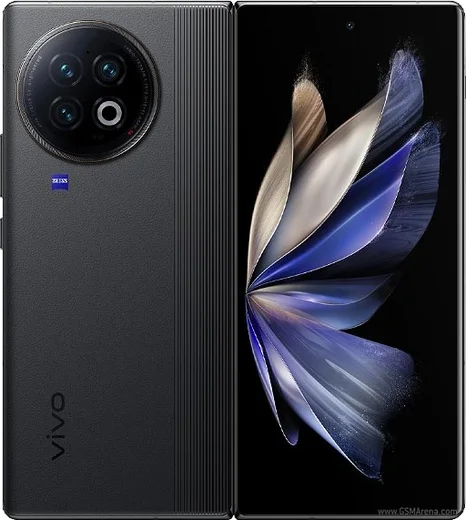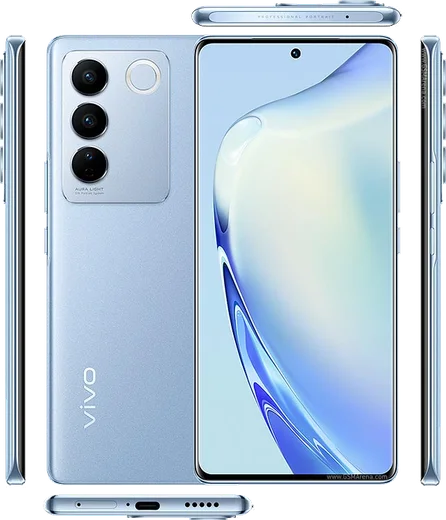
WhatsApp on Vivo X100
Vivo Android

WhatsApp for Vivo X100

Dimensity 9300, 6.78-inch AMOLED, 5000mAh, 120W charging

WhatsApp Messenger 4.7 · 64.2M reviews Free · Android · ~40 MB · by WhatsApp LLC
Download WhatsApp

Ask a question / report a problem

You can ask any question about WhatsApp support on the Vivo X100 — leave it below and we'll help.

Ask a question

Can the Vivo X100 run WhatsApp?

Fully supported
  • Operating systemAndroid
  • ProcessorDimensity 9300
  • WhatsApp versionLatest supported

Latest known WhatsApp problems on Vivo X100

1

Why don't I get WhatsApp notifications on my Vivo X100 until I open the app?

OriginOS aggressively freezes background apps to save battery, which kills WhatsApp's push connection. Open Settings > Battery > High background power consumption and allow WhatsApp, then go to Settings > Apps > Auto-start and enable WhatsApp so it can run after a restart. Finally, long-press the WhatsApp card in Recents and tap the lock icon so the system won't clear it from memory. See how others solved this on Reddit
2

I get no notifications from WhatsApp, Instagram and other apps on my Vivo X100 - how do I fix them all?

This is usually the auto-start and background limits, not the apps themselves. Open Settings > Apps > Auto-start and enable it for WhatsApp, Instagram and any other affected app, then allow each one under Settings > Battery > High background power consumption. Finally confirm notifications and banners are on under Settings > Notification & status bar, and turn off any global Low power mode while testing. See how others solved this on Reddit
3

Notifications on my Vivo X100 arrive late or in batches instead of in real time - what's the real fix?

Delayed or batched alerts happen when OriginOS puts the app to sleep and drops its network connection. Lock WhatsApp in Recent apps (swipe up, hold the card, tap the padlock), then allow it under Settings > Battery > High background power consumption. Also open Settings > Apps > Manage > WhatsApp > Data usage and make sure background data is allowed so the connection isn't cut off. See how others solved this on Reddit
4

How do I transfer my WhatsApp chats from an old iPhone to my Vivo X100?

A normal Google Drive or iCloud restore can't move chats between iOS and Android, so you need WhatsApp's built-in iPhone import. On the Vivo, run the initial WhatsApp setup and verify the same phone number, then when prompted choose to import your iPhone history and follow the on-screen QR/cable steps. Note that WhatsApp's official iOS-to-Android transfer is only fully supported on certain devices, so if the import option doesn't appear you may need a third-party transfer tool to carry the chats over. See how others solved this on Reddit
5

My cloned/dual WhatsApp on the Vivo X100 gets no push notifications - how do I fix the second copy?

Vivo's App Clone runs a separate instance that needs its own permissions granted. Open Settings > Apps > App Clone and confirm the WhatsApp clone is enabled, then in Settings > Apps > Auto-start enable the cloned WhatsApp entry separately, and allow it under Settings > Battery > High background power consumption. Finally open the cloned app's own Notifications settings and make sure banners and sound are turned on for it too. See how others solved this on Reddit
6

WhatsApp voice and video calls don't ring or connect on my Vivo X100 - what should I check?

Calls fail to ring when the background connection is frozen or the call notification channel is muted. Allow WhatsApp under Settings > Battery > High background power consumption and lock the app in Recents so it stays alive. Then open WhatsApp > Settings > Notifications and confirm Call notifications are on, and in Settings > Notification & status bar > WhatsApp make sure the Calls channel is allowed to show alerts. See how others solved this on Reddit

Ask a question / report a problem

You can ask any question about WhatsApp support on the Vivo X100 — leave it below and we'll help.

Ask a question

Watch: setting up WhatsApp

Prefer to watch? This short walkthrough shows the whole installation and number-verification flow.

How to install WhatsApp on Vivo X100 — video walkthrough

How to install WhatsApp on Vivo X100

1

Choose how to download

On your Vivo X100 you can get the official app two ways: from the Google Play Store — the easiest option, since it keeps WhatsApp updated automatically — or directly from the official website. You can download an APK file, by clicking a link “Download WhatsApp directly”.

2

Open WhatsApp

Launch WhatsApp from your home screen or app drawer and accept the Terms of Service to start setup.

3

Verify your phone number

Enter your phone number. If your Vivo X100 uses dual SIM, pick the line you want WhatsApp tied to, then enter the 6-digit code it sends by SMS — it usually fills in automatically.

4

Restore chats and finish setup

Restore your chat history from Google Drive (use the same Google account), add your name and photo, and tap Allow for notifications so messages and calls arrive reliably.

Stay safe: only ever install WhatsApp from the official Android source. The Download button above already points there — modified copies (GB/Plus/Aero WhatsApp) can get your number banned.

Comments (8)

No registration needed. No email required.
A
anonJun 6, 2026

Ugh my whole family is waiting pls help me install it

AppWhatsOfficialJun 8, 2026

You are almost there! Tap Download, allow the install, open WhatsApp and confirm your number. You got this!

B
big_andyJan 22, 2026

man did this on my x100 and it just worked

J
just_ninaOct 31, 2025

guys the download is very slow is that normal thanks

AppWhatsOfficialNov 2, 2025

No worries, speed comes down to your data or wifi. On a good connection it only takes a few seconds.

P
pablo_amyOct 5, 2025

So finally got whatsapp running on my x100 ✌️

T
tom.uSep 23, 2025

well easy install on my x100 ❤️

T
tina.bAug 17, 2025

my Vivo X100 has whatsapp now thanks to this 🔥

AppWhatsOfficialAug 21, 2025

Awesome, glad it worked!

W
whatsappfanOct 30, 2024

guys my X100 was being difficult but this sorted it

R
rob98Jul 20, 2024

por fin muy fácil, lo hice en 2 minutos gracias