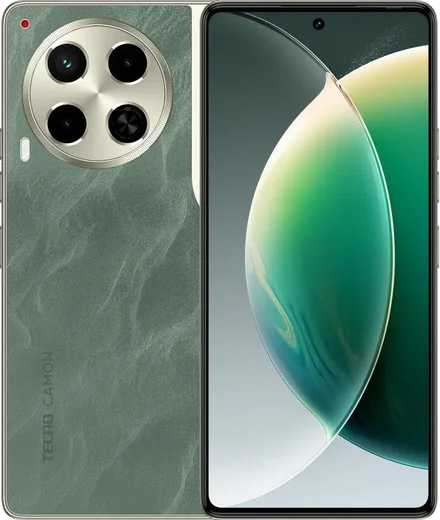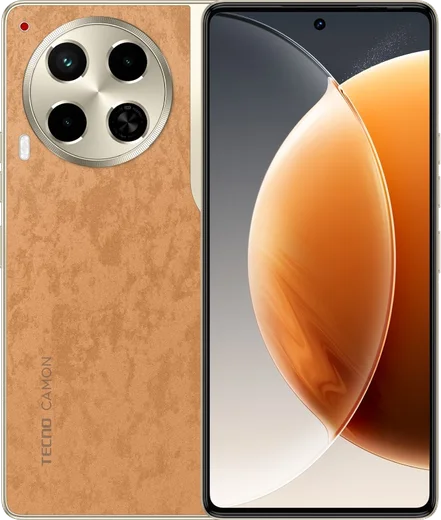
WhatsApp on Tecno Spark 30 Pro
Tecno Android

WhatsApp for Tecno Spark 30 Pro

Helio G100, 6.78-inch 120Hz AMOLED

WhatsApp Messenger 4.7 · 64.2M reviews Free · Android · ~40 MB · by WhatsApp LLC
Download WhatsApp

Ask a question / report a problem

You can ask any question about WhatsApp support on the Tecno Spark 30 Pro — leave it below and we'll help.

Ask a question

Can the Tecno Spark 30 Pro run WhatsApp?

Fully supported
  • Operating systemAndroid
  • ProcessorHelio G100
  • WhatsApp versionLatest supported

Latest known WhatsApp problems on Tecno Spark 30 Pro

1

WhatsApp calls keep failing or won't connect on my Tecno Spark 30 Pro — how do I fix it?

This is almost always HiOS's aggressive battery optimization freezing WhatsApp in the background. Go to Settings > Apps > Manage apps > WhatsApp > Battery saver and set it to 'No restrictions' (or 'Allow background activity'), then open Phone Master and add WhatsApp to the protected/auto-launch list so it can ring even when the screen is off. Also confirm WhatsApp has Microphone and Phone permissions under Settings > Apps > Manage apps > WhatsApp > Permissions, since missing either breaks call audio entirely. See how others solved this on Reddit
2

Is the Tecno Spark 30 Pro actually good value, or are there hidden software annoyances?

The hardware is strong for the price, but owners report HiOS pushes ads and recommendation notifications from preloaded apps (Phone Master, App Center, Folax) that can clutter your shade and bury WhatsApp alerts. Open Settings > Notifications, turn off notifications for the Tecno system apps you don't use, and inside each of those apps disable any 'Recommendations'/'Hot apps' setting. Then keep WhatsApp's notifications enabled and set to high importance so message and call alerts still arrive instantly. See how others solved this on Reddit
3

After updating to Android 15 my Tecno feels worse — WhatsApp lags and background apps get killed. What can I do?

Newer HiOS/Android builds manage background apps more aggressively, so WhatsApp can get frozen and miss messages until you reopen it. In the recent-apps screen (swipe up and hold), tap the WhatsApp card and choose Lock so the system won't clear it, then set Settings > Apps > Manage apps > WhatsApp > Battery saver to 'No restrictions'. If lag persists, clear the app cache via Settings > Apps > Manage apps > WhatsApp > Storage > Clear cache, which frees space without deleting your chats. See how others solved this on Reddit
4

How do I confirm my Tecno Spark 30 Pro is a genuine retail unit and set it up cleanly for WhatsApp?

Open Settings > About phone to confirm the model and that it's on a normal HiOS build rather than demo/test firmware, and dial *#06# to check the IMEI matches the one printed on the box. Then install WhatsApp only from the Google Play Store rather than any pre-loaded APK, and during setup grant Contacts, Microphone and Camera permissions so calls and media sharing work from day one. See how others solved this on Reddit

Ask a question / report a problem

You can ask any question about WhatsApp support on the Tecno Spark 30 Pro — leave it below and we'll help.

Ask a question

Watch: setting up WhatsApp

Prefer to watch? This short walkthrough shows the whole installation and number-verification flow.

How to install WhatsApp on Tecno Spark 30 Pro — video walkthrough

How to install WhatsApp on Tecno Spark 30 Pro

1

Choose how to download

On your Tecno Spark 30 Pro you can get the official app two ways: from the Google Play Store — the easiest option, since it keeps WhatsApp updated automatically — or directly from the official website. You can download an APK file, by clicking a link “Download WhatsApp directly”.

2

Open WhatsApp

Launch WhatsApp from your home screen or app drawer and accept the Terms of Service to start setup.

3

Verify your phone number

Enter your phone number. If your Tecno Spark 30 Pro uses dual SIM, pick the line you want WhatsApp tied to, then enter the 6-digit code it sends by SMS — it usually fills in automatically.

4

Restore chats and finish setup

Restore your chat history from Google Drive (use the same Google account), add your name and photo, and tap Allow for notifications so messages and calls arrive reliably.

Stay safe: only ever install WhatsApp from the official Android source. The Download button above already points there — modified copies (GB/Plus/Aero WhatsApp) can get your number banned.

Comments (14)

No registration needed. No email required.
C
chris61Jun 18, 2026

Respect, this helped alot 💯

A
amy_ytMar 31, 2026

omg cant do this alone HELP how do i download 😭

AppWhatsOfficialApr 4, 2026

Don't worry, you can do this! Use the Download button, install the app, and enter your number to verify. Reply here if you get stuck.

L
lil_gabeJan 19, 2026

beste seite, sofort geklappt 🙏

P
pleaseeeDec 17, 2025

honestly finally got whatsapp running on my 30 pro

AppWhatsOfficialDec 18, 2025

Perfect, enjoy chatting!

S
sam99Nov 21, 2025

Did it on my spark 30 pro in like 2 minutes

L
laylaSep 17, 2025

تمام، واتساب يشتغل

W
whatsappfanAug 24, 2025

how do i hide my last seen anyone

AppWhatsOfficialAug 25, 2025

Good question, yes, go to Settings then Privacy and set Last Seen and Online to Nobody or My Contacts. Your activity stays private. Hope that helps!

O
oldschoolMay 1, 2025

wow beste seite, sofort geklappt danke

G
greg29Apr 4, 2025

yo got my tecno spark 30 pro sorted thanks to you

R
rob_andMar 17, 2025

hi it says my number cant be verified anyone

AppWhatsOfficialMar 21, 2025

No worries, if the SMS will not arrive, you can choose the call option to hear the code, just make sure your number is entered correctly.

V
val_greFeb 15, 2025

had whatsapp on my spark 30pro in no time

N
nina_pabOct 28, 2024

sorry but why cant i see my contacts in the app

AppWhatsOfficialNov 1, 2024

Happy to help, whatsApp reads contacts from your phone book, so save the number there with the country code, then pull down to refresh your chat list.

P
pete_xSep 28, 2024

update installed in 2 min

N
nina58Jul 17, 2024

finally my spark 30pro has whatsapp now thanks to this