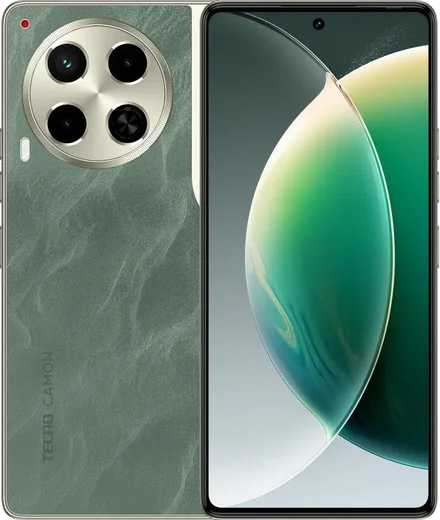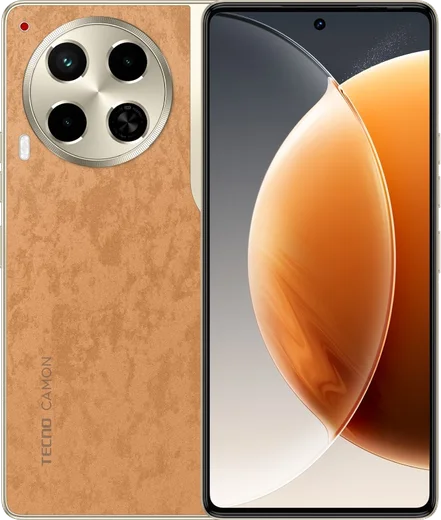
Tecno Android

WhatsApp for Tecno Camon 30 Premier 5G

Dimensity 8200 Ultimate, 6.77-inch 120Hz AMOLED

WhatsApp Messenger 4.7 · 64.2M reviews Free · Android · ~40 MB · by WhatsApp LLC
Download WhatsApp

Ask a question / report a problem

You can ask any question about WhatsApp support on the Tecno Camon 30 Premier 5G — leave it below and we'll help.

Ask a question

Can the Tecno Camon 30 Premier 5G run WhatsApp?

Fully supported
  • Operating systemAndroid
  • ProcessorDimensity 8200 Ultimate
  • WhatsApp versionLatest supported

Latest known WhatsApp problems on Tecno Camon 30 Premier 5G

1

Why is WhatsApp not delivering notifications on my Tecno Camon 30 Premier 5G until I open the app?

Tecno's HiOS power manager aggressively freezes background apps, which silently kills WhatsApp's push connection. Go to Settings > Apps > App management > WhatsApp > Battery and set it to No restrictions, then long-press the WhatsApp card in the Recents screen and tap the lock icon so it isn't cleared from memory. Finally confirm Settings > Apps > App management > WhatsApp > Notifications is fully enabled, including the message and call channels. See how others solved this on Reddit
2

WhatsApp calls won't ring or connect on my Tecno Camon 30 Premier 5G - how do I fix it?

This is almost always HiOS background and notification restrictions blocking the incoming-call signal. In Settings > Apps > App management > WhatsApp, set Battery to No restrictions, allow background activity, and enable Display over other apps so the call screen can appear. Then open WhatsApp > Settings > Notifications and make sure call notifications are on, lock WhatsApp in the Recents screen, and verify your data or Wi-Fi connection is stable. See how others solved this on Reddit
3

After updating to Android 15 my Tecno Camon 30 Premier 5G runs slow and drains battery - what can I do?

Major HiOS updates often leave stale caches and rebuild app data in the background for a day or two, so first let it settle. Then go to Settings > Apps > App management and clear cache on heavy apps like WhatsApp, and check Settings > Battery > Battery usage to spot any app draining power abnormally. If it stays sluggish, back up your chats to Google Drive and do Settings > System > Reset options > Reset all settings (which keeps your files) before considering a full factory reset. See how others solved this on Reddit
4

My Tecno Camon 30 Premier 5G suddenly turns off or restarts on its own - how do I stop it?

Random shutdowns are usually a software glitch or a misreading battery gauge rather than failing hardware. Update to the latest HiOS build under Settings > System > System update, clear the cache of any app that was open when it shut down, and disable aggressive battery optimization for core apps in Settings > Apps > App management. If it keeps happening, back up and perform a factory reset via Settings > System > Reset options; if it persists after that, it is likely a battery fault needing Tecno service. See how others solved this on Reddit
5

Why are all my app notifications delayed on the Tecno Camon 30 Premier 5G?

HiOS batches and delays background syncing to save power, so notifications arrive late unless you whitelist the apps. Open Settings > Battery and turn off any battery saver or smart power mode, then for each important app go to Settings > Apps > App management > [app] > Battery and choose No restrictions plus allow background activity. Locking the apps in the Recents screen also stops the system from suspending their notification connection. See how others solved this on Reddit
6

The front camera on my Tecno Camon 30 Premier 5G gives blurry, smeared selfies in low light - is there a fix?

Low-light blur from the front sensor comes from a slow shutter trying to gather light, so the smallest movement smears the shot. Hold the phone steady for a moment after tapping the shutter, tap the screen to lock focus on your face, and turn off heavy beauty or AI smoothing in the camera settings since it exaggerates the soft look. Adding any extra light source and enabling night mode or screen flash for selfies will sharpen results noticeably. See how others solved this on Reddit

Ask a question / report a problem

You can ask any question about WhatsApp support on the Tecno Camon 30 Premier 5G — leave it below and we'll help.

Ask a question

Watch: setting up WhatsApp

Prefer to watch? This short walkthrough shows the whole installation and number-verification flow.

How to install WhatsApp on Tecno Camon 30 Premier 5G — video walkthrough

How to install WhatsApp on Tecno Camon 30 Premier 5G

1

Choose how to download

On your Tecno Camon 30 Premier 5G you can get the official app two ways: from the Google Play Store — the easiest option, since it keeps WhatsApp updated automatically — or directly from the official website. You can download an APK file, by clicking a link “Download WhatsApp directly”.

2

Open WhatsApp

Launch WhatsApp from your home screen or app drawer and accept the Terms of Service to start setup.

3

Verify your phone number

Enter your phone number. If your Tecno Camon 30 Premier 5G uses dual SIM, pick the line you want WhatsApp tied to, then enter the 6-digit code it sends by SMS — it usually fills in automatically.

4

Restore chats and finish setup

Restore your chat history from Google Drive (use the same Google account), add your name and photo, and tap Allow for notifications so messages and calls arrive reliably.

Stay safe: only ever install WhatsApp from the official Android source. The Download button above already points there — modified copies (GB/Plus/Aero WhatsApp) can get your number banned.

Comments (10)

No registration needed. No email required.
J
just_jayJan 2, 2026

guys much better then the other sites

S
speedyDec 1, 2025

someone whyyy is this so hard pls help me get whatsapp 😭😭

AppWhatsOfficialDec 5, 2025

We are here to help. Hit Download, follow the steps on this page, and if the code is slow just request it again.

J
jess_rosNov 2, 2025

smooth install on the Tecno Camon 30 Premier 5G ✌️

Z
zoe.wMay 29, 2025

Ok so got my 30premier5g sorted thanks to you

J
jess53Apr 22, 2025

anyone? safe to install or no anyone

AppWhatsOfficialApr 28, 2025

Good question, yes, this is safe. Stick to the official download we link to and avoid modified copies and you will be fine. Hope that helps!

A
anonApr 9, 2025

davvero ha funzionato benissimo sul mio tecno camon 30 premier 5g

F
finn_kFeb 3, 2025

Ok so it worked first try lol

M
marc_proDec 18, 2024

tbh this worked great on my Camon 30 Premier 5G

B
big_kevSep 13, 2024

excelente guía, funcionó en mi 30 premier 5g

N
not_tinaJul 24, 2024

installed it but it wont open just a black screen pls

AppWhatsOfficialJul 27, 2024

Of course, try restarting your phone first. If it still wont open, clear the cache or reinstall the latest version from the official source. Enjoy WhatsApp on your your phone!