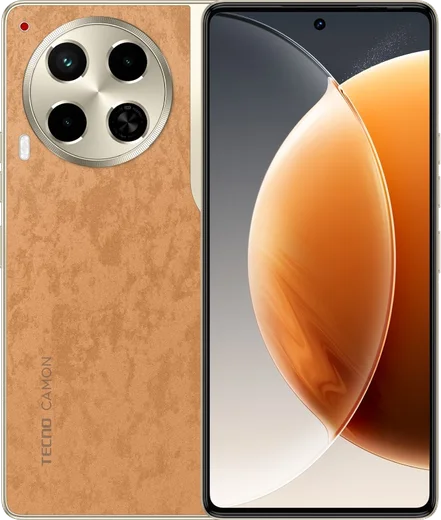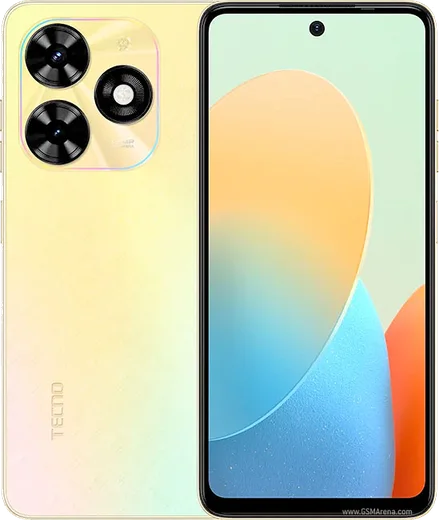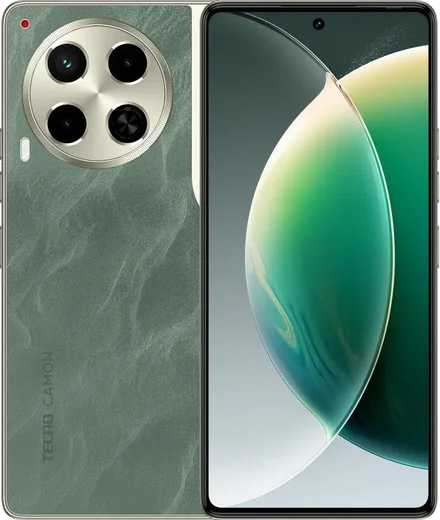
WhatsApp on Tecno Camon 30
Tecno Android

WhatsApp for Tecno Camon 30

Helio G99 Ultimate, 6.78-inch 120Hz AMOLED

WhatsApp Messenger 4.7 · 64.2M reviews Free · Android · ~40 MB · by WhatsApp LLC
Download WhatsApp

Ask a question / report a problem

You can ask any question about WhatsApp support on the Tecno Camon 30 — leave it below and we'll help.

Ask a question

Can the Tecno Camon 30 run WhatsApp?

Fully supported
  • Operating systemAndroid
  • ProcessorHelio G99 Ultimate
  • WhatsApp versionLatest supported

Latest known WhatsApp problems on Tecno Camon 30

1

WhatsApp calls won't connect or keep dropping on my Tecno Camon 30

TECNO's HiOS power manager aggressively kills background apps, which breaks incoming and outgoing WhatsApp calls. Open Settings > Apps > WhatsApp > App battery usage (on some HiOS builds this is Settings > Battery > App battery management) and set WhatsApp to Unrestricted/Allow background activity. Then open the recent-apps (multitask) screen, pull WhatsApp's card down, and tap the padlock so the cleaner can't close it. Finally, confirm WhatsApp has Microphone and Phone permissions under Settings > Apps > WhatsApp > Permissions. See how others solved this on Reddit
2

WhatsApp voice notes (audios) won't play or record properly on the Camon 30

This is usually a blocked microphone permission or the proximity sensor pausing playback. Go to Settings > Apps > WhatsApp > Permissions and confirm Microphone is allowed, then clear WhatsApp's cache via Settings > Apps > WhatsApp > Storage > Clear cache. If a voice note goes silent or stops the moment you move the phone, that's the proximity sensor switching to the earpiece working as intended, so keep the phone away from your face to hear it on the loudspeaker. See how others solved this on Reddit
3

I'm not getting WhatsApp notifications on my Tecno Camon 30 until I open the app

Delayed notifications on HiOS are almost always battery optimization suspending WhatsApp in the background. Open Settings > Apps > WhatsApp > App battery usage (or Settings > Battery > App battery management) and set WhatsApp to Unrestricted/Allow background activity. Then turn on all alert categories under Settings > Apps > WhatsApp > Notifications. Finally, lock WhatsApp in the recent-apps view with the padlock so the system cleaner can't close it. See how others solved this on Reddit
4

WhatsApp keeps showing already-read messages as unread on my Camon 30

This sync glitch usually clears after fully closing and reopening WhatsApp. If it persists, force-stop the app via Settings > Apps > WhatsApp > Force stop and reopen it. If the unread count is still wrong, update WhatsApp to the latest version from the Play Store, since this has been a known bug fixed in newer releases. See how others solved this on Reddit
5

WhatsApp shows a pop-up notification even while I'm already chatting in the app

That's the heads-up (banner) notification appearing over an open conversation, and it's controlled in Android's notification settings rather than being a phone fault. Go to Settings > Apps > WhatsApp > Notifications, open the Messages category, and turn off Pop-up/Banner (or set it to Silent) to stop the banner sliding in. Muting the specific chat with the bell icon also stops repeated alerts from one conversation. See how others solved this on Reddit
6

WhatsApp started acting up after I updated my Tecno Camon 30 to a new Android version

Major HiOS/Android updates can reset app permissions and battery settings, so WhatsApp needs to be re-allowed. After updating, go to Settings > Apps > WhatsApp > Permissions and re-check Microphone, Camera, Notifications, and Contacts, then set its battery usage to Unrestricted. If messaging is still glitchy, clear the WhatsApp cache under Storage and reboot the phone once to let the new build settle. See how others solved this on Reddit

Ask a question / report a problem

You can ask any question about WhatsApp support on the Tecno Camon 30 — leave it below and we'll help.

Ask a question

Watch: setting up WhatsApp

Prefer to watch? This short walkthrough shows the whole installation and number-verification flow.

How to install WhatsApp on Tecno Camon 30 — video walkthrough

How to install WhatsApp on Tecno Camon 30

1

Choose how to download

On your Tecno Camon 30 you can get the official app two ways: from the Google Play Store — the easiest option, since it keeps WhatsApp updated automatically — or directly from the official website. You can download an APK file, by clicking a link “Download WhatsApp directly”.

2

Open WhatsApp

Launch WhatsApp from your home screen or app drawer and accept the Terms of Service to start setup.

3

Verify your phone number

Enter your phone number. If your Tecno Camon 30 uses dual SIM, pick the line you want WhatsApp tied to, then enter the 6-digit code it sends by SMS — it usually fills in automatically.

4

Restore chats and finish setup

Restore your chat history from Google Drive (use the same Google account), add your name and photo, and tap Allow for notifications so messages and calls arrive reliably.

Stay safe: only ever install WhatsApp from the official Android source. The Download button above already points there — modified copies (GB/Plus/Aero WhatsApp) can get your number banned.

Comments (10)

No registration needed. No email required.
J
justmeJun 15, 2026

funcionó perfecto, gracias

X
xX_valOct 26, 2025

Finally got whatsapp running on my tecno camon 30

P
plz help meeJul 13, 2025

Finally works like a charm on the Tecno Camon 30

W
whatsappfanJun 10, 2025

Guys been at this for hours pls someone help me

AppWhatsOfficialJun 11, 2025

Don't worry, you can do this! Use the Download button, install the app, and enter your number to verify. It is easier than it looks, promise.

B
ben_realMar 17, 2025

anyone? no contacts appear in the app

AppWhatsOfficialMar 23, 2025

WhatsApp reads contacts from your phone book, so save the number there with the country code, then pull down to refresh your chat list. Happy chatting!

I
im_deniJan 26, 2025

tbh installed on my camon 30, super simple

H
halppJan 4, 2025

Ha funzionato benissimo, grazie 😍

R
rosa_xXDec 2, 2024

Man this worked great on my Camon 30

L
lucy35Nov 28, 2024

Ok so finally a guide that makes sense ❤️

A
ash_petJul 24, 2024

Hey does whatsapp support the 30

AppWhatsOfficialJul 28, 2024

Thanks for asking, yes, WhatsApp supports the your phone. Just make sure your phone is on an up to date version of its operating system for the best experience. Glad to help.