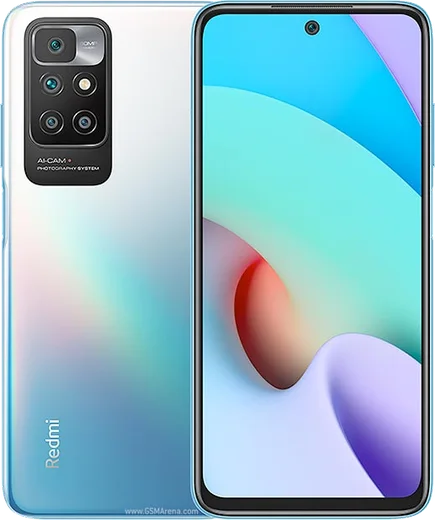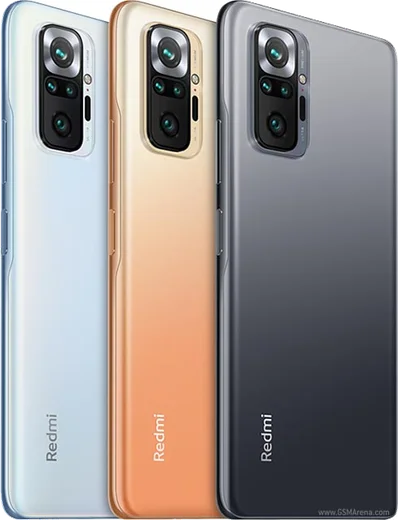
WhatsApp on Redmi 10
Xiaomi Android

WhatsApp for Redmi 10

Helio G88, 6.5-inch 90Hz LCD, 50MP quad cam, 5000mAh

WhatsApp Messenger 4.7 · 64.2M reviews Free · Android · ~40 MB · by WhatsApp LLC
Download WhatsApp

Ask a question / report a problem

You can ask any question about WhatsApp support on the Redmi 10 — leave it below and we'll help.

Ask a question

Can the Redmi 10 run WhatsApp?

Fully supported
  • Operating systemAndroid
  • ProcessorHelio G88
  • WhatsApp versionLatest supported

Latest known WhatsApp problems on Redmi 10

1

WhatsApp call and message notifications are delayed or don't show on my Redmi 10 unless I open the app

MIUI/HyperOS aggressively kills background apps to save battery, which silences WhatsApp until you open it. Go to Settings > Apps > Manage apps > WhatsApp, turn on Autostart, then tap Battery saver and set it to No restrictions. Open the Recents screen, swipe down on the WhatsApp card and tap the lock icon so the system stops clearing it. Finally, in Settings > Apps > Manage apps > WhatsApp > Notifications, confirm notifications and their priority are fully enabled. See how others solved this on Reddit
2

WhatsApp goes offline in the background on my Redmi 10 and I only receive messages when I open it

This is the same MIUI background-restriction behavior, fixed by removing every power limit on WhatsApp. In Settings > Apps > Manage apps > WhatsApp, set Battery saver to No restrictions and enable Autostart, then in the same screen open Notifications and confirm they are fully enabled. Keep WhatsApp locked in the Recents screen (swipe down on its card and tap the lock icon) so the system stops closing its connection. See how others solved this on Reddit
3

How do I back up and restore my WhatsApp chats when moving to or from my Redmi 10

WhatsApp on Android backs up to Google Drive, so open WhatsApp > tap the three dots > Settings > Chats > Chat backup and tap Back Up, making sure a Google account is selected. On a new phone, install WhatsApp from the Play Store, verify the same phone number, and when prompted choose Restore from the Google Drive backup tied to that same Google account. For a no-cloud transfer between two phones, use WhatsApp's built-in QR-code "Transfer chats" option. See how others solved this on Reddit
4

WhatsApp says it can't access internal storage on my Redmi 10 and won't save photos or backups

WhatsApp lost its storage permission, which blocks media saving and backups. Go to Settings > Apps > Manage apps > WhatsApp > App permissions (Permissions) and allow Files and media / Storage, then restart the phone. If it still fails, clear the app cache under Settings > Apps > Manage apps > WhatsApp > Storage > Clear cache, and confirm internal storage isn't full. See how others solved this on Reddit
5

I get "You need the official WhatsApp to log in" on my Redmi 10 even though I installed it from the Play Store

This appears when WhatsApp detects a modified APK or, on Xiaomi, a clone/dual-app or leftover unofficial install. Uninstall WhatsApp completely, remove any clone from Settings > Apps > Dual apps, then reinstall the genuine app only from the Google Play Store. Open it fresh and verify your number; if you previously side-loaded a mod, delete the old WhatsApp folder before restoring your Google Drive backup. See how others solved this on Reddit

Ask a question / report a problem

You can ask any question about WhatsApp support on the Redmi 10 — leave it below and we'll help.

Ask a question

Watch: setting up WhatsApp

Prefer to watch? This short walkthrough shows the whole installation and number-verification flow.

How to install WhatsApp on Redmi 10 — video walkthrough

How to install WhatsApp on Redmi 10

1

Choose how to download

On your Redmi 10 you can get the official app two ways: from the Google Play Store — the easiest option, since it keeps WhatsApp updated automatically — or directly from the official website. You can download an APK file, by clicking a link “Download WhatsApp directly”.

2

Open WhatsApp

Launch WhatsApp from your home screen or app drawer and accept the Terms of Service to start setup.

3

Verify your phone number

Enter your phone number. If your Redmi 10 uses dual SIM, pick the line you want WhatsApp tied to, then enter the 6-digit code it sends by SMS — it usually fills in automatically.

4

Restore chats and finish setup

Restore your chat history from Google Drive (use the same Google account), add your name and photo, and tap Allow for notifications so messages and calls arrive reliably.

Stay safe: only ever install WhatsApp from the official Android source. The Download button above already points there — modified copies (GB/Plus/Aero WhatsApp) can get your number banned.

Comments (11)

No registration needed. No email required.
Z
zoe0Nov 16, 2025

davvero ottima guida grazie 🎉

H
halppNov 1, 2025

yo i had to enable unknown sources but then it was fine

AppWhatsOfficialNov 4, 2025

Awesome, glad it worked!

M
marc.iSep 13, 2025

Quick q will this really work on my redmi 10 ?

AppWhatsOfficialSep 17, 2025

Of course, absolutely, the your phone is supported. Follow the steps above and you will be chatting in minutes. Let us know if you need anything else.

T
tan87Aug 13, 2025

Well finally got whatsapp running on my redmi 10 :)

J
just_zoeJul 27, 2025

instalado sin problemas

J
just_danJun 29, 2025

hey installed it but it wont open just a black screen

AppWhatsOfficialJul 5, 2025

Good question, restart the phone, and if the black screen stays, clear the app data and install the latest build again. Reach out anytime.

N
nick_xApr 23, 2025

man works like a charm on the Redmi 10

C
confuuusedApr 5, 2025

Whatsapp is working on my Redmi 10 now 🔥

B
ben_nicApr 3, 2025

update this worked great on my Redmi 10

T
tom.wSep 16, 2024

guys SOS i cant figure out how to install whatsapp heeelp 😩

AppWhatsOfficialSep 20, 2024

Relax, it is simpler than it looks. Press Download, install, then verify with the SMS code. You got this!

F
finn.ySep 11, 2024

So i was scared it was a virus but its the real app