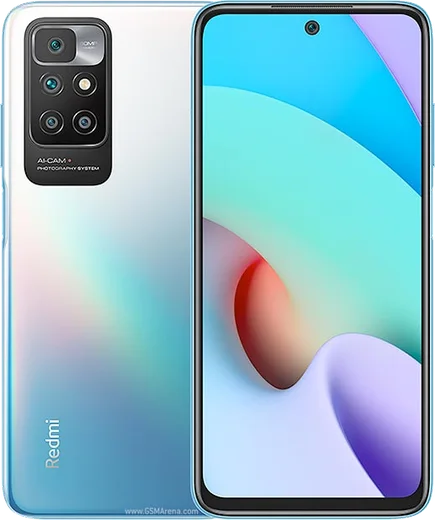
WhatsApp on Redmi Note 10 Pro
Xiaomi Android

WhatsApp for Redmi Note 10 Pro

Snapdragon 732G, 108MP cam, 6.67-inch 120Hz AMOLED

WhatsApp Messenger 4.7 · 64.2M reviews Free · Android · ~40 MB · by WhatsApp LLC
Download WhatsApp

Ask a question / report a problem

You can ask any question about WhatsApp support on the Redmi Note 10 Pro — leave it below and we'll help.

Ask a question

Can the Redmi Note 10 Pro run WhatsApp?

Fully supported
  • Operating systemAndroid
  • ProcessorSnapdragon 732G
  • WhatsApp versionLatest supported

Latest known WhatsApp problems on Redmi Note 10 Pro

1

Why are my WhatsApp notifications delayed on the Redmi Note 10 Pro?

MIUI's aggressive battery management suspends WhatsApp in the background, which is the classic cause of late notifications. Go to Settings > Apps > Manage apps > WhatsApp, tap 'Battery saver' and set it to 'No restrictions', enable 'Autostart', and turn on 'Other permissions' > 'Display pop-up windows while running in the background'. This stops MIUI from freezing WhatsApp so messages arrive in real time. See how others solved this on Reddit
2

WhatsApp messages only arrive when I open the app on my Redmi Note 10 Pro — how do I fix this?

This happens when MIUI freezes WhatsApp once the screen locks, so it only syncs when you reopen it. Lock WhatsApp in Recents (open the multitasking view, swipe down on the WhatsApp card or long-press it and tap the lock icon), then set 'Autostart' on and 'Battery saver' to 'No restrictions' under Settings > Apps > Manage apps > WhatsApp. Finally confirm notifications are fully enabled under Settings > Notifications & Control Center > App notifications > WhatsApp. See how others solved this on Reddit
3

My Redmi Note 10 Pro screen doesn't wake up for incoming WhatsApp calls after the MIUI 14 update — what should I do?

MIUI 14 often resets the permissions WhatsApp needs to show full-screen calls. Go to Settings > Apps > Manage apps > WhatsApp > Other permissions and enable 'Display pop-up windows', 'Display pop-up windows while running in the background', and 'Show on lock screen'. Then set 'Battery saver' to 'No restrictions' and enable 'Autostart' for WhatsApp so the incoming-call screen can wake the display. See how others solved this on Reddit
4

Why does WhatsApp keep going offline on my Redmi Note 10 Pro?

When WhatsApp shows offline or stops receiving messages until you reopen it, MIUI's memory management has put it to sleep. Set 'Autostart' on and 'Battery saver' to 'No restrictions' under Settings > Apps > Manage apps > WhatsApp, then lock WhatsApp in the Recents screen so MIUI won't clear it from memory. Also check Settings > Battery and make sure any 'Battery saver' / power-saving mode isn't active, since it throttles background data for apps like WhatsApp. See how others solved this on Reddit
5

WhatsApp voice messages play at the wrong speed on my Redmi Note 10 Pro — how do I fix the playback?

The playback-speed glitch (audio playing too fast or distorted) is usually a buggy WhatsApp build rather than a hardware fault. Update WhatsApp to the latest version from the Play Store, then clear its cache under Settings > Apps > Manage apps > WhatsApp > Clear data > Clear cache. If a voice message is stuck, tap the 1x/1.5x/2x speed button to cycle it back to 1x, since the per-message speed setting can occasionally hang. See how others solved this on Reddit

Ask a question / report a problem

You can ask any question about WhatsApp support on the Redmi Note 10 Pro — leave it below and we'll help.

Ask a question

Watch: setting up WhatsApp

Prefer to watch? This short walkthrough shows the whole installation and number-verification flow.

How to install WhatsApp on Redmi Note 10 Pro — video walkthrough

How to install WhatsApp on Redmi Note 10 Pro

1

Choose how to download

On your Redmi Note 10 Pro you can get the official app two ways: from the Google Play Store — the easiest option, since it keeps WhatsApp updated automatically — or directly from the official website. You can download an APK file, by clicking a link “Download WhatsApp directly”.

2

Open WhatsApp

Launch WhatsApp from your home screen or app drawer and accept the Terms of Service to start setup.

3

Verify your phone number

Enter your phone number. If your Redmi Note 10 Pro uses dual SIM, pick the line you want WhatsApp tied to, then enter the 6-digit code it sends by SMS — it usually fills in automatically.

4

Restore chats and finish setup

Restore your chat history from Google Drive (use the same Google account), add your name and photo, and tap Allow for notifications so messages and calls arrive reliably.

Stay safe: only ever install WhatsApp from the official Android source. The Download button above already points there — modified copies (GB/Plus/Aero WhatsApp) can get your number banned.

Comments (14)

No registration needed. No email required.
M
moMar 18, 2026

شكراً، صار عندي واتساب 🙏

J
jay1990Mar 5, 2026

wow el mejor sitio, funcionó a la primera

V
val_ivaFeb 5, 2026

Guys all set up and chatting now 👌

M
mike51Dec 31, 2025

guys everything working now lol

N
needwhatsappDec 10, 2025

Lo instalé en el redmi note10pro de mi madre sin lío 😍

Q
quickfixDec 8, 2025

man this worked great on my note10pro

I
ivan93Jun 24, 2025

ngl this worked great on my redmi Note 10 Pro

K
kate92Jun 9, 2025

pls help does it work on older android versions

AppWhatsOfficialJun 13, 2025

No worries, older phones can work as long as the app is still offered to them. Updating the OS where possible helps a lot.

I
ivan31May 31, 2025

yo it worked first try

N
nick_proMar 28, 2025

omg thank u, whatsapp installed on my Redmi Note 10 Pro

M
ms_rajMar 3, 2025

Ngl my redmi note 10 pro has whatsapp now thanks to this

O
omar_realFeb 25, 2025

Guys cant do this alone HELP how do i download

AppWhatsOfficialFeb 27, 2025

We are here to help. Hit Download, follow the steps on this page, and if the code is slow just request it again. Reply here if you get stuck.

K
kev_louJan 6, 2025

omg worked even on my old phone

I
its_finnAug 27, 2024

tbh my whatsapp had stopped working but this fixed it