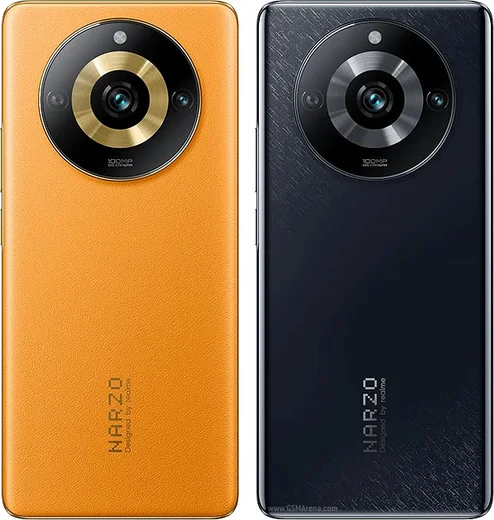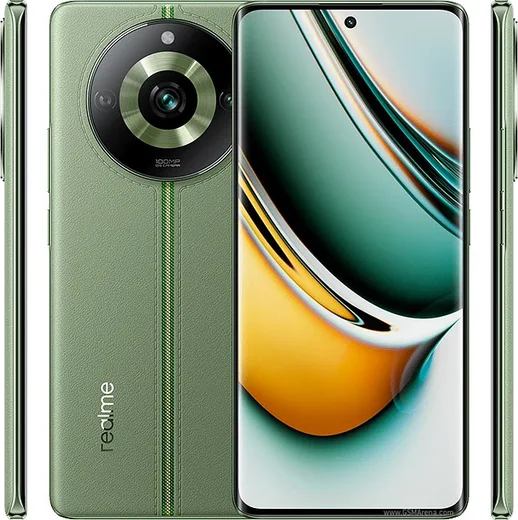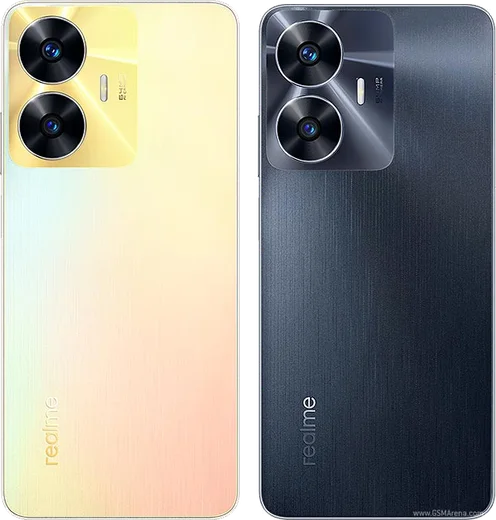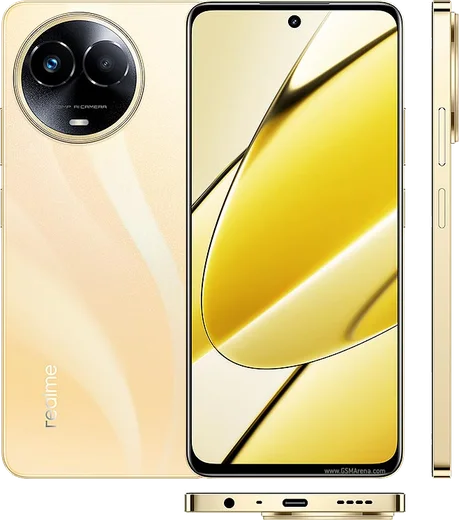
WhatsApp on Realme Narzo 60 Pro
Realme Android

WhatsApp for Realme Narzo 60 Pro

Dimensity 7050, 6.7-inch curved AMOLED, 100MP camera

WhatsApp Messenger 4.7 · 64.2M reviews Free · Android · ~40 MB · by WhatsApp LLC
Download WhatsApp

Ask a question / report a problem

You can ask any question about WhatsApp support on the Realme Narzo 60 Pro — leave it below and we'll help.

Ask a question

Can the Realme Narzo 60 Pro run WhatsApp?

Fully supported
  • Operating systemAndroid
  • ProcessorDimensity 7050
  • WhatsApp versionLatest supported

Latest known WhatsApp problems on Realme Narzo 60 Pro

1

WhatsApp calls don't wake the screen or show on the lock screen on my Narzo 60 Pro

Realme UI's aggressive battery management freezes WhatsApp in the background, which kills incoming call alerts. Go to Settings > Apps > App management > WhatsApp > Battery usage and set it to Allow background activity (turn off 'Allow app to sleep' / battery optimization), then under Settings > Apps > Special app access > Display over other apps, enable WhatsApp. Also open Recent apps, swipe down on the WhatsApp card (or tap the menu on it) and tap Lock so the system stops clearing it. See how others solved this on Reddit
2

After the Realme UI 6.0 update WhatsApp keeps lagging and notifications are delayed

Newer Realme UI builds reset notification and background permissions, so re-grant them: go to Settings > Notification & status bar > Manage notifications, find WhatsApp and turn Allow notifications on, then set WhatsApp's battery usage to Allow background activity under Settings > Apps > App management > WhatsApp > Battery usage. If lag persists, clear WhatsApp's cache via Settings > Apps > App management > WhatsApp > Storage usage > Clear cache (this won't delete your chats). See how others solved this on Reddit
3

My Narzo 60 Pro screen goes black during WhatsApp voice calls and I can't end the call

This is the proximity sensor (next to the earpiece) staying triggered after you move the phone away from your face, which is common on Realme devices. First remove any screen protector that covers the top of the screen and wipe the area near the earpiece, since dirt or a thick protector is the usual cause. As a quick workaround, press the power button once to wake the screen so you can end the call. If it keeps happening on every call, back up your data and contact Realme support, as it may be a faulty sensor needing recalibration or repair. See how others solved this on Reddit
4

WhatsApp media and app updates download very slowly on my Narzo 60 Pro

Realme UI's background restrictions can throttle WhatsApp, so first make sure the app is fully updated via the Play Store > tap your profile > Manage apps & device. Then go to Settings > Apps > App management > WhatsApp > Data usage and enable Wi-Fi data, Mobile data and Background data, and turn off any Data Saver under Settings > Mobile network > Data usage > Data Saver. Setting WhatsApp's battery usage to Allow background activity also keeps downloads from pausing when the screen is off. See how others solved this on Reddit
5

Is the Narzo 60 Pro good for an elderly parent who only needs WhatsApp calls and messages?

It works well for simple WhatsApp use once you stop the system from killing the app in the background. Set WhatsApp's battery usage to Allow background activity (Settings > Apps > App management > WhatsApp > Battery usage), enable Settings > Apps > Special app access > Display over other apps for WhatsApp, and lock it in Recent apps so call notifications always come through. You can also enlarge text via Settings > Display & brightness > Font size and effect for easier reading. See how others solved this on Reddit

Ask a question / report a problem

You can ask any question about WhatsApp support on the Realme Narzo 60 Pro — leave it below and we'll help.

Ask a question

Watch: setting up WhatsApp

Prefer to watch? This short walkthrough shows the whole installation and number-verification flow.

How to install WhatsApp on Realme Narzo 60 Pro — video walkthrough

How to install WhatsApp on Realme Narzo 60 Pro

1

Choose how to download

On your Realme Narzo 60 Pro you can get the official app two ways: from the Google Play Store — the easiest option, since it keeps WhatsApp updated automatically — or directly from the official website. You can download an APK file, by clicking a link “Download WhatsApp directly”.

2

Open WhatsApp

Launch WhatsApp from your home screen or app drawer and accept the Terms of Service to start setup.

3

Verify your phone number

Enter your phone number. If your Realme Narzo 60 Pro uses dual SIM, pick the line you want WhatsApp tied to, then enter the 6-digit code it sends by SMS — it usually fills in automatically.

4

Restore chats and finish setup

Restore your chat history from Google Drive (use the same Google account), add your name and photo, and tap Allow for notifications so messages and calls arrive reliably.

Stay safe: only ever install WhatsApp from the official Android source. The Download button above already points there — modified copies (GB/Plus/Aero WhatsApp) can get your number banned.

Comments (13)

No registration needed. No email required.
H
helpmeMay 15, 2026

Someone i NEED this app pleaseeee how do i do it

AppWhatsOfficialMay 18, 2026

No panic needed. The Download button takes you to the official app, then just install and verify your number.

R
raj_rosMar 15, 2026

man great stuff, much appreciated 👌

AppWhatsOfficialMar 17, 2026

Thanks for sharing!

M
maxx16Feb 22, 2026

ok so whatsapp is working on my 60 pro now 💯

N
newphoneFeb 9, 2026

had whatsapp on my 60pro in no time :)

A
andy.mJan 15, 2026

Cheers for the clear instructions thanks again

P
pablo71Dec 28, 2025

Wow tolle anleitung danke 🎉

L
luca73Nov 28, 2025

guys download takes forever for me anyone

AppWhatsOfficialDec 3, 2025

Happy to help, speed comes down to your data or wifi. On a good connection it only takes a few seconds. Reach out anytime.

R
raj_xXMay 27, 2025

wow whatsapp is working on my 60pro now

M
mo35May 6, 2025

والله أخيراً ثبّت واتساب

T
tan_tomApr 8, 2025

So smooth install on the narzo 60pro cheers

B
big_maxxMar 16, 2025

respect, this helped alot thx

J
just_ellaSep 20, 2024

Tbh got it working on my 60 pro first try

H
helpmeeeSep 16, 2024

Uff muy fácil, lo hice en 2 minutos