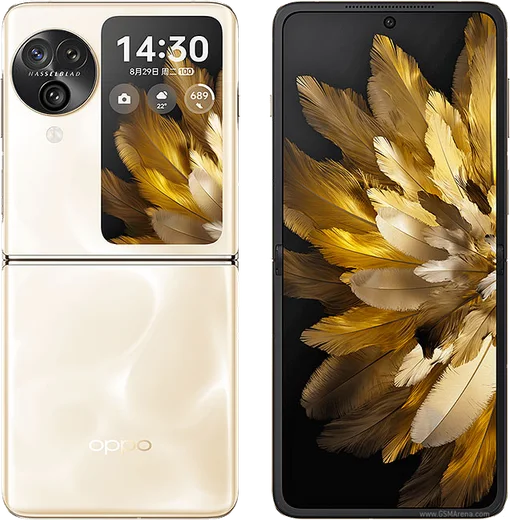
WhatsApp on Oppo Find N3 Flip
Oppo Android

WhatsApp for Oppo Find N3 Flip

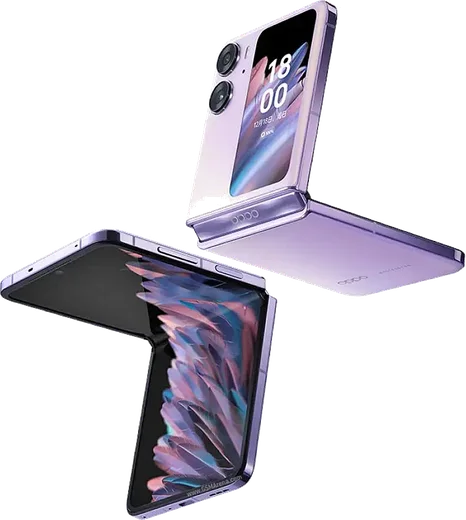
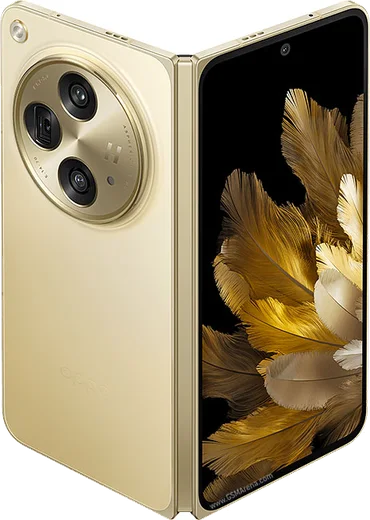
Dimensity 9200, 6.8-inch flip foldable, triple camera

WhatsApp Messenger 4.7 · 64.2M reviews Free · Android · ~40 MB · by WhatsApp LLC
Download WhatsApp

Ask a question / report a problem

You can ask any question about WhatsApp support on the Oppo Find N3 Flip — leave it below and we'll help.

Ask a question

Can the Oppo Find N3 Flip run WhatsApp?

Fully supported
  • Operating systemAndroid
  • ProcessorDimensity 9200
  • WhatsApp versionLatest supported

Latest known WhatsApp problems on Oppo Find N3 Flip

1

Why aren't WhatsApp call and video call notifications showing on my Oppo Find N3 Flip?

ColorOS aggressively closes background apps, which can silence WhatsApp call alerts. Go to Settings > Battery > tap WhatsApp and turn on "Allow background activity" and disable any battery optimization or "Sleep standby optimization" for it. Then open Settings > Apps > Manage apps > WhatsApp > Notifications and make sure the Calls channel is enabled with sound and the option to show on the lock screen. Finally, open the Recent Apps view (swipe up and hold), press the WhatsApp card, and tap the lock icon so the system stops clearing it from memory. See how others solved this on Reddit
2

My Oppo Find N3 Flip battery only lasts about 12 hours, is that normal?

That is on the low side, so first open Settings > Battery > Battery usage to see which app is draining the most, since a misbehaving app or runaway background sync is the usual cause. To extend runtime, lower the refresh rate to Standard under Settings > Display & brightness > Screen refresh rate, reduce the cover-screen always-on display, and dim the screen or shorten the screen-off timeout. If a recent ColorOS update kicked off the drain, usage often settles after a few days as the system finishes re-indexing in the background. See how others solved this on Reddit
3

After the ColorOS 15 update my Find N3 Flip feels buggy or slower, how do I fix it?

Major ColorOS upgrades often leave stale app cache that causes lag and odd behavior. First go to Settings > About device and confirm you are on the latest build, then restart the phone. For specific apps acting up, clear their cache via Settings > Apps > Manage apps > [app] > Storage usage > Clear cache. If problems persist after a week, back up your data with Google and the built-in Clone Phone, then try Settings > System settings > Back up and reset > Reset all settings, which clears system configuration without deleting your personal files. See how others solved this on Reddit
4

How do I remove bloatware and stop ad-like recommendations on the Oppo Find N3 Flip?

ColorOS ships with extra pre-installed apps and occasional recommendation prompts. Long-press any unwanted app and choose Uninstall where it is allowed; for system apps that won't uninstall, open Settings > Apps > Manage apps, tap the app, and disable it. To cut down on suggested-content and ad-like prompts, open the App Market and Browser, go into each app's own settings, and turn off recommendations or personalized content, and disable notifications for those apps under Settings > Notification & status bar. See how others solved this on Reddit

Ask a question / report a problem

You can ask any question about WhatsApp support on the Oppo Find N3 Flip — leave it below and we'll help.

Ask a question

Watch: setting up WhatsApp

Prefer to watch? This short walkthrough shows the whole installation and number-verification flow.

How to install WhatsApp on Oppo Find N3 Flip — video walkthrough

How to install WhatsApp on Oppo Find N3 Flip

1

Choose how to download

On your Oppo Find N3 Flip you can get the official app two ways: from the Google Play Store — the easiest option, since it keeps WhatsApp updated automatically — or directly from the official website. You can download an APK file, by clicking a link “Download WhatsApp directly”.

2

Open WhatsApp

Launch WhatsApp from your home screen or app drawer and accept the Terms of Service to start setup.

3

Verify your phone number

Enter your phone number. If your Oppo Find N3 Flip uses dual SIM, pick the line you want WhatsApp tied to, then enter the 6-digit code it sends by SMS — it usually fills in automatically.

4

Restore chats and finish setup

Restore your chat history from Google Drive (use the same Google account), add your name and photo, and tap Allow for notifications so messages and calls arrive reliably.

Stay safe: only ever install WhatsApp from the official Android source. The Download button above already points there — modified copies (GB/Plus/Aero WhatsApp) can get your number banned.

Comments (14)

No registration needed. No email required.
X
xX_tanMay 24, 2026

The Oppo Find N3 Flip steps actually work unlike other sites

V
val_solApr 23, 2026

Ok so did it without any help, very simple thanks again

E
ella_maxApr 10, 2026

Davvero installato senza problemi

M
mr_miaFeb 11, 2026

Ok so no problems installing on my n3flip :)

Y
yuki21Oct 20, 2025

man my new Oppo Find N3 Flip is all set up now

L
laylaSep 1, 2025

تم التثبيت بدون مشاكل شكراً

M
marc69Jul 7, 2025

Update installed in 2 min :)

AppWhatsOfficialJul 9, 2025

Thanks for sharing!

T
tina_aleJun 19, 2025

Guys all set up and chatting now cheers

N
noobmasterMay 30, 2025

yo downloaded and installed on my oppo find n3 flip

A
ash.cApr 17, 2025

hé a marché parfaitement, merci

R
ray_officialMar 2, 2025

Ugh my whole family is waiting pls help me install it 😭😭

AppWhatsOfficialMar 3, 2025

Breathe! Follow the steps above one by one, tap Download first, and you will be chatting in no time. Reply here if you get stuck.

P
plz help meeNov 26, 2024

verified my number on the n3 flip with no trouble cheers

N
noah73Nov 19, 2024

Simple and fast 👍

V
val_omaSep 23, 2024

best site for this honestly cheers