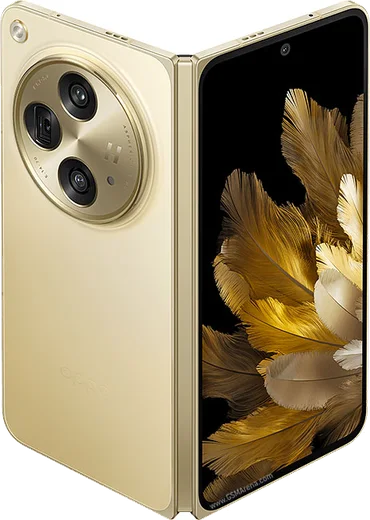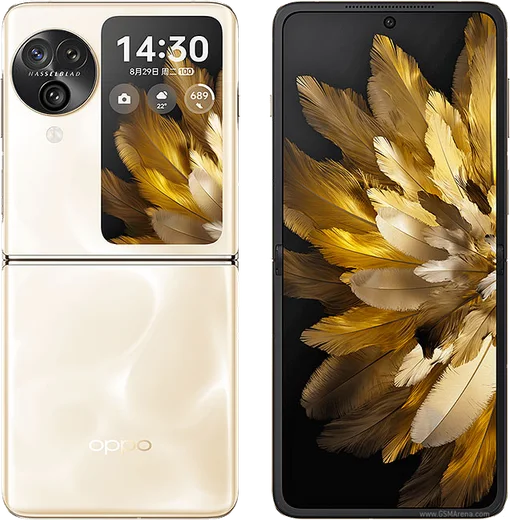
WhatsApp on Oppo Find N2 Flip
Oppo Android

WhatsApp for Oppo Find N2 Flip

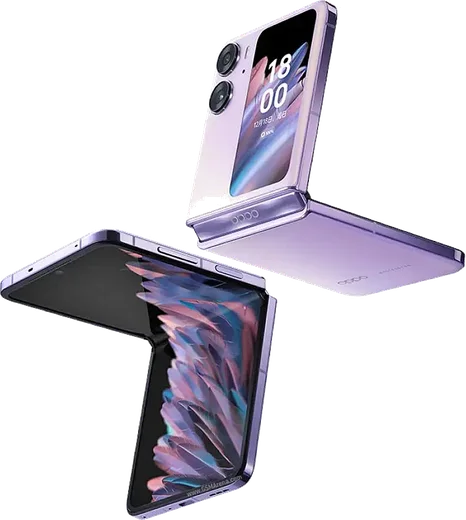
Dimensity 9000+, 6.8-inch flip foldable, large cover screen

WhatsApp Messenger 4.7 · 64.2M reviews Free · Android · ~40 MB · by WhatsApp LLC
Download WhatsApp

Ask a question / report a problem

You can ask any question about WhatsApp support on the Oppo Find N2 Flip — leave it below and we'll help.

Ask a question

Can the Oppo Find N2 Flip run WhatsApp?

Fully supported
  • Operating systemAndroid
  • ProcessorDimensity 9000+
  • WhatsApp versionLatest supported

Latest known WhatsApp problems on Oppo Find N2 Flip

1

Why is WhatsApp draining so much battery on my Oppo Find N2 Flip?

ColorOS aggressively suspends background apps, so WhatsApp has to do heavy catch-up syncing each time you reopen it, and that burst of activity shows up as high battery use. Go to Settings > Battery > tap WhatsApp (or Settings > Apps > App management > WhatsApp > Battery usage) and set it to 'Allow background activity' / 'Don't optimise', then under Settings > Battery > More settings turn off 'Sleep standby optimisation' for WhatsApp. This stops the constant resync cycle and usually levels the drain back out. See how others solved this on Reddit
2

Why are my WhatsApp notifications delayed until I open the app on my Find N2 Flip?

This is ColorOS battery management killing WhatsApp in the background so push messages can't wake it. Open Settings > Apps > App management > WhatsApp > Battery usage and choose 'Allow background activity', then go to Settings > Apps > Auto-launch (Startup manager) and enable WhatsApp so it can restart itself. Finally, lock WhatsApp in the Recent apps screen (open recents, tap the card's menu, select Lock) so the cleaner won't close it. See how others solved this on Reddit
3

Can I use WhatsApp on the small cover screen of the Find N2 Flip when it's folded?

By default ColorOS only mirrors a limited set of apps to the cover screen, so WhatsApp may not appear there until you enable it. Go to Settings > Cover screen (or Settings > Special features > Cover screen) > Cover screen apps and toggle WhatsApp on so you can read and reply to messages without opening the phone. Once it's added you'll get message previews and quick replies on the front display. See how others solved this on Reddit
4

How do I move my WhatsApp chats to a new Oppo Find N2 Flip without losing anything?

WhatsApp on Android backs up to Google Drive, not to Oppo's cloud, so back up first on your old phone via WhatsApp > Settings > Chats > Chat backup > Back up. On the Find N2 Flip, install WhatsApp from the Play Store, verify the same phone number, and when prompted sign in to the same Google account to restore the chats and media. The restore option only appears if you use the same phone number and the same Google account that holds the backup. See how others solved this on Reddit
5

WhatsApp photos and videos look blurry or won't download on my Oppo Find N2 Flip

Failed downloads usually point to a storage-permission problem, while received media looking soft is mostly WhatsApp's normal compression rather than a phone fault. First, in WhatsApp go to Settings > Storage and data > Media auto-download and enable Photos/Videos for Wi-Fi and mobile data so files actually save. If media still won't download, check Settings > Apps > App management > WhatsApp > Permissions and confirm Files and media (storage) access is allowed. To avoid compression on files you send, share them as Document instead of from the Gallery. See how others solved this on Reddit

Ask a question / report a problem

You can ask any question about WhatsApp support on the Oppo Find N2 Flip — leave it below and we'll help.

Ask a question

Watch: setting up WhatsApp

Prefer to watch? This short walkthrough shows the whole installation and number-verification flow.

How to install WhatsApp on Oppo Find N2 Flip — video walkthrough

How to install WhatsApp on Oppo Find N2 Flip

1

Choose how to download

On your Oppo Find N2 Flip you can get the official app two ways: from the Google Play Store — the easiest option, since it keeps WhatsApp updated automatically — or directly from the official website. You can download an APK file, by clicking a link “Download WhatsApp directly”.

2

Open WhatsApp

Launch WhatsApp from your home screen or app drawer and accept the Terms of Service to start setup.

3

Verify your phone number

Enter your phone number. If your Oppo Find N2 Flip uses dual SIM, pick the line you want WhatsApp tied to, then enter the 6-digit code it sends by SMS — it usually fills in automatically.

4

Restore chats and finish setup

Restore your chat history from Google Drive (use the same Google account), add your name and photo, and tap Allow for notifications so messages and calls arrive reliably.

Stay safe: only ever install WhatsApp from the official Android source. The Download button above already points there — modified copies (GB/Plus/Aero WhatsApp) can get your number banned.

Comments (11)

No registration needed. No email required.
P
priya96Apr 14, 2026

Ngl verified my number on the Find N2 Flip with no trouble 🔥

N
not_samSep 22, 2025

Guys had whatsapp on my Find N2 Flip in no time

M
mobilegeekAug 22, 2025

well bookmarking this site for sure ✌️

N
nightowlJul 28, 2025

instalado sin problemas 😍

J
justmeJul 28, 2025

Omggg i cant install it someone heeelp

AppWhatsOfficialJul 31, 2025

No panic needed. The Download button takes you to the official app, then just install and verify your number. You got this!

P
pablo2000Mar 22, 2025

Omg worked perfect on my n2 flip thanks again

T
tan_yukFeb 24, 2025

Wow worked perfect on my find n2 flip

W
whyyyyyNov 14, 2024

Ehi facilissimo, fatto in 2 minuti

M
mr_marcNov 13, 2024

Sorry but im not getting the sms code ?

AppWhatsOfficialNov 15, 2024

Thanks for asking, if the SMS will not arrive, you can choose the call option to hear the code, just make sure your number is entered correctly. Glad to help.

R
rob.fSep 4, 2024

Ok so this actually works unlike others

B
budgetkingJul 10, 2024

Ok so perfect steps for the Find N2 Flip