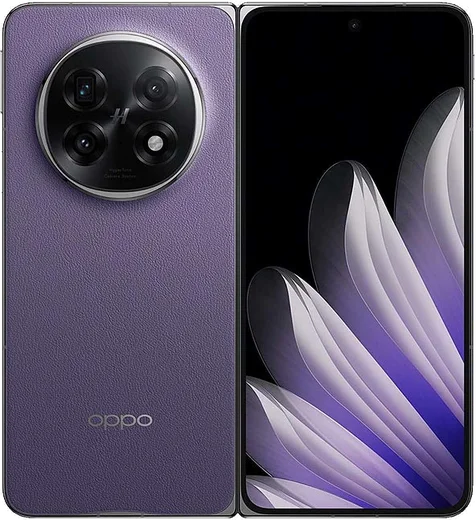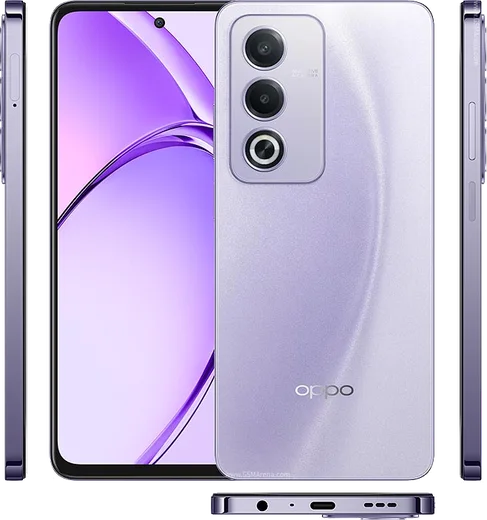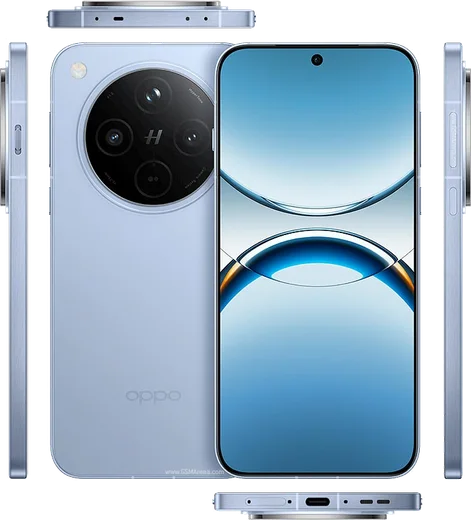
WhatsApp on Oppo Find N5
Oppo Android

WhatsApp for Oppo Find N5

Snapdragon 8 Elite foldable, 8.12-inch inner display, 8.93mm

WhatsApp Messenger 4.7 · 64.2M reviews Free · Android · ~40 MB · by WhatsApp LLC
Download WhatsApp

Ask a question / report a problem

You can ask any question about WhatsApp support on the Oppo Find N5 — leave it below and we'll help.

Ask a question

Can the Oppo Find N5 run WhatsApp?

Fully supported
  • Operating systemAndroid
  • ProcessorSnapdragon 8 Elite foldable
  • WhatsApp versionLatest supported

Latest known WhatsApp problems on Oppo Find N5

1

Why are my WhatsApp notifications delayed or not showing on the Oppo Find N5?

ColorOS aggressively manages background apps, which holds back WhatsApp pushes. Go to Settings > Battery & performance > More settings (or App battery management) and set WhatsApp to 'Allow background activity' / 'Don't optimize'. Then open Settings > Apps > App management > WhatsApp and enable 'Allow auto-launch' so the app can wake on incoming messages. Long-pressing WhatsApp in Recent apps and tapping the lock icon also helps keep it from being suspended. See how others solved this on Reddit
2

WhatsApp calls don't ring or show a notification on my Oppo Find N5 - how do I fix it?

Incoming-call alerts need the lock-screen and full-screen permissions that ColorOS often restricts. In Settings > Apps > App management > WhatsApp > Notifications, make sure the 'Calls' channel is enabled with sound and that lock-screen notifications show content. Then in Settings > Apps > Special app access (or App management > WhatsApp), enable 'Display over other apps'. Finally, lock WhatsApp in Recent apps (open the recents view, hold its card, tap the lock icon) so the system can't kill it before a call arrives. See how others solved this on Reddit
3

WhatsApp notifications stop working on my Oppo Find N5 after a restart or when the screen is locked

After a reboot ColorOS can re-restrict background activity, so WhatsApp gets suspended until you reopen it. Open Settings > Apps > App management > WhatsApp and turn on 'Allow auto-launch', then go to Settings > Battery & performance and set WhatsApp to 'Don't optimize' / 'Allow background activity'. Locking WhatsApp in Recent apps keeps the connection alive while the phone is idle or locked. See how others solved this on Reddit
4

Can I ungroup or separate WhatsApp notifications on the Oppo Find N5?

ColorOS stacks multiple WhatsApp chats into one grouped notification by default. This grouping is controlled by Android's notification system, and ColorOS does not expose a per-app 'ungroup' toggle, so WhatsApp messages will normally appear as a single stacked entry that expands when tapped. Make sure Settings > Apps > App management > WhatsApp > Notifications is fully enabled (with the 'Messages' channel allowed) so every conversation generates its own alert within the stack. See how others solved this on Reddit
5

WhatsApp notifications only arrive when I open the app on my Oppo Find N5

This is the classic ColorOS battery-management symptom: messages queue up and only sync when you launch WhatsApp. In Settings > Battery & performance, set WhatsApp to 'Allow background activity' / 'Don't optimize' and turn off any sleep/standby optimization for it. Then in Settings > Apps > App management > WhatsApp enable 'Allow auto-launch', and add WhatsApp to the locked apps list in Recent apps so the system stops suspending its background connection. See how others solved this on Reddit
6

My Oppo Find N5 shows no WhatsApp notifications at all - completely silent, what do I check?

When alerts are fully silent, verify the basics first: Settings > Apps > App management > WhatsApp > Notifications must be ON with the 'Messages' channel allowed to make sound, and check WhatsApp's in-app Settings > Notifications for the correct tone. Then confirm Do Not Disturb isn't active in the Control Center / Quick Settings, and that no data-saver or background-data restriction is blocking WhatsApp under Settings > Mobile network > Data usage. As a last step, enable 'Allow auto-launch' and re-open WhatsApp to restore the push connection. See how others solved this on Reddit

Ask a question / report a problem

You can ask any question about WhatsApp support on the Oppo Find N5 — leave it below and we'll help.

Ask a question

Watch: setting up WhatsApp

Prefer to watch? This short walkthrough shows the whole installation and number-verification flow.

How to install WhatsApp on Oppo Find N5 — video walkthrough

How to install WhatsApp on Oppo Find N5

1

Choose how to download

On your Oppo Find N5 you can get the official app two ways: from the Google Play Store — the easiest option, since it keeps WhatsApp updated automatically — or directly from the official website. You can download an APK file, by clicking a link “Download WhatsApp directly”.

2

Open WhatsApp

Launch WhatsApp from your home screen or app drawer and accept the Terms of Service to start setup.

3

Verify your phone number

Enter your phone number. If your Oppo Find N5 uses dual SIM, pick the line you want WhatsApp tied to, then enter the 6-digit code it sends by SMS — it usually fills in automatically.

4

Restore chats and finish setup

Restore your chat history from Google Drive (use the same Google account), add your name and photo, and tap Allow for notifications so messages and calls arrive reliably.

Stay safe: only ever install WhatsApp from the official Android source. The Download button above already points there — modified copies (GB/Plus/Aero WhatsApp) can get your number banned.

Comments (10)

No registration needed. No email required.
V
val.wJun 15, 2026

ok so all good on my Find N5 now 😍

M
ms_marcMay 31, 2026

Guys the app opens to a black screen

AppWhatsOfficialJun 5, 2026

Hey there, restart the phone, and if the black screen stays, clear the app data and install the latest build again. Happy chatting!

O
omar90Mar 22, 2026

whatsapp finally on my n5 🔥

L
lil_gregMar 7, 2026

ugh been at this for hours pls someone help me :(

AppWhatsOfficialMar 8, 2026

Hey, no need to stress! Tap the green Download button at the top, follow the steps, and you will have WhatsApp in a minute. You got this!

C
coolcatNov 4, 2025

update worked perfect on my find n5 🎉

J
just_rosaSep 27, 2025

man installed in 2 min

B
ben.zMay 27, 2025

danke, mein oppo find n5 hat jetzt whatsapp danke

N
nina96Jan 31, 2025

honestly smooth and simple, no issues lol

X
xX_benDec 14, 2024

Finally smooth and simple, no issues cheers

AppWhatsOfficialDec 18, 2024

Happy it helped you!

K
kev.tOct 9, 2024

ey funcionó perfecto en mi n5