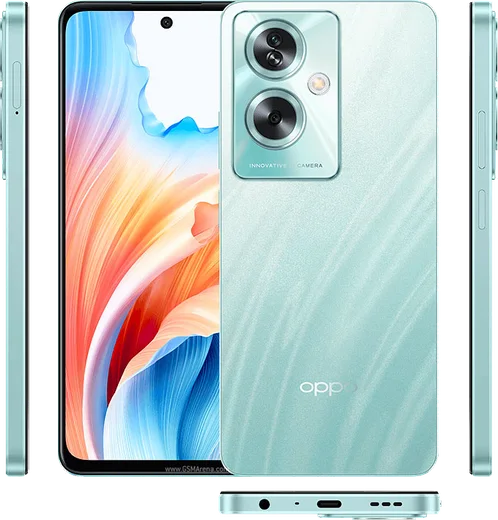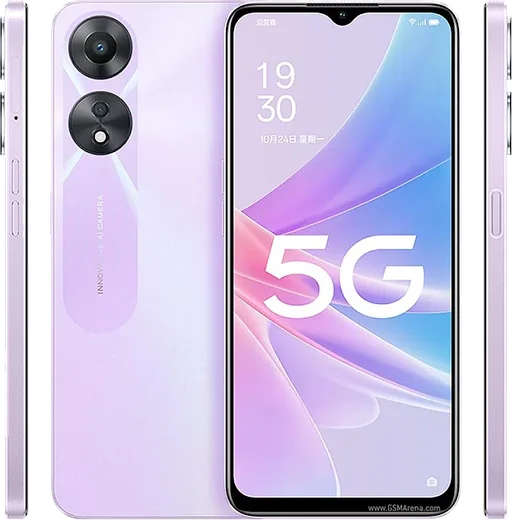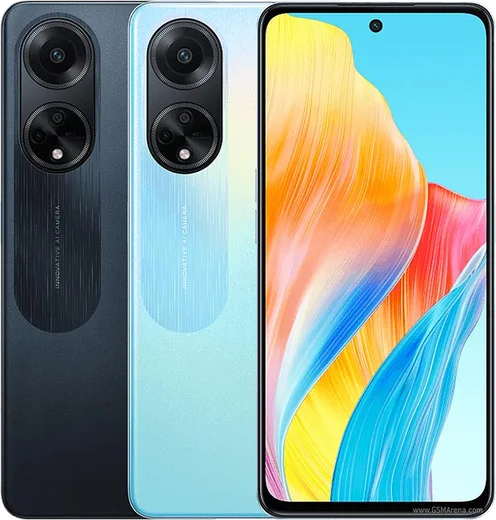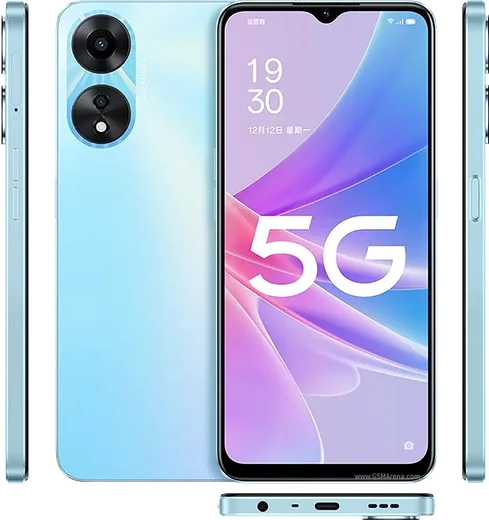
WhatsApp on Oppo A79
Oppo Android

WhatsApp for Oppo A79

Dimensity 6020, 6.72-inch 90Hz LCD, 5000mAh battery

WhatsApp Messenger 4.7 · 64.2M reviews Free · Android · ~40 MB · by WhatsApp LLC
Download WhatsApp

Ask a question / report a problem

You can ask any question about WhatsApp support on the Oppo A79 — leave it below and we'll help.

Ask a question

Can the Oppo A79 run WhatsApp?

Fully supported
  • Operating systemAndroid
  • ProcessorDimensity 6020
  • WhatsApp versionLatest supported

Latest known WhatsApp problems on Oppo A79

1

Why am I not getting WhatsApp notifications at all on my Oppo A79?

ColorOS aggressively freezes background apps to save battery, which stops WhatsApp from delivering alerts. Open Settings > Battery > App battery management, tap WhatsApp and choose Allow background activity (turn off any optimisation/sleep restriction), and enable Allow auto-launch. Then go to Settings > Apps > App management > WhatsApp > Notifications and confirm Allow notifications and all message categories are on. See how others solved this on Reddit
2

Why are my WhatsApp notifications delayed and only arrive when I open the app on my Oppo A79?

This is ColorOS battery optimisation holding WhatsApp in deep sleep until you wake it. Open Settings > Battery > App battery management, tap WhatsApp and set it to Allow background activity plus Allow auto-launch. Then open Recent apps, swipe down (or long-press) the WhatsApp card and tap the lock icon so the system stops clearing it from memory. See how others solved this on Reddit
3

Why don't I get a ringtone or banner for WhatsApp calls on my Oppo A79?

WhatsApp calls use a separate notification channel, and ColorOS can suppress it for backgrounded apps. Go to Settings > Apps > App management > WhatsApp > Notifications > Calls and make sure it is on with sound and lock-screen display enabled. Then in Settings > Battery > App battery management allow WhatsApp background activity and auto-launch so an incoming call can wake the phone. See how others solved this on Reddit
4

Why are all my WhatsApp chats bundled into one grouped notification on my Oppo A79?

Android groups multiple notifications from the same app together. To split important chats out, open the chat in WhatsApp, tap the contact name > Custom notifications, enable Use custom notifications and set a distinct tone or priority for that conversation so it surfaces on its own. You can also long-press a WhatsApp notification in the shade and tap the gear to adjust that conversation's notification settings. See how others solved this on Reddit
5

Why is the quick reply box missing from my WhatsApp notifications on the Oppo A79?

Inline quick reply only appears on an expanded, high-priority notification with previews enabled. In WhatsApp go to Settings > Notifications and turn on Show preview. Then in Settings > Apps > App management > WhatsApp > Notifications confirm the Messages channel is set to a high importance level (so it pops as a banner rather than silent); pull the notification down to expand it and the reply field appears. See how others solved this on Reddit
6

How do I show the message text in the WhatsApp notification preview on my Oppo A79?

Previews are hidden when either WhatsApp or ColorOS is set to keep notification content private. In WhatsApp open Settings > Notifications and turn on Show preview. Then on the phone open Settings > Notifications & status bar > Lock screen notifications and set it (or the WhatsApp entry) to Show content, so the actual message appears instead of just 'New message'. See how others solved this on Reddit

Ask a question / report a problem

You can ask any question about WhatsApp support on the Oppo A79 — leave it below and we'll help.

Ask a question

Watch: setting up WhatsApp

Prefer to watch? This short walkthrough shows the whole installation and number-verification flow.

How to install WhatsApp on Oppo A79 — video walkthrough

How to install WhatsApp on Oppo A79

1

Choose how to download

On your Oppo A79 you can get the official app two ways: from the Google Play Store — the easiest option, since it keeps WhatsApp updated automatically — or directly from the official website. You can download an APK file, by clicking a link “Download WhatsApp directly”.

2

Open WhatsApp

Launch WhatsApp from your home screen or app drawer and accept the Terms of Service to start setup.

3

Verify your phone number

Enter your phone number. If your Oppo A79 uses dual SIM, pick the line you want WhatsApp tied to, then enter the 6-digit code it sends by SMS — it usually fills in automatically.

4

Restore chats and finish setup

Restore your chat history from Google Drive (use the same Google account), add your name and photo, and tap Allow for notifications so messages and calls arrive reliably.

Stay safe: only ever install WhatsApp from the official Android source. The Download button above already points there — modified copies (GB/Plus/Aero WhatsApp) can get your number banned.

Comments (11)

No registration needed. No email required.
C
chris.xApr 12, 2026

Update took me 5 min total ❤️

M
ms_ivanApr 3, 2026

tbh easy install on my oppo a79 🙏

L
lurkerFeb 24, 2026

Anyone? is whatsapp free or do i have to pay

AppWhatsOfficialFeb 25, 2026

Happy to help, whatsApp is 100% free to download and use. You only use your normal mobile data or wifi for messages and calls. Reach out anytime.

H
heeeelpNov 8, 2025

anyone? i dont want people to see im online ?

AppWhatsOfficialNov 13, 2025

No worries, in Privacy settings you can set Last Seen and Online to Nobody, so no one sees when you are active. Feel free to ask if you get stuck.

Y
yuki_finAug 7, 2025

wow the oppo a79 guide was spot on ✌️

L
leo_proJun 14, 2025

Ugh whyyy is this so hard pls help me get whatsapp

AppWhatsOfficialJun 16, 2025

Hey, no need to stress! Tap the green Download button at the top, follow the steps, and you will have WhatsApp in a minute. Reply here if you get stuck.

M
mmmaaaxxxJan 7, 2025

Uff pasos clarísimos para el oppo a79

W
whatsappfanJan 4, 2025

Hi my phone is a few years old will it work thanks

AppWhatsOfficialJan 5, 2025

No worries, older phones can work as long as the app is still offered to them. Updating the OS where possible helps a lot. Feel free to ask if you get stuck.

M
mike49Nov 21, 2024

So 10 out of 10 thx

N
nooooSep 27, 2024

tbh my a79 has whatsapp now thanks to this cheers

C
chris_ytAug 14, 2024

wow auf dem oppo a79 meiner mutter problemlos installiert