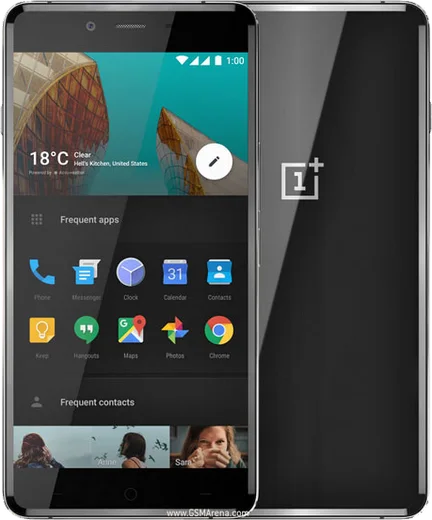
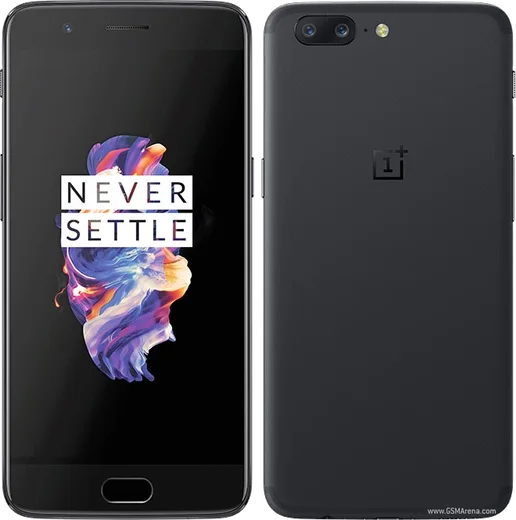
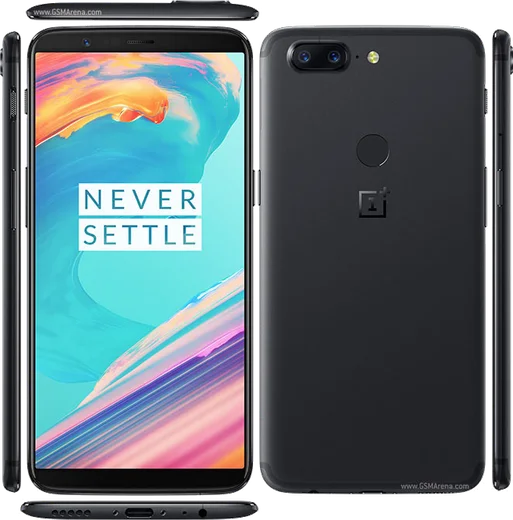
WhatsApp on OnePlus X
OnePlus Android

WhatsApp for OnePlus X

Snapdragon 801, 5.0-inch AMOLED 1080p

WhatsApp Messenger 4.7 · 64.2M reviews Free · Android · ~40 MB · by WhatsApp LLC
Download WhatsApp

Ask a question / report a problem

You can ask any question about WhatsApp support on the OnePlus X — leave it below and we'll help.

Ask a question

Can the OnePlus X run WhatsApp?

Support ending soon
  • Operating systemAndroid
  • ProcessorSnapdragon 801
  • WhatsApp versionLatest supported

Latest known WhatsApp problems on OnePlus X

1

Why is WhatsApp draining so much battery on my OnePlus X for no reason?

On the OnePlus X's OxygenOS, the usual cause is WhatsApp staying awake in the background to sync media and keep its connection alive. Open Settings > Battery > Battery optimization, find WhatsApp and set it to Optimized so it can sleep when idle, then inside WhatsApp tap Settings > Storage and data and turn off Media auto-download on mobile data. Reboot, then check Settings > Battery > Battery usage after a day to confirm WhatsApp has settled down. See how others solved this on Reddit
2

How do I move my WhatsApp chats from an old iPhone to my OnePlus X?

WhatsApp's official iPhone-to-Android transfer needs both phones connected with a USB-C to Lightning cable and the OnePlus X freshly set up (or factory reset). During the OxygenOS setup wizard choose to move data from iPhone, install and open WhatsApp, verify your number, and when prompted scan the QR code shown on the Android screen with the iPhone, then keep both phones unlocked and plugged in until it finishes. iCloud backups can't be restored directly into Android, so this cable method is the only supported way to bring chats and media over. See how others solved this on Reddit
3

My WhatsApp images disappeared after an Android update on my OnePlus X. Can I get them back?

Newer Android versions moved WhatsApp media into an app-specific folder, so the WhatsApp Images folder can stop appearing in Gallery even though the files still exist. Open Files by Google or any file manager and browse to Internal storage > Android > media > com.whatsapp > WhatsApp > Media > WhatsApp Images to confirm they're there, then copy that folder into your Pictures or DCIM directory so Gallery re-indexes them. If they're genuinely gone, reinstall WhatsApp and restore from your Google Drive backup when prompted during setup. See how others solved this on Reddit
4

Why does the WhatsApp camera look so bad compared to my OnePlus X's normal camera?

WhatsApp uses its own basic in-app camera that doesn't tap into OxygenOS's full camera processing, so photos taken inside a chat look soft and washed out. For good quality, shoot with the stock OnePlus Camera app, then send the photo from the chat using the attach (paperclip) > Gallery option. To stop WhatsApp from compressing it on send, attach the image as a Document instead of as a Photo. See how others solved this on Reddit
5

My OnePlus X gets warm during WhatsApp video calls. Is that normal?

Some warmth is normal, since a video call runs the camera, screen, radio and encoder at the same time, which is one of the heaviest loads for the phone. To reduce it, take off any thick case during long calls, use Wi-Fi instead of mobile data where possible, and lower screen brightness. If it gets uncomfortably hot rather than just warm, reboot and check the Play Store for a pending WhatsApp update, since an outdated version can sometimes cause a runaway process. See how others solved this on Reddit
6

My WhatsApp backup won't restore after switching to my OnePlus X. How do I fix it?

Restore only works when the new phone uses the exact same phone number and the same Google account that holds the backup, so first add that Google account to the OnePlus X via Settings > Accounts. Then install WhatsApp, verify your number, and when prompted choose Restore from Google Drive. If it stalls, confirm the backup actually exists at WhatsApp > Settings > Chats > Chat backup on the old phone, and make sure both phones are on Wi-Fi with enough free storage. See how others solved this on Reddit

Ask a question / report a problem

You can ask any question about WhatsApp support on the OnePlus X — leave it below and we'll help.

Ask a question

Watch: setting up WhatsApp

Prefer to watch? This short walkthrough shows the whole installation and number-verification flow.

How to install WhatsApp on OnePlus X — video walkthrough

How to install WhatsApp on OnePlus X

1

Choose how to download

On your OnePlus X you can get the official app two ways: from the Google Play Store — the easiest option, since it keeps WhatsApp updated automatically — or directly from the official website. You can download an APK file, by clicking a link “Download WhatsApp directly”.

2

Open WhatsApp

Launch WhatsApp from your home screen or app drawer and accept the Terms of Service to start setup.

3

Verify your phone number

Enter your phone number. If your OnePlus X uses dual SIM, pick the line you want WhatsApp tied to, then enter the 6-digit code it sends by SMS — it usually fills in automatically.

4

Restore chats and finish setup

Restore your chat history from Google Drive (use the same Google account), add your name and photo, and tap Allow for notifications so messages and calls arrive reliably.

Stay safe: only ever install WhatsApp from the official Android source. The Download button above already points there — modified copies (GB/Plus/Aero WhatsApp) can get your number banned.

Comments (5)

No registration needed. No email required.
H
helpmeeeSep 29, 2025

hi can i use the same number on two phones anyone

AppWhatsOfficialOct 4, 2025

Thanks for asking, yes, use Linked Devices in Settings to add a second phone with the same account. Reach out anytime.

R
rob.sAug 31, 2025

so the X steps actually work unlike other sites cheers

P
phonefanAug 10, 2025

ok so i tried 3 other guides before this one 💯

AppWhatsOfficialAug 11, 2025

Glad we could help!

A
alex45Jun 16, 2025

Wow super guide, ça a marché sur mon oneplus x 🙏

G
greg.tMay 26, 2025

i tried everything pls help meee install whatsapp on OnePlus X 🙏

AppWhatsOfficialMay 30, 2025

Don't worry, you can do this! Use the Download button, install the app, and enter your number to verify. You will be set up on your phone in no time.