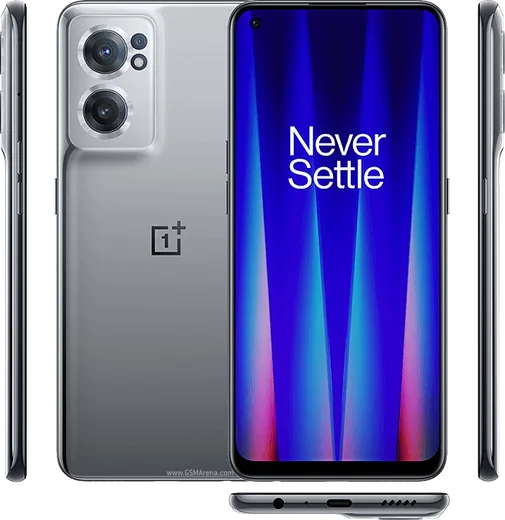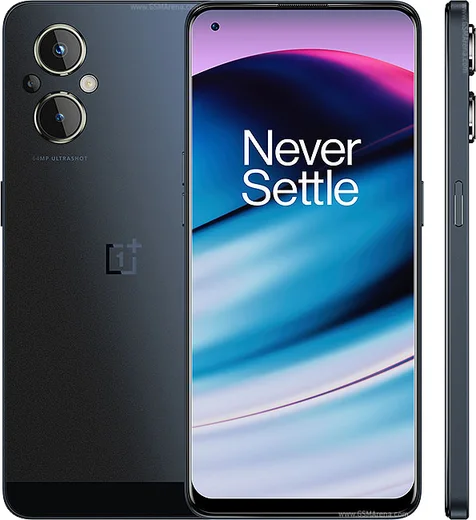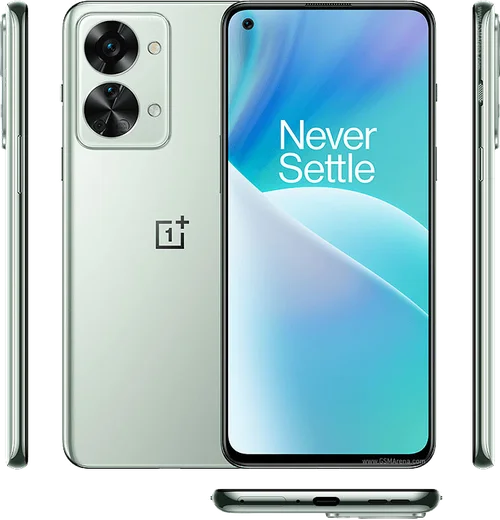
OnePlus Android

WhatsApp for Nord CE 2 Lite

Snapdragon 695, 6.59-inch 120Hz LCD, 5G

WhatsApp Messenger 4.7 · 64.2M reviews Free · Android · ~40 MB · by WhatsApp LLC
Download WhatsApp

Ask a question / report a problem

You can ask any question about WhatsApp support on the Nord CE 2 Lite — leave it below and we'll help.

Ask a question

Can the Nord CE 2 Lite run WhatsApp?

Fully supported
  • Operating systemAndroid
  • ProcessorSnapdragon 695
  • WhatsApp versionLatest supported

Latest known WhatsApp problems on Nord CE 2 Lite

1

Can't transfer WhatsApp chats to my new OnePlus Nord CE 2 Lite from my old phone

WhatsApp's chat transfer needs a matching backup source: if your old phone was Android, restore from a Google Drive backup tied to the same Google account, and if it was an iPhone you must use WhatsApp's official 'Move to Android' tool with a USB-C cable. On the Nord CE 2 Lite, sign in with the same phone number, make sure both phones use the same Google account for Drive restores, then tap 'Restore' when prompted during setup. If the prompt never appears, first confirm the backup actually exists under WhatsApp Settings > Chats > Chat backup on the old device. See how others solved this on Reddit
2

WhatsApp camera isn't loading on my OnePlus Nord after the October security patch

This is usually a permission or cache issue triggered by the update, so go to Settings > Apps > App management > WhatsApp > Permissions and re-enable Camera, then open Storage usage and clear the cache. If the in-app camera is still black, reboot once and try again; as a fallback, use the phone's main Camera app and attach the photo from Gallery. A WhatsApp reinstall from the Play Store usually clears lingering cases. See how others solved this on Reddit
3

WhatsApp calls don't show on my OnePlus lock screen when the phone is locked

OxygenOS aggressively kills background apps, so go to Settings > Apps > App management > WhatsApp > Battery usage and set it to 'Don't restrict' (Allow background activity), then enable Auto-launch. Also open Settings > Notifications & status bar > WhatsApp and turn on 'Lock screen notifications' plus the calls notification channel; finally grant 'Display over other apps' for WhatsApp so the full-screen incoming-call screen can appear when locked. See how others solved this on Reddit
4

WhatsApp gets stuck on the registration screen and won't verify my number on my OnePlus

First confirm the SIM with that number is active and has signal, then request the SMS code over mobile data rather than Wi-Fi and wait the full timer before choosing 'Call me' for a voice code. If it still hangs, clear WhatsApp's cache under Settings > Apps > App management > WhatsApp > Storage usage, ensure date and time are set to automatic in Settings > Additional settings > Date & time, and update WhatsApp to the latest Play Store build since older versions can stall during verification. See how others solved this on Reddit
5

WhatsApp registration screen freezes after updating my OnePlus to Android 14

Android 14 tightened how restricted settings and background permissions work, so after updating go to Settings > Apps > App management > WhatsApp, clear cache, and confirm Phone, SMS, and Contacts permissions are all granted. Make sure you're on the newest WhatsApp version from the Play Store (older builds are known to freeze on Android 14), then reboot once and retry verification over mobile data. See how others solved this on Reddit
6

My large WhatsApp Business backup won't restore and gets stuck on my OnePlus

Very large backups (multiple GB) often stall because of low free storage or an unstable connection, so make sure the Nord CE 2 Lite has at least double the backup size free under Settings > Storage and restore over stable Wi-Fi while plugged in. Sign in with the exact same phone number and Google account used to create the Google Drive backup, keep the screen on, and if it hangs at a percentage, clear WhatsApp Business cache and retry rather than skipping, since skipping loses the chats permanently. See how others solved this on Reddit

Ask a question / report a problem

You can ask any question about WhatsApp support on the Nord CE 2 Lite — leave it below and we'll help.

Ask a question

Watch: setting up WhatsApp

Prefer to watch? This short walkthrough shows the whole installation and number-verification flow.

How to install WhatsApp on Nord CE 2 Lite — video walkthrough

How to install WhatsApp on Nord CE 2 Lite

1

Choose how to download

On your Nord CE 2 Lite you can get the official app two ways: from the Google Play Store — the easiest option, since it keeps WhatsApp updated automatically — or directly from the official website. You can download an APK file, by clicking a link “Download WhatsApp directly”.

2

Open WhatsApp

Launch WhatsApp from your home screen or app drawer and accept the Terms of Service to start setup.

3

Verify your phone number

Enter your phone number. If your Nord CE 2 Lite uses dual SIM, pick the line you want WhatsApp tied to, then enter the 6-digit code it sends by SMS — it usually fills in automatically.

4

Restore chats and finish setup

Restore your chat history from Google Drive (use the same Google account), add your name and photo, and tap Allow for notifications so messages and calls arrive reliably.

Stay safe: only ever install WhatsApp from the official Android source. The Download button above already points there — modified copies (GB/Plus/Aero WhatsApp) can get your number banned.

Comments (7)

No registration needed. No email required.
B
big_robJun 11, 2026

wow no annoying ads which is nice 👌

H
heeeelpApr 26, 2025

Guys the app opens to a black screen ?

AppWhatsOfficialMay 1, 2025

Hey there, restart the phone, and if the black screen stays, clear the app data and install the latest build again.

S
sam1990Apr 12, 2025

semplicissimo, il mio nord ce 2 lite è pronto

X
xX_alexMar 10, 2025

yo clear steps for the Nord CE 2 Lite, cheers

AppWhatsOfficialMar 13, 2025

Love to hear it!

B
big_leoJan 8, 2025

ugh HELP it just wont work on my nord ce 2 lite 😭😭

AppWhatsOfficialJan 9, 2025

Relax, it is simpler than it looks. Press Download, install, then verify with the SMS code. You got this! It is easier than it looks, promise.

P
phonefanOct 29, 2024

finally worked even on my old phone 🙏

K
kev_leoSep 17, 2024

wow did it on my nord CE 2 lite in like 2 minutes thanks again