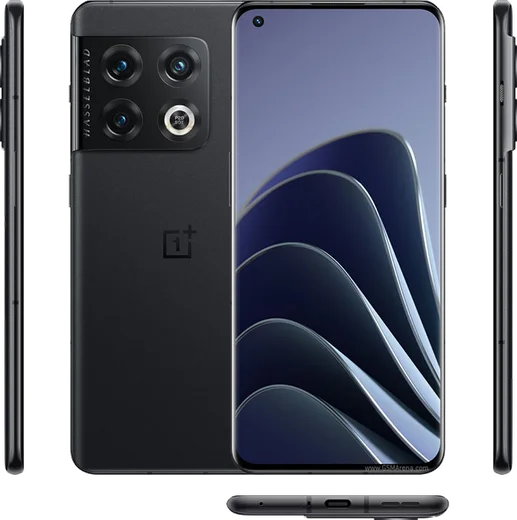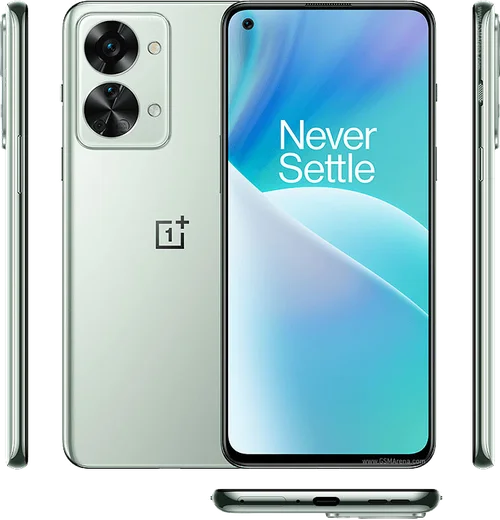
WhatsApp on OnePlus 10 Pro
OnePlus Android

WhatsApp for OnePlus 10 Pro

Snapdragon 8 Gen 1, 6.7-inch 120Hz LTPO QHD+

WhatsApp Messenger 4.7 · 64.2M reviews Free · Android · ~40 MB · by WhatsApp LLC
Download WhatsApp

Ask a question / report a problem

You can ask any question about WhatsApp support on the OnePlus 10 Pro — leave it below and we'll help.

Ask a question

Can the OnePlus 10 Pro run WhatsApp?

Fully supported
  • Operating systemAndroid
  • ProcessorSnapdragon 8 Gen 1
  • WhatsApp versionLatest supported

Latest known WhatsApp problems on OnePlus 10 Pro

1

Why is WhatsApp draining the battery so much on my OnePlus 10 Pro?

OxygenOS aggressively manages background apps, so the fix is counterintuitive: stop restricting WhatsApp and let it run freely. Go to Settings > Apps > App management > WhatsApp > Battery usage and set it to "Don't restrict" (instead of "Optimized" or "Restricted"). Then under Settings > Battery > More settings, disable "Sleep standby optimization" and "Deep optimization," which are common causes of phantom drain on this device. If drain continues, check WhatsApp's own Settings > Storage and data to confirm media auto-download isn't running constantly in the background. See how others solved this on Reddit
2

Why are my WhatsApp notifications delayed on the OnePlus 10 Pro?

OxygenOS freezes WhatsApp in the background to save power, which delays message delivery until you open the app. Go to Settings > Apps > App management > WhatsApp > Battery usage and choose "Don't restrict," then open the Recent apps switcher and lock WhatsApp so it isn't cleared from memory. Finally, in Settings > Battery > More settings, disable "Sleep standby optimization" and "Deep optimization" so push notifications arrive in real time. See how others solved this on Reddit
3

WhatsApp stopped sending notifications after an OxygenOS update on my OnePlus 10 Pro. How do I fix it?

System updates often reset OnePlus's battery optimization, re-restricting WhatsApp in the background. Re-apply your settings: Settings > Apps > App management > WhatsApp > Battery usage > "Don't restrict," and confirm notifications are enabled under Settings > Apps > App management > WhatsApp > Notifications. Also check Settings > Sound & vibration > Do Not Disturb and any Zen Mode schedules, since an update can silently re-enable them. See how others solved this on Reddit
4

Why is WhatsApp video quality so bad on the OnePlus 10 Pro?

WhatsApp heavily compresses media by default, which is the main cause rather than the phone's camera. In WhatsApp go to Settings > Storage and data > Media upload quality and set it to "HD" (Best quality), and when sending a video tap the "HD" badge at the top to send the higher-resolution version. For the sharpest result, share the clip as a document (attach paperclip > Document) so it bypasses compression entirely. See how others solved this on Reddit
5

WhatsApp calls answer through Bluetooth automatically on my OnePlus 10 Pro. How do I stop that?

This is usually triggered by a paired headset's auto-answer feature or an accidental media-button press, not WhatsApp itself. In Settings > Bluetooth, tap the gear next to your headset and disable any "Auto answer calls" option, and check the earbuds' companion app (for example OnePlus Buds via the HeyMelody app) for an auto-accept toggle. If it persists, forget and re-pair the device to clear a bad connection profile. See how others solved this on Reddit

Ask a question / report a problem

You can ask any question about WhatsApp support on the OnePlus 10 Pro — leave it below and we'll help.

Ask a question

Watch: setting up WhatsApp

Prefer to watch? This short walkthrough shows the whole installation and number-verification flow.

How to install WhatsApp on OnePlus 10 Pro — video walkthrough

How to install WhatsApp on OnePlus 10 Pro

1

Choose how to download

On your OnePlus 10 Pro you can get the official app two ways: from the Google Play Store — the easiest option, since it keeps WhatsApp updated automatically — or directly from the official website. You can download an APK file, by clicking a link “Download WhatsApp directly”.

2

Open WhatsApp

Launch WhatsApp from your home screen or app drawer and accept the Terms of Service to start setup.

3

Verify your phone number

Enter your phone number. If your OnePlus 10 Pro uses dual SIM, pick the line you want WhatsApp tied to, then enter the 6-digit code it sends by SMS — it usually fills in automatically.

4

Restore chats and finish setup

Restore your chat history from Google Drive (use the same Google account), add your name and photo, and tap Allow for notifications so messages and calls arrive reliably.

Stay safe: only ever install WhatsApp from the official Android source. The Download button above already points there — modified copies (GB/Plus/Aero WhatsApp) can get your number banned.

Comments (13)

No registration needed. No email required.
Y
yuki99Apr 17, 2026

anyone? how do i do it without play store ?

AppWhatsOfficialApr 23, 2026

Hi! Yes you can. Enable 'Install unknown apps' for your browser in Settings, then open the official APK. The steps above cover it. Happy chatting!

O
omar_danJan 7, 2026

Is old android supported pls

AppWhatsOfficialJan 12, 2026

Happy to help, it depends. WhatsApp drops support for very old systems over time. If the store still offers you the app, your phone is supported. Feel free to ask if you get stuck.

P
pete_proDec 13, 2025

man everything working now

J
joe85May 3, 2025

Perfect steps for the OnePlus 10 Pro 😍

O
omar_99Mar 29, 2025

والله اشتغل تمام على OnePlus 10 Pro شكراً 😍

M
mike_xXFeb 24, 2025

my whole family is waiting pls help me install it 😭

AppWhatsOfficialFeb 28, 2025

Hey, no need to stress! Tap the green Download button at the top, follow the steps, and you will have WhatsApp in a minute. It is easier than it looks, promise.

O
omar13Nov 28, 2024

installato e funzionante sul mio 10pro

R
ray.sSep 19, 2024

Enfin très simple, fait en 2 minutes sur mon 10 pro

B
budgetkingSep 8, 2024

Two thumbs up

B
big_ashAug 31, 2024

worked perfect on my 10pro

I
ivan_solAug 21, 2024

is old android supported

AppWhatsOfficialAug 24, 2024

Hi! It depends. WhatsApp drops support for very old systems over time. If the store still offers you the app, your phone is supported. Happy chatting!

N
nick_xXAug 4, 2024

ngl i was scared it was a virus but its the real app

X
xX_theoJul 16, 2024

hey how do i use whatsapp on a second phone

AppWhatsOfficialJul 18, 2024

No worries, whatsApp supports linked devices now, so you can use your account on more than one phone. Open Linked Devices in Settings to add another. Feel free to ask if you get stuck.