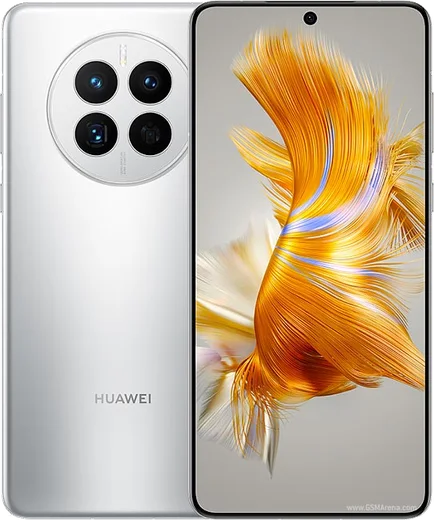
Huawei HarmonyOS

WhatsApp for Huawei Nova 9

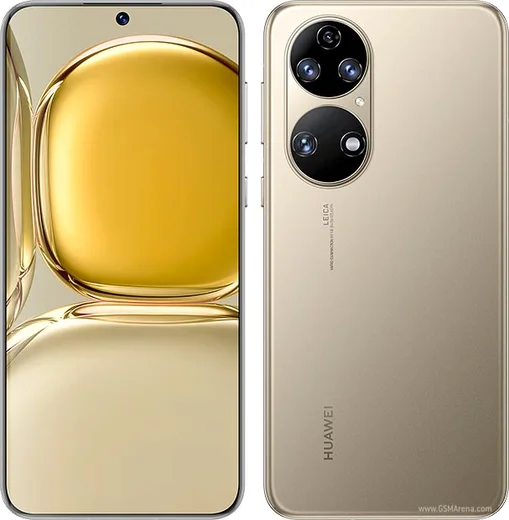
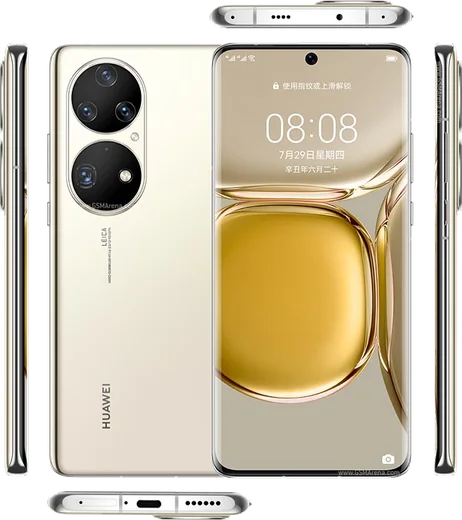
Snapdragon 778G 4G, 6.57-inch 120Hz OLED, 50MP camera

WhatsApp Messenger 4.7 · 64.2M reviews Free · HarmonyOS · ~40 MB · by WhatsApp LLC
Download WhatsApp

Ask a question / report a problem

You can ask any question about WhatsApp support on the Huawei Nova 9 — leave it below and we'll help.

Ask a question

Can the Huawei Nova 9 run WhatsApp?

Fully supported
  • Operating systemHarmonyOS
  • ProcessorSnapdragon 778G 4G
  • WhatsApp versionLatest supported

Latest known WhatsApp problems on Huawei Nova 9

1

Why is WhatsApp not working at all on my Huawei Nova 9?

The Nova 9 ships without Google Mobile Services, so a WhatsApp copy that was pulled from the Play Store (or restored from a Google-phone backup) can break after an update because it looks for Google services that aren't there. Uninstall that version, then install WhatsApp from Huawei AppGallery, or download the official APK directly from whatsapp.com/android, and keep it updated from that same source. Avoid GMS/Google framework workarounds, since broken Google-services leftovers are the most common cause of full failure. See how others solved this on Reddit
2

Why don't I get WhatsApp notifications until I open the app on my Nova 9?

Without Google's push service, HarmonyOS aggressively sleeps WhatsApp in the background, so messages often only arrive when you open it. Go to Settings > Battery > App launch, find WhatsApp, turn off Manage automatically, then enable Auto-launch, Secondary launch, and Run in background. Also open Settings > Notifications > WhatsApp and make sure notifications and banners are allowed so alerts can come through. See how others solved this on Reddit
3

My Huawei Nova 9 WhatsApp keeps disconnecting or showing errors after a recent update

When the installed build falls behind, WhatsApp can throw connection errors or fail to load chats on the Nova 9. Go to Settings > Apps > Apps > WhatsApp > Storage and tap Clear cache (not Clear data), then update or reinstall the latest version from AppGallery or the official whatsapp.com APK. If it still drops, confirm WhatsApp isn't being killed under Settings > Battery > App launch and has background data allowed. See how others solved this on Reddit
4

How do I restore my WhatsApp chat backup on a Nova 9 without Google Drive?

Google Drive backups can't be read on the Nova 9 because there are no Google services, so you need a local backup instead. On your old phone, create a local backup in WhatsApp > Settings > Chats > Chat backup, then copy the WhatsApp folder (Internal storage > Android > media > com.whatsapp > WhatsApp, including the Databases folder) to the Nova 9 by cable or Huawei Phone Clone. Install WhatsApp from AppGallery and verify your number, and it will detect the local backup and offer to restore. See how others solved this on Reddit
5

Was my WhatsApp banned on the Nova 9, and how do I get it back?

An account-banned message is usually caused by running an unofficial WhatsApp (such as GB or Plus) that some users install on Huawei phones to work around the missing-Google problem. Switch to the official app from AppGallery or whatsapp.com, and use Request a review on the ban screen to appeal. If it's a temporary block, wait out the countdown and then sign back in with the official client to avoid a permanent ban. See how others solved this on Reddit
6

How do I move my WhatsApp from the Nova 9 to a new Huawei phone?

With no Google Drive transfer, use a local migration. On the Nova 9, open WhatsApp > Settings > Chats > Chat backup and tap Back up to create a fresh local copy. Then use Huawei Phone Clone or a USB transfer to copy the whole Android > media > com.whatsapp > WhatsApp folder to the new phone, install WhatsApp from AppGallery there, and verify the same number to restore from that local backup. See how others solved this on Reddit

Ask a question / report a problem

You can ask any question about WhatsApp support on the Huawei Nova 9 — leave it below and we'll help.

Ask a question

Watch: setting up WhatsApp

Prefer to watch? This short walkthrough shows the whole installation and number-verification flow.

How to install WhatsApp on Huawei Nova 9 — video walkthrough

How to install WhatsApp on Huawei Nova 9

1

Open Huawei AppGallery

On your Huawei Nova 9, tap the AppGallery icon — Huawei's own app store. Newer Huawei phones ship without Google Play, so AppGallery is where you get WhatsApp.

2

Search for WhatsApp

Search WhatsApp Messenger in AppGallery and confirm it's published by WhatsApp LLC. If it isn't offered in your region, use Petal Search to download the official app.

3

Install the app

Tap Install. AppGallery downloads and installs WhatsApp; if prompted, allow installing the app so it can finish.

4

Verify your phone number

Open WhatsApp, accept the terms, and enter your phone number. On a dual-SIM Huawei Nova 9, pick the line you want WhatsApp tied to, then enter the 6-digit code it sends by SMS.

5

Allow notifications and background activity

Add your name and photo, tap Allow for notifications, then open Settings > Battery and let WhatsApp auto-launch and run in the background so messages arrive on time on HarmonyOS.

Stay safe: only ever install WhatsApp from the official HarmonyOS source. The Download button above already points there — modified copies (GB/Plus/Aero WhatsApp) can get your number banned.

Comments (6)

No registration needed. No email required.
F
finn2000Feb 5, 2026

whatsapp is working on my Huawei Nova 9 now

M
mike.lOct 28, 2025

Yo much better then the other sites ❤️

A
alex1990Jan 1, 2025

ugh anyone pls i cant download it heeeelp me 😭

AppWhatsOfficialJan 5, 2025

Take a breath, we got you. Press Download above, then Install, then verify your number. That is all it takes.

T
tina41Dec 11, 2024

hey why is it downloading so slowly anyone

AppWhatsOfficialDec 15, 2024

No worries, a slow download is usually the network. A stable wifi connection will speed it up a lot.

A
anonNov 1, 2024

Anyone? im not getting the sms code ?

AppWhatsOfficialNov 2, 2024

Sure, double check the country code and that you have signal, then request a fresh SMS code. If it still fails, wait a few minutes before trying again. Glad to help.

G
guest_userSep 17, 2024

Wow a marché parfaitement sur mon huawei nova 9 😍