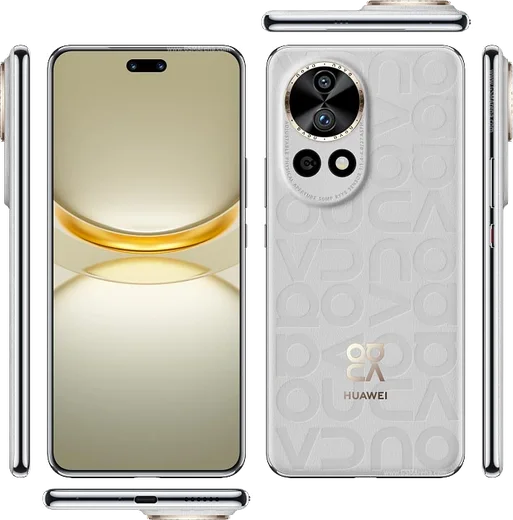
Huawei HarmonyOS

WhatsApp for Huawei Nova 12

Kirin 8000 / SD778G, 6.7-inch 120Hz OLED, 60MP selfie

WhatsApp Messenger 4.7 · 64.2M reviews Free · HarmonyOS · ~40 MB · by WhatsApp LLC
Download WhatsApp

Ask a question / report a problem

You can ask any question about WhatsApp support on the Huawei Nova 12 — leave it below and we'll help.

Ask a question

Can the Huawei Nova 12 run WhatsApp?

Fully supported
  • Operating systemHarmonyOS
  • ProcessorKirin 8000 / SD778G
  • WhatsApp versionLatest supported

Latest known WhatsApp problems on Huawei Nova 12

1

WhatsApp stopped working on my Huawei Nova 12 and won't let me sign in

Older WhatsApp builds on Huawei phones can stop connecting after an update because they relied on Google services the Nova 12 doesn't have. The fix is to get a current build: open AppGallery and search for WhatsApp, or if it isn't there, download the latest APK directly from whatsapp.com/android in your browser. After installing the up-to-date version, fully close it from recents, reopen it, and re-verify your number with a fresh SMS code. See how others solved this on Reddit
2

How do I download WhatsApp on the Huawei Nova 12 when there's no Play Store?

The Nova 12 runs HarmonyOS with AppGallery instead of Google Play. Open AppGallery and search for WhatsApp first; on many regions AppGallery will hand you the official APK rather than a native install, which is fine. If you can't find it there, go to whatsapp.com/android in the browser, download the APK, and allow installs from that source when prompted. Stick to the official site and avoid third-party APK mirrors, since outdated copies are what cause most login and connection failures. See how others solved this on Reddit
3

WhatsApp keeps closing or losing connection in the background on my Nova 12

HarmonyOS aggressively closes background apps to save power, which cuts WhatsApp's connection and delays messages. Go to Settings > Battery > App launch, find WhatsApp, turn off 'Manage automatically', then enable Auto-launch, Secondary launch and Run in background. It also helps to open the recent apps screen and swipe down on WhatsApp's card to lock it so the system stops clearing it. See how others solved this on Reddit
4

WhatsApp notifications are delayed or silent on the Huawei Nova 12

Delayed alerts are almost always the battery manager suspending WhatsApp, combined with restricted notification settings. First set WhatsApp to run in the background under Settings > Battery > App launch (turn off 'Manage automatically' and enable Run in background). Then open Settings > Notifications, select WhatsApp, and make sure notifications, banners and sounds are all allowed. This keeps WhatsApp connected and alerting even when the screen is off. See how others solved this on Reddit
5

How do I transfer my WhatsApp chats from my old phone to the Huawei Nova 12?

Because the Nova 12 has no Google Drive, the most reliable method is a local backup rather than a cloud restore. On your old phone open WhatsApp > Settings > Chats > Chat backup and create a backup, then copy the WhatsApp folder (Internal storage/Android/media/com.whatsapp) to the Nova 12 by cable or with Huawei Phone Clone. Install WhatsApp on the Nova 12, verify your number, and it will detect the local backup and offer to restore it. See how others solved this on Reddit
6

Is WhatsApp reliable on the Huawei Nova 12 before I buy or keep using it?

WhatsApp does work on the Nova 12, but you have to install a current version (from AppGallery or the official whatsapp.com APK) and keep it updated, since old builds tied to Google services break. The other thing to handle is HarmonyOS battery management cutting off background sync, so set WhatsApp to Auto-launch and Run in background under Settings > Battery > App launch right after setup. With those two steps done it behaves normally; the issues people report are almost always stale app versions or the power saver, not the hardware. See how others solved this on Reddit

Ask a question / report a problem

You can ask any question about WhatsApp support on the Huawei Nova 12 — leave it below and we'll help.

Ask a question

Watch: setting up WhatsApp

Prefer to watch? This short walkthrough shows the whole installation and number-verification flow.

How to install WhatsApp on Huawei Nova 12 — video walkthrough

How to install WhatsApp on Huawei Nova 12

1

Open Huawei AppGallery

On your Huawei Nova 12, tap the AppGallery icon — Huawei's own app store. Newer Huawei phones ship without Google Play, so AppGallery is where you get WhatsApp.

2

Search for WhatsApp

Search WhatsApp Messenger in AppGallery and confirm it's published by WhatsApp LLC. If it isn't offered in your region, use Petal Search to download the official app.

3

Install the app

Tap Install. AppGallery downloads and installs WhatsApp; if prompted, allow installing the app so it can finish.

4

Verify your phone number

Open WhatsApp, accept the terms, and enter your phone number. On a dual-SIM Huawei Nova 12, pick the line you want WhatsApp tied to, then enter the 6-digit code it sends by SMS.

5

Allow notifications and background activity

Add your name and photo, tap Allow for notifications, then open Settings > Battery and let WhatsApp auto-launch and run in the background so messages arrive on time on HarmonyOS.

Stay safe: only ever install WhatsApp from the official HarmonyOS source. The Download button above already points there — modified copies (GB/Plus/Aero WhatsApp) can get your number banned.

Comments (8)

No registration needed. No email required.
L
lina.vJun 7, 2026

someone im so confused someone help meeee 😭

AppWhatsOfficialJun 10, 2026

You are almost there! Tap Download, allow the install, open WhatsApp and confirm your number.

A
andy_benOct 30, 2025

wow this fixed whatsapp on my huawei nova 12 😍

T
theuserApr 7, 2025

Instalé whatsapp en mi Nova 12 sin problemas 🎉

T
tina19Feb 7, 2025

wow did it without any help, very simple

F
finn00Feb 2, 2025

So thank u, whatsapp installed on my Huawei Nova 12

L
leo00Nov 9, 2024

is whatsapp free or do i have to pay anyone

AppWhatsOfficialNov 11, 2024

Hey there, no payment needed at all. WhatsApp is free, you just need an internet connection. Happy chatting!

L
lina07Oct 6, 2024

Whatsapp finally on my huawei nova 12

AppWhatsOfficialOct 8, 2024

Love to hear it!

V
val26Sep 14, 2024

sorry but should i remove the old version before this ?

AppWhatsOfficialSep 16, 2024

Happy to help, no need. Installing the latest version updates the existing app and keeps your chats. Just follow the steps above. Reach out anytime.