WhatsApp on Huawei Mate X6
Huawei HarmonyOS

WhatsApp for Huawei Mate X6

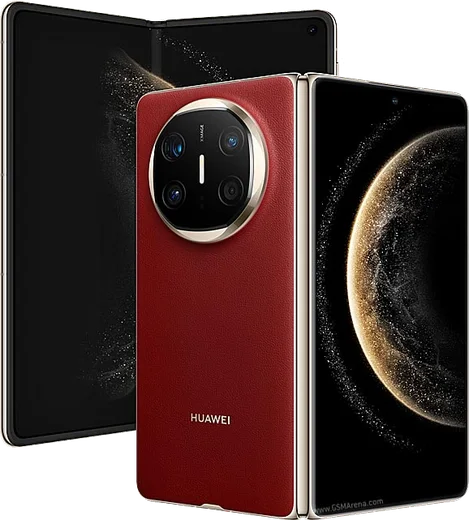
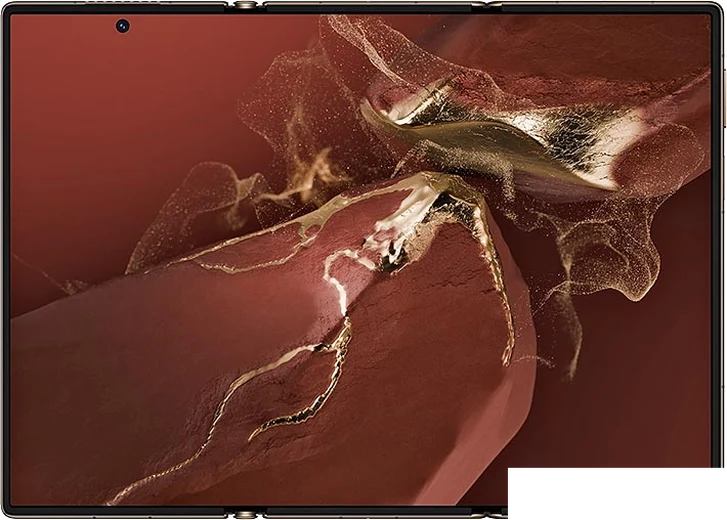
Kirin 9020, 7.93-inch foldable OLED

WhatsApp Messenger 4.7 · 64.2M reviews Free · HarmonyOS · ~40 MB · by WhatsApp LLC
Download WhatsApp

Ask a question / report a problem

You can ask any question about WhatsApp support on the Huawei Mate X6 — leave it below and we'll help.

Ask a question

Can the Huawei Mate X6 run WhatsApp?

Fully supported
  • Operating systemHarmonyOS
  • ProcessorKirin 9020
  • WhatsApp versionLatest supported

Latest known WhatsApp problems on Huawei Mate X6

1

How do I install WhatsApp on the Huawei Mate X6 without Google Play?

The Mate X6 runs HarmonyOS with no Google Mobile Services, so WhatsApp won't come from the Play Store. Open AppGallery and search for WhatsApp, which Huawei now lists directly. If it isn't shown in your region, download the official APK straight from whatsapp.com/android and install it. Always use the AppGallery listing or the official site rather than a third-party APK mirror, so the app stays verified and can self-update. See how others solved this on Reddit
2

WhatsApp keeps saying 'download the official WhatsApp to continue' on my Mate X6 — how do I fix it?

This warning appears when the installed copy is an unofficial or modified build (for example a GBWhatsApp or aero clone) that WhatsApp's servers reject. Uninstall it, then reinstall the genuine signed build from AppGallery or directly from whatsapp.com/android. After installing, open Settings > Apps > Apps > WhatsApp > Permissions and confirm Storage and notifications are allowed, then log in again with your number. See how others solved this on Reddit
3

Why won't WhatsApp images and media download or show up on my Huawei phone?

On HarmonyOS this is usually battery management closing WhatsApp in the background, or a missing storage permission. Go to Settings > Battery > App launch, find WhatsApp, turn off 'Manage automatically' and enable Auto-launch, Secondary launch and Run in background. Then check Settings > Apps > Apps > WhatsApp > Permissions and grant access to Photos/Storage. Finally, in WhatsApp open Settings > Storage and data > Media auto-download and allow downloads over Wi-Fi and mobile data. See how others solved this on Reddit
4

Can I transfer my WhatsApp chat history from my old iPhone to the Mate X6?

There's no iCloud-to-HarmonyOS restore, so the iPhone cloud backup won't import directly. WhatsApp's official 'Move to Android' transfer requires a cable and a Google-services Android phone, which the Mate X6 isn't, so it often won't complete. The most reliable fallback is to export chats one at a time from inside each conversation via the menu > More > Export chat, which moves the text and selected media to the new phone. See how others solved this on Reddit
5

Will WhatsApp notifications work reliably on the Mate X6 without Google services?

They can, but with no Google push service WhatsApp must stay running itself. In Settings > Battery > App launch, switch WhatsApp from automatic to manual and enable Auto-launch, Secondary launch and Run in background, then in Settings > Notifications confirm WhatsApp notifications and lock-screen banners are on. Avoid swiping WhatsApp out of the recents tray, since closing it that way can delay messages until you reopen the app. See how others solved this on Reddit
6

Can I run two WhatsApp accounts on the Mate X6?

Yes. Use HarmonyOS App Twin (Settings > Apps > App Twin) to clone WhatsApp and sign in with a second number, where supported for the installed app. Alternatively install WhatsApp Business alongside the standard app so each runs as a separate app with its own number. App Twin availability can depend on the WhatsApp build, so if WhatsApp isn't listed under App Twin, the WhatsApp Business route is the dependable option. See how others solved this on Reddit

Ask a question / report a problem

You can ask any question about WhatsApp support on the Huawei Mate X6 — leave it below and we'll help.

Ask a question

Watch: setting up WhatsApp

Prefer to watch? This short walkthrough shows the whole installation and number-verification flow.

How to install WhatsApp on Huawei Mate X6 — video walkthrough

How to install WhatsApp on Huawei Mate X6

1

Open Huawei AppGallery

On your Huawei Mate X6, tap the AppGallery icon — Huawei's own app store. Newer Huawei phones ship without Google Play, so AppGallery is where you get WhatsApp.

2

Search for WhatsApp

Search WhatsApp Messenger in AppGallery and confirm it's published by WhatsApp LLC. If it isn't offered in your region, use Petal Search to download the official app.

3

Install the app

Tap Install. AppGallery downloads and installs WhatsApp; if prompted, allow installing the app so it can finish.

4

Verify your phone number

Open WhatsApp, accept the terms, and enter your phone number. On a dual-SIM Huawei Mate X6, pick the line you want WhatsApp tied to, then enter the 6-digit code it sends by SMS.

5

Allow notifications and background activity

Add your name and photo, tap Allow for notifications, then open Settings > Battery and let WhatsApp auto-launch and run in the background so messages arrive on time on HarmonyOS.

Stay safe: only ever install WhatsApp from the official HarmonyOS source. The Download button above already points there — modified copies (GB/Plus/Aero WhatsApp) can get your number banned.

Comments (13)

No registration needed. No email required.
P
pleaseeeJun 20, 2026

endlich alles läuft auf meinem Huawei Mate X6, vielen dank

A
amy_officialMay 2, 2026

guys i NEED this app pleaseeee how do i do it 😭😭

AppWhatsOfficialMay 3, 2026

Hey, no need to stress! Tap the green Download button at the top, follow the steps, and you will have WhatsApp in a minute.

M
mia60Apr 30, 2026

yo did it without any help, very simple 🎉

N
noobmasterMar 3, 2026

Wow saved me so much time ❤️

T
tina3Feb 16, 2026

Quick q im not getting the sms code

AppWhatsOfficialFeb 18, 2026

Of course, make sure the number and country code are correct, then ask for a new code. A quick restart of the phone often helps too.

M
moJan 24, 2026

والله اشتغل تمام شكراً

P
pleaseeeJan 17, 2026

well worked like a charm

B
big_lucyJan 5, 2026

installed on my mate x6, super simple

T
theo9Jul 1, 2025

finally got whatsapp running on my Mate X6

AppWhatsOfficialJul 4, 2025

Nice one, enjoy WhatsApp!

T
techguyApr 20, 2025

Ok so whatsapp is working on my Huawei Mate X6 now

D
droiduserNov 28, 2024

Mein huawei mate x6 hat endlich whatsapp, klasse

P
pablo96Sep 2, 2024

sorry but download takes forever for me

AppWhatsOfficialSep 8, 2024

Thanks for asking, a slow download is usually the network. A stable wifi connection will speed it up a lot. Hope that helps!

W
whatsappfanJul 19, 2024

omg cheers for the clear instructions lol