Huawei HarmonyOS

WhatsApp for Huawei Mate 60 Pro

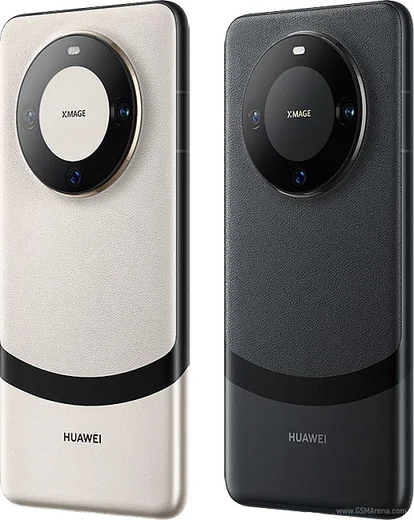
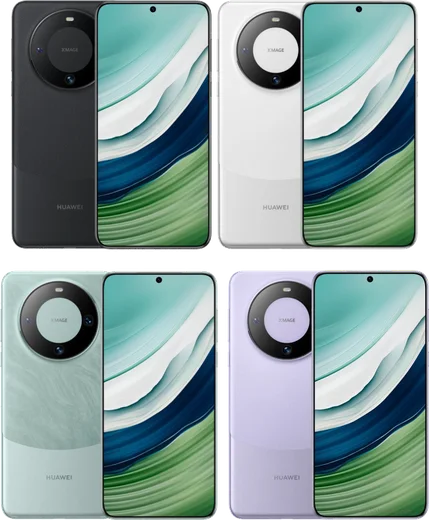
Kirin 9000s 5G, 6.82-inch quad-curve OLED, satellite calls

WhatsApp Messenger 4.7 · 64.2M reviews Free · HarmonyOS · ~40 MB · by WhatsApp LLC
Download WhatsApp

Ask a question / report a problem

You can ask any question about WhatsApp support on the Huawei Mate 60 Pro — leave it below and we'll help.

Ask a question

Can the Huawei Mate 60 Pro run WhatsApp?

Fully supported
  • Operating systemHarmonyOS
  • OS versionHarmonyOS 4 → NEXT
  • ProcessorKirin 9000s
  • RAM12 GB

Latest known WhatsApp problems on Huawei Mate 60 Pro

1

Why can't I download WhatsApp on my Huawei Mate 60 Pro?

The Mate 60 Pro runs HarmonyOS with AppGallery, which does not list WhatsApp, and it has no Google Play Services, so the Play Store route is unavailable. Download the WhatsApp APK directly from whatsapp.com/android in the browser, or use Huawei's Petal Search to find and sideload it. After installing, open Settings > Apps > WhatsApp > Permissions and grant Contacts, Photos/Media, and Notifications so it can sync chats and alert you. See how others solved this on Reddit
2

Does WhatsApp actually work on the Huawei Mate 60 Pro, or does it just install?

On the standard Mate 60 Pro running HarmonyOS 4.x, the sideloaded Android WhatsApp APK installs and runs fully, including messages, calls, and notifications, because HarmonyOS 4 still includes the Android runtime. The problem only appears on HarmonyOS NEXT, which drops Android app support entirely. Check your build under Settings > About phone: if it is HarmonyOS 4.x rather than NEXT, the APK works. See how others solved this on Reddit
3

Will my Huawei Mate 60 Pro get WhatsApp if it updates to HarmonyOS NEXT?

HarmonyOS NEXT removes the Android subsystem, so Android APKs including WhatsApp will not install or run, and a native HarmonyOS NEXT WhatsApp is not officially available worldwide yet. If you rely on WhatsApp, stay on HarmonyOS 4.x and do not opt into a NEXT migration, since that switch cannot be reversed without a full reflash. Watch AppGallery for an official HarmonyOS-native WhatsApp before upgrading. See how others solved this on Reddit
4

WhatsApp stopped working on my Huawei after a system update, how do I fix it?

This usually happens because the sideloaded APK is too old, and WhatsApp has dropped support for that version, not because of any Google services check. Uninstall the old app, then reinstall a fresh, current APK directly from whatsapp.com/android. If it still won't connect, confirm your account isn't logged in on a newer device and re-verify your number; back up chats first since reinstalling can clear local history. See how others solved this on Reddit
5

Why does WhatsApp keep missing notifications in the background on my Mate 60 Pro?

Huawei's aggressive power management closes background apps, so WhatsApp messages arrive late or only when you open it. Go to Settings > Battery > App launch, find WhatsApp, switch it from Automatic to Manage manually, and enable Auto-launch, Secondary launch, and Run in background. Then under Settings > Notifications make sure WhatsApp notifications are allowed so alerts come through reliably. See how others solved this on Reddit

Ask a question / report a problem

You can ask any question about WhatsApp support on the Huawei Mate 60 Pro — leave it below and we'll help.

Ask a question

Watch: setting up WhatsApp

Prefer to watch? This short walkthrough shows the whole installation and number-verification flow.

How to install WhatsApp on Huawei Mate 60 Pro — video walkthrough

How to install WhatsApp on Huawei Mate 60 Pro

1

Open Huawei AppGallery

On your Huawei Mate 60 Pro, tap the AppGallery icon — Huawei's own app store. Newer Huawei phones ship without Google Play, so AppGallery is where you get WhatsApp.

2

Search for WhatsApp

Search WhatsApp Messenger in AppGallery and confirm it's published by WhatsApp LLC. If it isn't offered in your region, use Petal Search to download the official app.

3

Install the app

Tap Install. AppGallery downloads and installs WhatsApp; if prompted, allow installing the app so it can finish.

4

Verify your phone number

Open WhatsApp, accept the terms, and enter your phone number. On a dual-SIM Huawei Mate 60 Pro, pick the line you want WhatsApp tied to, then enter the 6-digit code it sends by SMS.

5

Allow notifications and background activity

Add your name and photo, tap Allow for notifications, then open Settings > Battery and let WhatsApp auto-launch and run in the background so messages arrive on time on HarmonyOS.

Stay safe: only ever install WhatsApp from the official HarmonyOS source. The Download button above already points there — modified copies (GB/Plus/Aero WhatsApp) can get your number banned.

Comments (13)

No registration needed. No email required.
N
newbieJun 20, 2026

no play store on my phone, will this work anyone

AppWhatsOfficialJun 21, 2026

Thanks for asking, yes you can. Enable 'Install unknown apps' for your browser in Settings, then open the official APK. The steps above cover it. Glad to help.

B
big_rajMay 2, 2026

ahora mi mate 60 pro tiene whatsapp, genial 😍

J
just_rajFeb 25, 2026

update everything working now thx

N
noah_gabJan 23, 2026

Is this gb whatsapp thanks

AppWhatsOfficialJan 25, 2026

Hey there, it is the official WhatsApp from the real app store. We do not recommend modded versions like GB or Plus, they can get your number banned.

P
priya_lucSep 22, 2025

so respect, this helped alot ❤️

S
saif_22Aug 21, 2025

أخيراً ثبّت واتساب على Huawei Mate 60 Pro

D
droiduserAug 6, 2025

no problems installing on my mate 60 Pro

B
bea18Jul 6, 2025

the mate 60 Pro steps actually work unlike other sites lol

J
justmeJul 6, 2025

So smooth and simple, no issues cheers

L
luca2000Jul 2, 2025

Ngl didnt work at first but second time was fine 🎉

H
halppNov 15, 2024

Echt beste seite, hat sofort geklappt auf meinem Mate 60 Pro

K
kate43Oct 24, 2024

Hey why is it downloading so slowly anyone

AppWhatsOfficialOct 28, 2024

Hey there, speed comes down to your data or wifi. On a good connection it only takes a few seconds.

L
lou17Oct 11, 2024

Whyyy is this so hard pls help me get whatsapp pls

AppWhatsOfficialOct 15, 2024

You are almost there! Tap Download, allow the install, open WhatsApp and confirm your number. Reply here if you get stuck.