WhatsApp on Huawei Mate X2
Huawei HarmonyOS

WhatsApp for Huawei Mate X2

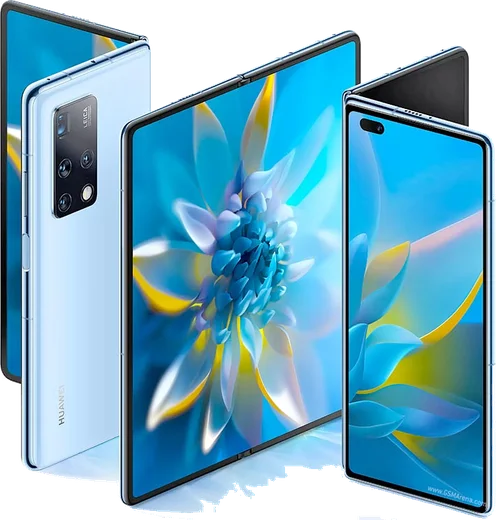
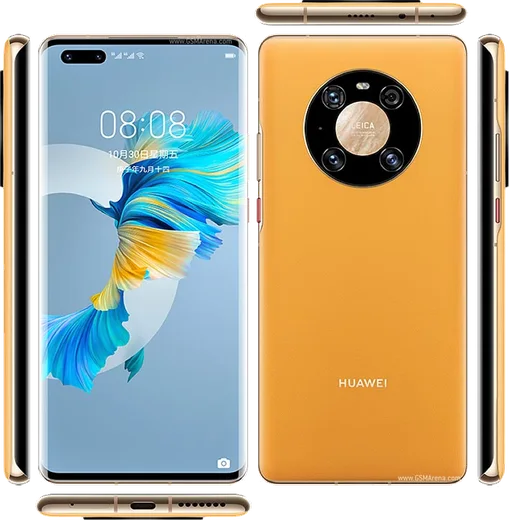
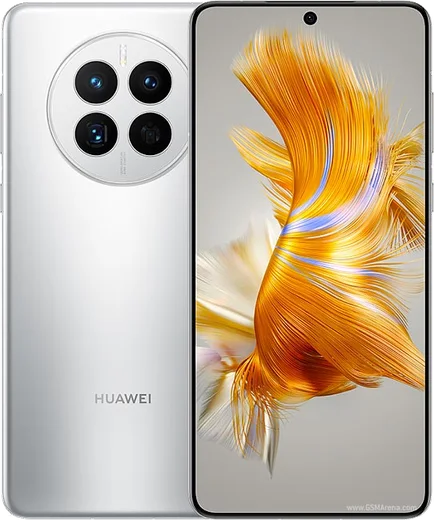
Kirin 9000 5G, inward-folding 8-inch OLED, Leica camera

WhatsApp Messenger 4.7 · 64.2M reviews Free · HarmonyOS · ~40 MB · by WhatsApp LLC
Download WhatsApp

Ask a question / report a problem

You can ask any question about WhatsApp support on the Huawei Mate X2 — leave it below and we'll help.

Ask a question

Can the Huawei Mate X2 run WhatsApp?

Fully supported
  • Operating systemHarmonyOS
  • ProcessorKirin 9000 5G
  • WhatsApp versionLatest supported

Latest known WhatsApp problems on Huawei Mate X2

1

How do I install WhatsApp on the Huawei Mate X2 without Google Play?

The Mate X2 runs HarmonyOS without Google Mobile Services, but WhatsApp does not need Google services to run, so you have two easy options. First, open AppGallery and search for WhatsApp, which is now listed in many regions. If it is not available where you are, download the official APK from whatsapp.com/android in your browser, then tap the downloaded file and allow your browser or Files app to install apps from unknown sources when prompted. You do not need GBox, microG, or any Google Play Services layer for WhatsApp itself. See how others solved this on Reddit
2

WhatsApp notifications keep getting missed or delayed on my Mate X2

HarmonyOS aggressively closes background apps to save battery, which stops WhatsApp from receiving timely pushes. Open Settings > Battery > App launch (or Settings > Apps > App launch), find WhatsApp, turn off Manage automatically, then enable Auto-launch, Secondary launch, and Run in background. Also confirm notifications are on under Settings > Notifications > WhatsApp, and lock WhatsApp in the recent-apps view so the system stops clearing it. See how others solved this on Reddit
3

My apps including WhatsApp stopped opening or loading on the Mate X2

On HarmonyOS this is usually a cache, update, or background-restriction issue rather than anything to do with Google services. First force-stop the app via Settings > Apps > WhatsApp > Force stop, then clear its cache under Storage > Clear cache (do not clear data, as that wipes the app). Check AppGallery or the official site for the latest version, since an outdated build can fail to launch after a system update. If it still will not open, uninstall and reinstall from the latest official APK, then restore your chats. See how others solved this on Reddit
4

Will WhatsApp actually work properly on a Huawei without Google services?

Yes. WhatsApp's core messaging, calls, and media all work on the Mate X2 because the app does not depend on Google services. The main caveat is that chat backup to Google Drive is unavailable, so use WhatsApp's local backup under Settings > Chats > Chat backup instead. The other thing to plan for is notification reliability, which needs the battery and auto-launch tweaks described above to stay consistent. See how others solved this on Reddit
5

I can't right-click to save images in WhatsApp on my desktop linked to the Mate X2

This is a WhatsApp Web/Desktop behavior, not a fault with the phone. Right-click is disabled inside the chat view, so instead hover over the image and click the small down-arrow menu that appears in its top corner to download or forward it. If that menu does not appear, update WhatsApp Desktop, or open WhatsApp Web in a browser where you can click the image to view it full-size and then save it from there. See how others solved this on Reddit

Ask a question / report a problem

You can ask any question about WhatsApp support on the Huawei Mate X2 — leave it below and we'll help.

Ask a question

Watch: setting up WhatsApp

Prefer to watch? This short walkthrough shows the whole installation and number-verification flow.

How to install WhatsApp on Huawei Mate X2 — video walkthrough

How to install WhatsApp on Huawei Mate X2

1

Open Huawei AppGallery

On your Huawei Mate X2, tap the AppGallery icon — Huawei's own app store. Newer Huawei phones ship without Google Play, so AppGallery is where you get WhatsApp.

2

Search for WhatsApp

Search WhatsApp Messenger in AppGallery and confirm it's published by WhatsApp LLC. If it isn't offered in your region, use Petal Search to download the official app.

3

Install the app

Tap Install. AppGallery downloads and installs WhatsApp; if prompted, allow installing the app so it can finish.

4

Verify your phone number

Open WhatsApp, accept the terms, and enter your phone number. On a dual-SIM Huawei Mate X2, pick the line you want WhatsApp tied to, then enter the 6-digit code it sends by SMS.

5

Allow notifications and background activity

Add your name and photo, tap Allow for notifications, then open Settings > Battery and let WhatsApp auto-launch and run in the background so messages arrive on time on HarmonyOS.

Stay safe: only ever install WhatsApp from the official HarmonyOS source. The Download button above already points there — modified copies (GB/Plus/Aero WhatsApp) can get your number banned.

Comments (6)

No registration needed. No email required.
X
xX_lucyMar 30, 2026

stuck and so stressed how do i get whatsapp on huawei mate x2 :(

AppWhatsOfficialApr 3, 2026

Don't worry, you can do this! Use the Download button, install the app, and enter your number to verify. Reply here if you get stuck.

S
sol37Nov 7, 2025

man no registration needed, love that 🔥

J
jess_officialSep 13, 2025

hi is this the official whatsapp or a modded one

AppWhatsOfficialSep 16, 2025

Thanks for asking, only the official app here. Modified versions can get your account banned, so we never link to them. Reach out anytime.

A
apploverApr 5, 2025

Finalmente installato sul mate x2 di mia madre senza problemi 😍

M
mmmaaaxxxAug 26, 2024

Omg got it working on my Mate X2 first try

A
alex39Jul 26, 2024

Couldnt be easier thx