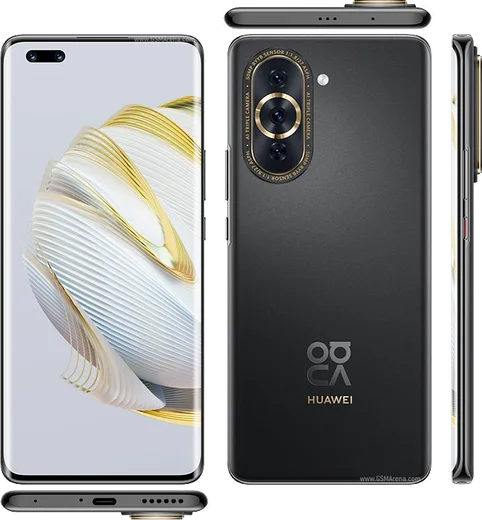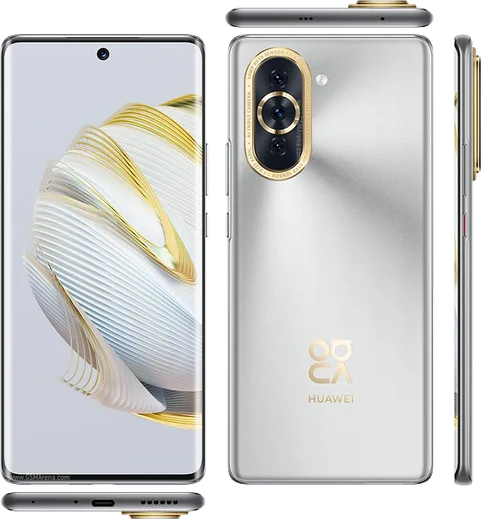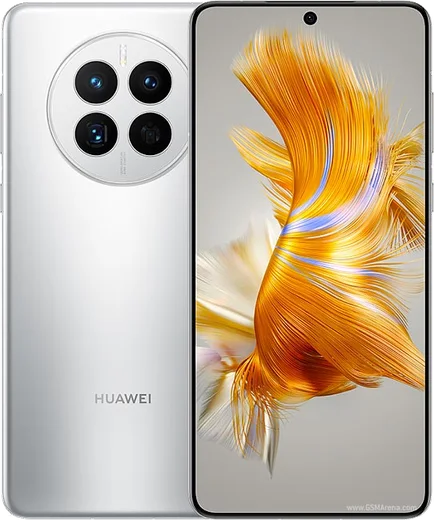
WhatsApp on Huawei Nova 10 Pro
Huawei HarmonyOS

WhatsApp for Huawei Nova 10 Pro

SD778G 4G, 6.78-inch 120Hz curved OLED, 60MP dual selfie

WhatsApp Messenger 4.7 · 64.2M reviews Free · HarmonyOS · ~40 MB · by WhatsApp LLC
Download WhatsApp

Ask a question / report a problem

You can ask any question about WhatsApp support on the Huawei Nova 10 Pro — leave it below and we'll help.

Ask a question

Can the Huawei Nova 10 Pro run WhatsApp?

Fully supported
  • Operating systemHarmonyOS
  • ProcessorSD778G 4G
  • WhatsApp versionLatest supported

Latest known WhatsApp problems on Huawei Nova 10 Pro

1

How do I install WhatsApp on my Huawei Nova 10 Pro without Google Play?

The Nova 10 Pro runs HarmonyOS with no Google Play, so the safest route is to open your browser, go to whatsapp.com/android, and download the official APK directly from WhatsApp. When you tap the downloaded file, HarmonyOS will prompt you to allow installs from that app (browser or Files) — approve it for that source, then continue. You can also search WhatsApp in AppGallery, which links you to the same official download. Avoid third-party APK mirrors, as those builds are often the ones WhatsApp later blocks. See how others solved this on Reddit
2

WhatsApp suddenly stopped working on my Huawei Nova 10 Pro, why?

This usually happens because your sideloaded APK has fallen behind WhatsApp's required minimum version — without Google Play, HarmonyOS does not auto-update it. Check your version in WhatsApp under Settings > Help > App info, then download the latest official APK from whatsapp.com/android and install it over the top; your chats stay intact because the data is stored locally. If it still fails, fully uninstall and reinstall the current official build. See how others solved this on Reddit
3

WhatsApp says 'you don't have the official app' on my Huawei Nova 10 Pro, how do I fix it?

That message means the build you installed is outdated, modified, or came from an unofficial source that WhatsApp now rejects. Before removing it, back up your chats locally via WhatsApp > Settings > Chats > Chat backup (Google Drive backup is not available on HarmonyOS). Then uninstall WhatsApp completely and reinstall only the official APK from whatsapp.com/android or via the AppGallery listing, and the local backup will be detected during setup. See how others solved this on Reddit
4

WhatsApp keeps closing or stops sending notifications in the background on my Huawei Nova 10 Pro

HarmonyOS aggressively closes background apps to save battery, which delays or blocks message notifications. Go to Settings > Battery > App launch, find WhatsApp, switch it from automatic to manual management, and enable Auto-launch, Secondary launch, and Run in background. Then open the recent apps screen, swipe down on the WhatsApp card and tap the lock icon so the system won't clear it. Also confirm notifications are allowed under Settings > Notifications > WhatsApp. See how others solved this on Reddit
5

How do I transfer WhatsApp chats to my new Huawei Nova 10 Pro from my old phone?

Since Google Drive restore is unavailable on HarmonyOS, use a local backup transfer. On your old phone, create a local backup via WhatsApp > Settings > Chats > Chat backup, then copy the WhatsApp data folder (Internal storage > Android > media > com.whatsapp > WhatsApp) to the same location on the Nova 10 Pro using Phone Clone or a USB cable. Install WhatsApp from the official APK, verify the same number, and it will find and restore the local backup during setup. See how others solved this on Reddit
6

WhatsApp won't verify my number on my Huawei Nova 10 Pro, what should I check?

Verification problems on HarmonyOS usually come from an outdated APK, missing SMS/Phone permissions, or restricted background data. Make sure you have the current build from whatsapp.com/android, then grant WhatsApp the SMS, Phone, and Contacts permissions under Settings > Apps > WhatsApp > Permissions and confirm it has mobile data and Wi-Fi access. If the SMS code never arrives, let the countdown finish completely and choose the voice-call verification option instead. See how others solved this on Reddit

Ask a question / report a problem

You can ask any question about WhatsApp support on the Huawei Nova 10 Pro — leave it below and we'll help.

Ask a question

Watch: setting up WhatsApp

Prefer to watch? This short walkthrough shows the whole installation and number-verification flow.

How to install WhatsApp on Huawei Nova 10 Pro — video walkthrough

How to install WhatsApp on Huawei Nova 10 Pro

1

Open Huawei AppGallery

On your Huawei Nova 10 Pro, tap the AppGallery icon — Huawei's own app store. Newer Huawei phones ship without Google Play, so AppGallery is where you get WhatsApp.

2

Search for WhatsApp

Search WhatsApp Messenger in AppGallery and confirm it's published by WhatsApp LLC. If it isn't offered in your region, use Petal Search to download the official app.

3

Install the app

Tap Install. AppGallery downloads and installs WhatsApp; if prompted, allow installing the app so it can finish.

4

Verify your phone number

Open WhatsApp, accept the terms, and enter your phone number. On a dual-SIM Huawei Nova 10 Pro, pick the line you want WhatsApp tied to, then enter the 6-digit code it sends by SMS.

5

Allow notifications and background activity

Add your name and photo, tap Allow for notifications, then open Settings > Battery and let WhatsApp auto-launch and run in the background so messages arrive on time on HarmonyOS.

Stay safe: only ever install WhatsApp from the official HarmonyOS source. The Download button above already points there — modified copies (GB/Plus/Aero WhatsApp) can get your number banned.

Comments (11)

No registration needed. No email required.
T
theuserJun 16, 2026

ok so thank u, whatsapp installed on my 10 pro ❤️

J
jay_beaJun 8, 2026

Guys can i use the same number on two phones thanks

AppWhatsOfficialJun 11, 2026

Of course, whatsApp supports linked devices now, so you can use your account on more than one phone. Open Linked Devices in Settings to add another. Glad to help.

K
kai.aSep 28, 2025

Wow auf dem 10pro meiner mutter problemlos installiert 🙏

G
greg.yAug 19, 2025

honestly it worked first try

M
ms_zoeAug 19, 2025

hey tolle anleitung danke 😍

E
ella_officialJun 10, 2025

got it working on my Huawei Nova 10 Pro first try

X
xX_samMay 8, 2025

guys is this safe? i dont want a virus

AppWhatsOfficialMay 12, 2025

Good question, totally safe. We only link to the genuine WhatsApp, so there is no risk of malware as long as you use the button above.

I
its_andyMar 19, 2025

someone help meee i pressed everything and nothing

AppWhatsOfficialMar 23, 2025

We are here to help. Hit Download, follow the steps on this page, and if the code is slow just request it again. It is easier than it looks, promise.

L
lina_greMar 1, 2025

the app opens to a black screen thanks

AppWhatsOfficialMar 5, 2025

Thanks for asking, a black screen usually clears after a restart. If not, reinstall the newest version and it should open fine. Hope that helps!

J
joe.aNov 23, 2024

Yo perfect steps for the nova 10 pro

B
bea85Sep 15, 2024

Tbh my Nova 10 Pro has whatsapp now thanks to this