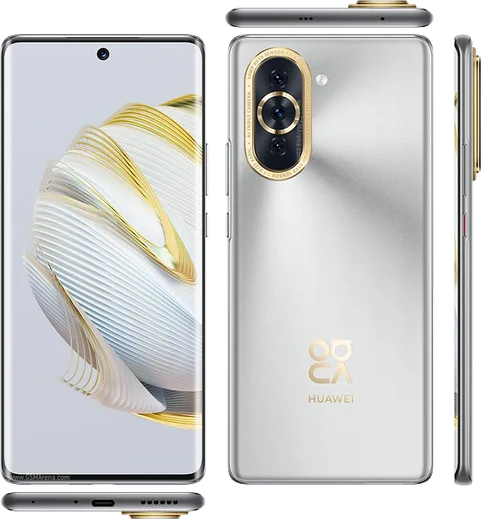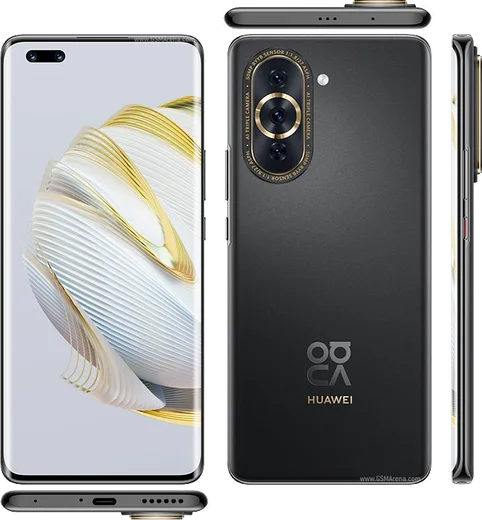
WhatsApp on Huawei Nova 10
Huawei HarmonyOS

WhatsApp for Huawei Nova 10

Snapdragon 778G 4G, 6.67-inch 120Hz OLED, 60MP selfie

WhatsApp Messenger 4.7 · 64.2M reviews Free · HarmonyOS · ~40 MB · by WhatsApp LLC
Download WhatsApp

Ask a question / report a problem

You can ask any question about WhatsApp support on the Huawei Nova 10 — leave it below and we'll help.

Ask a question

Can the Huawei Nova 10 run WhatsApp?

Fully supported
  • Operating systemHarmonyOS
  • ProcessorSnapdragon 778G 4G
  • WhatsApp versionLatest supported

Latest known WhatsApp problems on Huawei Nova 10

1

How do I install WhatsApp on the Huawei Nova 10 without Google Play?

The Nova 10 runs HarmonyOS with AppGallery instead of the Play Store, and WhatsApp is not listed in AppGallery in most regions. The simplest route is the Petal Search app (install it from AppGallery if it isn't already on the phone), search for WhatsApp, and let it download the genuine APK; alternatively download the official APK directly from whatsapp.com/android in your browser. When you tap to install, allow installs from that source when prompted (Settings > Security > More settings > Install apps from external sources, then enable the browser or Files app). See how others solved this on Reddit
2

WhatsApp suddenly stopped working on my Huawei Nova 10, why?

WhatsApp relies on Google Play Services for push notifications and background delivery, and HarmonyOS ships without Google Mobile Services, so notifications and message delivery break or the app stops opening once an older WhatsApp version is dropped. First update WhatsApp to the latest official APK from whatsapp.com/android, since outdated sideloaded versions are blocked. If it still fails, many Huawei users run WhatsApp inside a Google-services container app such as GBox, which provides the missing framework. There is no native Huawei fix, as the limitation comes from the absent Google framework. See how others solved this on Reddit
3

WhatsApp says I don't have the official app on my Huawei Nova 10, how do I fix it?

That message appears when WhatsApp detects an unofficial build (such as GB WhatsApp or WhatsApp Plus) or an APK from an untrusted mirror, which is easy to pick up when sideloading on HarmonyOS. Back up your chats first, then uninstall the current version completely and reinstall only the genuine APK from whatsapp.com/android or via Petal Search. After verifying the same phone number, WhatsApp can restore your messages from a local backup if one is present on the device. See how others solved this on Reddit
4

How do I transfer WhatsApp chats from my old Huawei phone to the Nova 10?

Because Huawei phones cannot use Google Drive backup, rely on a local backup. On the old phone open WhatsApp > Settings > Chats > Chat backup and tap Back up to write a fresh local backup, then move the whole WhatsApp folder (Internal storage > Android > media > com.whatsapp > WhatsApp) to the Nova 10 using Huawei Phone Clone or a cable transfer. Install WhatsApp on the Nova 10, verify the same number, and it will detect the local backup and offer to restore. Confirm the backup date is current before wiping the old phone. See how others solved this on Reddit
5

Can I move my WhatsApp data from the Huawei Nova 10 to a different brand phone?

Cross-brand moves are awkward because Huawei stores local backups rather than Google Drive backups. Create a local backup in WhatsApp > Settings > Chats > Chat backup, then copy the entire Android/media/com.whatsapp/WhatsApp folder to the new phone using a PC or transfer cable. On a phone with Google services, install WhatsApp, verify the same number, and restore from the local backup before it offers a Google Drive backup. The key is moving that WhatsApp folder intact so the new phone can read your message database. See how others solved this on Reddit

Ask a question / report a problem

You can ask any question about WhatsApp support on the Huawei Nova 10 — leave it below and we'll help.

Ask a question

Watch: setting up WhatsApp

Prefer to watch? This short walkthrough shows the whole installation and number-verification flow.

How to install WhatsApp on Huawei Nova 10 — video walkthrough

How to install WhatsApp on Huawei Nova 10

1

Open Huawei AppGallery

On your Huawei Nova 10, tap the AppGallery icon — Huawei's own app store. Newer Huawei phones ship without Google Play, so AppGallery is where you get WhatsApp.

2

Search for WhatsApp

Search WhatsApp Messenger in AppGallery and confirm it's published by WhatsApp LLC. If it isn't offered in your region, use Petal Search to download the official app.

3

Install the app

Tap Install. AppGallery downloads and installs WhatsApp; if prompted, allow installing the app so it can finish.

4

Verify your phone number

Open WhatsApp, accept the terms, and enter your phone number. On a dual-SIM Huawei Nova 10, pick the line you want WhatsApp tied to, then enter the 6-digit code it sends by SMS.

5

Allow notifications and background activity

Add your name and photo, tap Allow for notifications, then open Settings > Battery and let WhatsApp auto-launch and run in the background so messages arrive on time on HarmonyOS.

Stay safe: only ever install WhatsApp from the official HarmonyOS source. The Download button above already points there — modified copies (GB/Plus/Aero WhatsApp) can get your number banned.

Comments (10)

No registration needed. No email required.
O
omar_nicApr 6, 2026

update whatsapp running great on my 10

J
justmeMar 24, 2026

Pls help same account on two devices possible

AppWhatsOfficialMar 25, 2026

Happy to help, yes, use Linked Devices in Settings to add a second phone with the same account. Feel free to ask if you get stuck.

M
marc_kMar 1, 2026

Lo instalé en el 10 de mi madre sin lío gracias

R
rosa.hFeb 16, 2026

Quick q should i remove the old version before this

AppWhatsOfficialFeb 20, 2026

Good question, no need. Installing the latest version updates the existing app and keeps your chats. Just follow the steps above. Hope that helps!

Z
zoe21Jan 7, 2026

guys i NEED this app pleaseeee how do i do it 🙏

AppWhatsOfficialJan 9, 2026

You are almost there! Tap Download, allow the install, open WhatsApp and confirm your number. Reply here if you get stuck.

J
jay.fJul 16, 2025

well restarted the phone and then it installed :)

A
alex_kaiMar 17, 2025

guys is old android supported ?

AppWhatsOfficialMar 21, 2025

Hi! If the store lets you install it, you are supported. Very old systems may eventually lose support though. Happy chatting!

T
techguyDec 16, 2024

yo did this on my nova 10 and it just worked ✌️

K
kev07Sep 22, 2024

wow installé sur le Nova 10 de ma mère sans probleme 🎉

D
deni.iSep 17, 2024

man whatsapp is working on my huawei nova 10 now lol