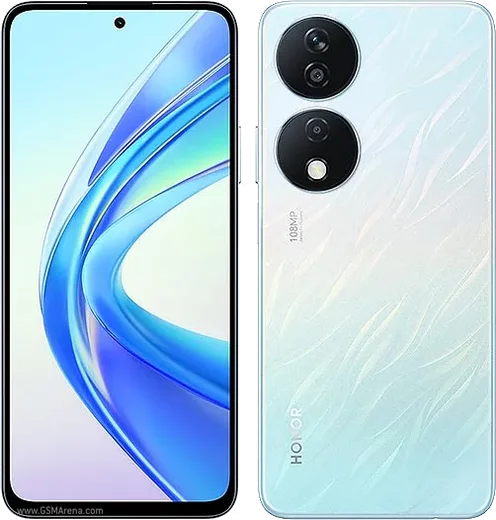
WhatsApp on Honor X7b
Honor Android

WhatsApp for Honor X7b

Snapdragon 685, 6.8-inch AMOLED, 6000mAh battery

WhatsApp Messenger 4.7 · 64.2M reviews Free · Android · ~40 MB · by WhatsApp LLC
Download WhatsApp

Ask a question / report a problem

You can ask any question about WhatsApp support on the Honor X7b — leave it below and we'll help.

Ask a question

Can the Honor X7b run WhatsApp?

Fully supported
  • Operating systemAndroid
  • ProcessorSnapdragon 685
  • WhatsApp versionLatest supported

Latest known WhatsApp problems on Honor X7b

1

Why are my WhatsApp notifications delayed or not arriving on time on my Honor X7b?

MagicOS aggressively closes background apps to save battery, which delays WhatsApp messages and notifications. Two settings fix this together. First, go to Settings > Apps > App management > WhatsApp > Battery and set it to 'No restrictions'. Then go to Settings > Battery > App launch, find WhatsApp, switch it from 'Auto-manage' to 'Manage manually', and enable all three toggles: Auto-launch, Secondary launch, and Run in background. This stops the system from suspending WhatsApp when the screen is off. See how others solved this on Reddit
2

WhatsApp calls don't show up on my Honor X7b lock screen, how do I fix this?

This happens when WhatsApp lacks lock-screen notification permission and is being battery-restricted in the background. Go to Settings > Notifications > WhatsApp, enable 'Allow notifications', and turn on 'Lock screen notifications' and 'Banners'. Within WhatsApp's notification categories, make sure the 'Calls' channel is enabled. Then open Settings > Apps > App management > WhatsApp > Battery and set it to 'No restrictions' so incoming call signals are not blocked while the phone is idle. See how others solved this on Reddit
3

What's a reliable trick to make WhatsApp notifications appear instantly on the Honor X7b?

A proven MagicOS workaround is to lock the app in the recent-apps view so the system won't clear it from memory. Open the recent apps (multitasking) screen, swipe down on the WhatsApp card to pin/lock it (a lock icon appears). Combine this with 'Run in background' enabled under Settings > Battery > App launch > WhatsApp. Keeping WhatsApp pinned prevents the memory manager from terminating it, so push notifications arrive in real time. See how others solved this on Reddit
4

My Honor X7b stopped showing WhatsApp notifications entirely after a while, how do I restore them?

When notifications silently stop, a system or app update has usually reset WhatsApp's background and notification permissions. Go to Settings > Notifications > WhatsApp and toggle 'Allow notifications' off and back on, then re-grant 'No restrictions' under Settings > Apps > App management > WhatsApp > Battery. If it persists, clear WhatsApp's cache via Settings > Apps > App management > WhatsApp > Storage (use Clear cache, not Clear data, which deletes chats), then restart the phone so the push service re-registers. See how others solved this on Reddit
5

Will WhatsApp keep working on my Honor X7b without Google services?

Yes. The Honor X7b ships with Google Mobile Services and the Play Store in most regions, so WhatsApp installs and runs normally, including push notifications, unlike older Huawei-era devices. WhatsApp's push delivery relies on Firebase Cloud Messaging, so as long as Google Play services is installed and kept updated, calls and messages will deliver reliably. See how others solved this on Reddit
6

After a MagicOS update my Honor X7b WhatsApp keeps lagging or acting buggy, what should I do?

System updates can leave WhatsApp's cached data in a stale state, causing lag, stuck media, or crashes. Go to Settings > Apps > App management > WhatsApp > Storage and tap 'Clear cache' (not Clear data, which deletes chats), then update WhatsApp from the Play Store to the latest version. If problems continue, restart the device so background services reinitialize cleanly. See how others solved this on Reddit

Ask a question / report a problem

You can ask any question about WhatsApp support on the Honor X7b — leave it below and we'll help.

Ask a question

Watch: setting up WhatsApp

Prefer to watch? This short walkthrough shows the whole installation and number-verification flow.

How to install WhatsApp on Honor X7b — video walkthrough

How to install WhatsApp on Honor X7b

1

Choose how to download

On your Honor X7b you can get the official app two ways: from the Google Play Store — the easiest option, since it keeps WhatsApp updated automatically — or directly from the official website. You can download an APK file, by clicking a link “Download WhatsApp directly”.

2

Open WhatsApp

Launch WhatsApp from your home screen or app drawer and accept the Terms of Service to start setup.

3

Verify your phone number

Enter your phone number. If your Honor X7b uses dual SIM, pick the line you want WhatsApp tied to, then enter the 6-digit code it sends by SMS — it usually fills in automatically.

4

Restore chats and finish setup

Restore your chat history from Google Drive (use the same Google account), add your name and photo, and tap Allow for notifications so messages and calls arrive reliably.

Stay safe: only ever install WhatsApp from the official Android source. The Download button above already points there — modified copies (GB/Plus/Aero WhatsApp) can get your number banned.

Comments (10)

No registration needed. No email required.
R
rob.iJun 12, 2026

Omg whatsapp running great on my Honor X7b 🙏

P
phoneaddictMay 1, 2026

ok so all good on my x7b now :)

P
phonefanJan 3, 2026

Sorry but installed it but it wont open just a black screen

AppWhatsOfficialJan 4, 2026

Of course, a black screen usually clears after a restart. If not, reinstall the newest version and it should open fine. Glad to help.

T
the_real_tinaNov 12, 2025

Pls help is this gb whatsapp pls

AppWhatsOfficialNov 17, 2025

Sure, only the official app here. Modified versions can get your account banned, so we never link to them. Let us know if you need anything else.

L
lil_yukiJul 8, 2025

Davvero ha funzionato benissimo, grazie 💯

M
mmmaaaxxxMay 21, 2025

ok so whatsapp is working on my X7b now 🙏

K
kev_xXApr 8, 2025

ey por fin pude instalar whatsapp en mi Honor X7b

N
newphoneMar 19, 2025

did it without any help, very simple lol

X
xX_rayDec 25, 2024

omg i NEED this app pleaseeee how do i do it

AppWhatsOfficialDec 27, 2024

Relax, it is simpler than it looks. Press Download, install, then verify with the SMS code. You got this! It is easier than it looks, promise.

M
marc_zoeAug 8, 2024

ngl got it working on my Honor X7b first try