WhatsApp on Vivo Y27
Vivo Android

WhatsApp for Vivo Y27

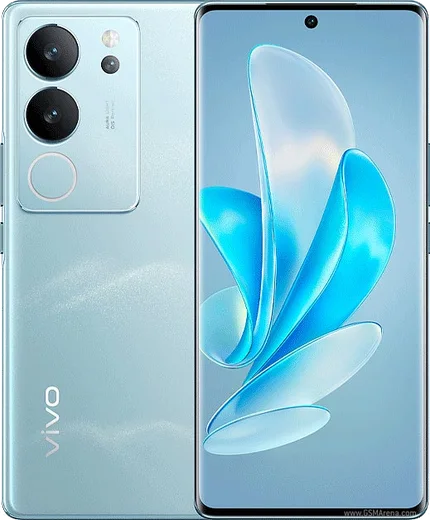
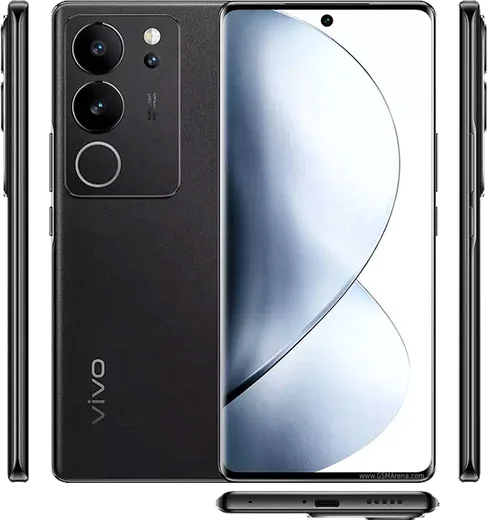
Helio G85, 6.64-inch LCD, 5000mAh, 44W fast charging

WhatsApp Messenger 4.7 · 64.2M reviews Free · Android · ~40 MB · by WhatsApp LLC
Download WhatsApp

Ask a question / report a problem

You can ask any question about WhatsApp support on the Vivo Y27 — leave it below and we'll help.

Ask a question

Can the Vivo Y27 run WhatsApp?

Fully supported
  • Operating systemAndroid
  • ProcessorHelio G85
  • WhatsApp versionLatest supported

Latest known WhatsApp problems on Vivo Y27

1

Why does WhatsApp keep crashing on my Vivo Y27?

On the Y27 this is usually caused by a corrupted cache or an outdated app version. First go to Settings > Apps > App Manager > WhatsApp > Storage and tap Clear cache (not Clear data). Then open the Play Store and update WhatsApp to the latest version, and make sure Funtouch OS itself is current via Settings > System update. If it still crashes, reboot the phone and confirm WhatsApp isn't being throttled under Settings > Battery > High background power consumption. See how others solved this on Reddit
2

WhatsApp notifications don't show up on my Vivo Y27 until I open the app

Funtouch OS aggressively closes background apps, so allow WhatsApp to run freely. Go to Settings > Battery, find WhatsApp, and turn off the background power consumption / high background power limit for it. Then open Settings > Apps > Auto-start management and toggle WhatsApp on so it can wake to deliver messages. Finally, check Settings > Apps > App Manager > WhatsApp > Notifications and enable all categories. Locking WhatsApp in the Recent apps switcher (open recents and tap the lock icon) also stops the system from clearing it. See how others solved this on Reddit
3

Can I move WhatsApp or its data to the SD card on the Vivo Y27 to free up storage?

Funtouch OS does not let you move app installs to an SD card without root, so WhatsApp itself must stay on internal storage. What you can do is open WhatsApp > Settings > Storage and data > Manage storage to delete large media, and turn off media auto-download under Settings > Storage and data. To offload existing photos and videos, use the Files app to move the WhatsApp media folders to the SD card, though newly received media will still save to internal storage. See how others solved this on Reddit
4

Will my Vivo Y27 keep getting Android and WhatsApp updates?

Vivo's global update policy gives budget Y-series phones like the Y27 a limited window of major Funtouch OS upgrades plus periodic security patches, so check Settings > System update regularly. WhatsApp updates independently through the Play Store, so even after OS updates slow down the app will keep working as long as your Android version stays above WhatsApp's minimum supported level. Keep auto-updates enabled in the Play Store so the app never falls behind the required version. See how others solved this on Reddit
5

Is the Vivo Y27 a reliable phone for an older relative who mainly uses WhatsApp?

The Y27 is a solid budget choice for WhatsApp calls and messaging, but set it up so notifications stay reliable. Turn off background restrictions for WhatsApp under Settings > Battery, enable it under Settings > Apps > Auto-start management, and make text easier to read with a larger system font under Settings > Display & brightness > Font and display size. Enabling WhatsApp's two-step verification PIN (WhatsApp > Settings > Account > Two-step verification) also protects the account on a shared or rarely-updated device. See how others solved this on Reddit

Ask a question / report a problem

You can ask any question about WhatsApp support on the Vivo Y27 — leave it below and we'll help.

Ask a question

Watch: setting up WhatsApp

Prefer to watch? This short walkthrough shows the whole installation and number-verification flow.

How to install WhatsApp on Vivo Y27 — video walkthrough

How to install WhatsApp on Vivo Y27

1

Choose how to download

On your Vivo Y27 you can get the official app two ways: from the Google Play Store — the easiest option, since it keeps WhatsApp updated automatically — or directly from the official website. You can download an APK file, by clicking a link “Download WhatsApp directly”.

2

Open WhatsApp

Launch WhatsApp from your home screen or app drawer and accept the Terms of Service to start setup.

3

Verify your phone number

Enter your phone number. If your Vivo Y27 uses dual SIM, pick the line you want WhatsApp tied to, then enter the 6-digit code it sends by SMS — it usually fills in automatically.

4

Restore chats and finish setup

Restore your chat history from Google Drive (use the same Google account), add your name and photo, and tap Allow for notifications so messages and calls arrive reliably.

Stay safe: only ever install WhatsApp from the official Android source. The Download button above already points there — modified copies (GB/Plus/Aero WhatsApp) can get your number banned.

Comments (11)

No registration needed. No email required.
N
newbieFeb 5, 2026

man saved me so much time

M
mr_nickOct 8, 2025

even my grandma could do this

AppWhatsOfficialOct 10, 2025

That is great to hear!

L
luca.bOct 3, 2025

Hi the app opens to a black screen

AppWhatsOfficialOct 8, 2025

Hi! A black screen usually clears after a restart. If not, reinstall the newest version and it should open fine.

I
its_rajMar 14, 2025

Wow got it working on my vivo y27 first try 🔥

C
confuuusedFeb 10, 2025

súper sencillo, mi Vivo Y27 ya está listo

G
greg77Jan 18, 2025

ngl this worked great on my vivo y27 ✌️

A
apploverDec 27, 2024

hi the app crashes every time i open it anyone

AppWhatsOfficialDec 28, 2024

Of course, try clearing the cache and updating your phone software, then install the latest version again. That usually stops the crashing. Glad to help.

N
nina_lucDec 26, 2024

Mein vivo y27 hat endlich whatsapp, klasse 😍

B
ben26Sep 23, 2024

tbh no annoying ads which is nice

N
noah.cSep 16, 2024

whatsapp finally on my Y27

M
maxx.dAug 29, 2024

Been at this for hours pls someone help me

AppWhatsOfficialSep 2, 2024

Breathe! Follow the steps above one by one, tap Download first, and you will be chatting in no time.